


Can I change names of the project inside of the timeline as well as at the top while In this view
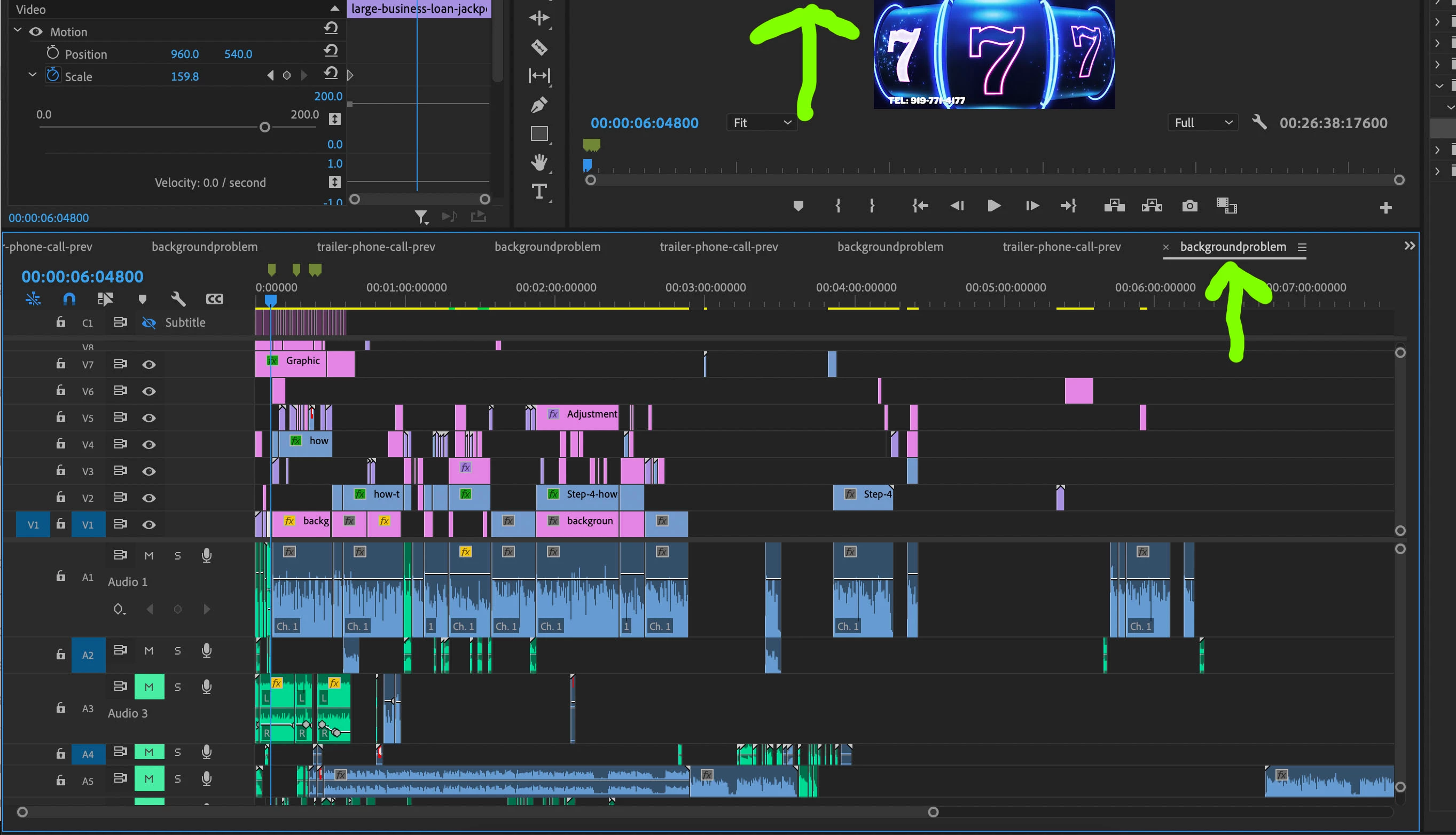
I cannot seem to change the name of the project I am on, in the timeline,
within the timeline itself.
I am flipping back and forth to old projects to copy and paste "ready to go" sections
Into the current project I am working on.
However, since I in past times allowed these projects to have the
same name in the timeline, many are listed as "background problem"
even though they are completely different projects.
So it is a struggle to find the right project within the timeline drop down list to copy and
Paste complete sections from, and into my current timeline because many
are named the same because I never could figure out how to change the name.
Now, When I right click it, and when I click on the 3 horizontal bars to the
right of the project name within the timeline, there isn't a rename option
to rename the project within the timeline panel
That would have made things much easier a long time ago .
Same thing for the name at the very top, (top green arrow in pic) the name of the project.
When I do a file save as, I can rename it into my download. But
when I go back into my download and open the updated name,
the name at the top of the project keeps the old name.
Is there a way to fix this?
BTW does anyone know how to EXPAND the width of the
grab handles between panels?
This has given me many problems over time because I think
I have the divider between panels "In my grasp" to move it,
when I dont' and I end up moving panels and occassionally
clicking on something unknow and being taken into an
unexpected project or view.
Thanks!
 AdChoices