


Create Multicamera Source Sequence - Highframerate footage always creates a 30FPS multicam sequence
-- I accidentally posted this in the wrong forum 😐 --
This is a regression from Premiere Pro 24.1.0 (Build 85) and earlier unless this change is intended.
I'm using the current Beta since I enjoy and test out the improvmeents with the updated audio system.
Sadly this bug broke my workflow.
Steps to reproduce:
1. Select high framerate footage (in my case 100fps)
2. Open the "Create Mulitcamera source sequence"
3. Synchronize with timecode
4. Premiere Beta creates a 30fps sequence, while Premiere Pro stable creates a sequence with the correct fps
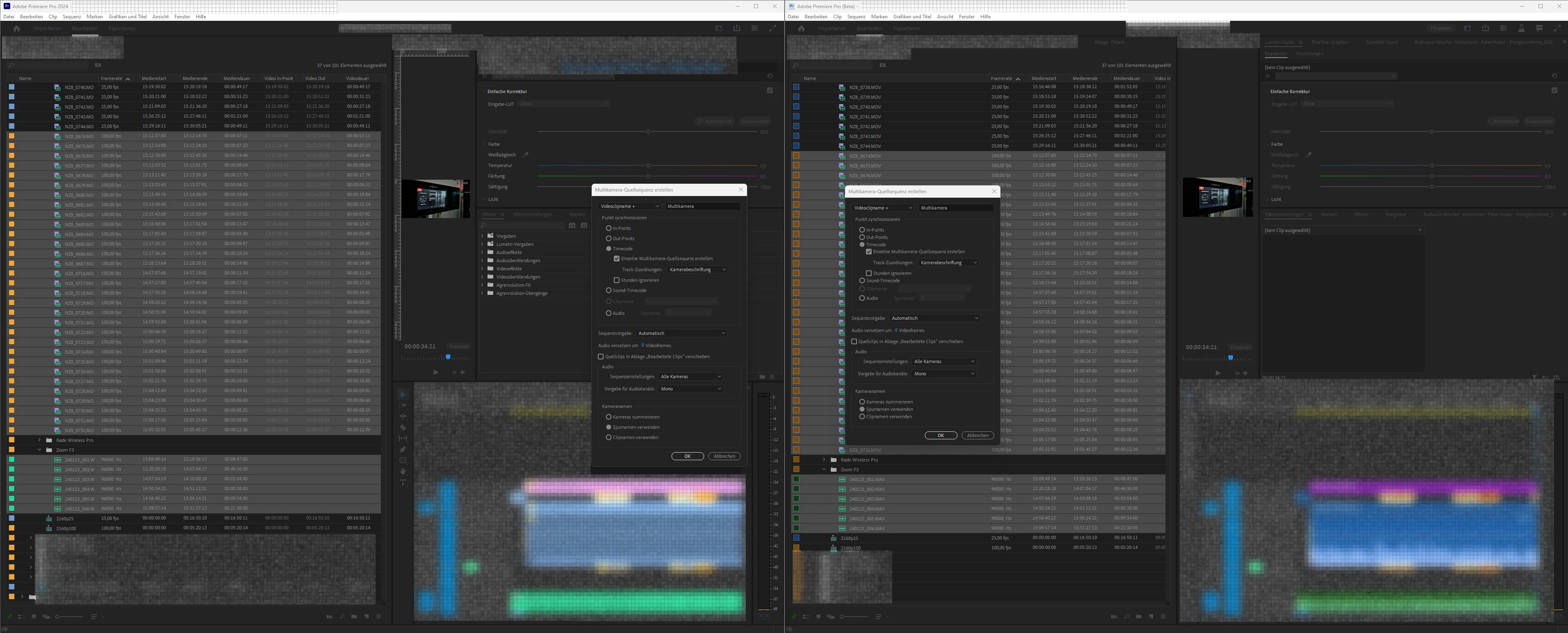
If footage with below 60fps is used, it works as intended.
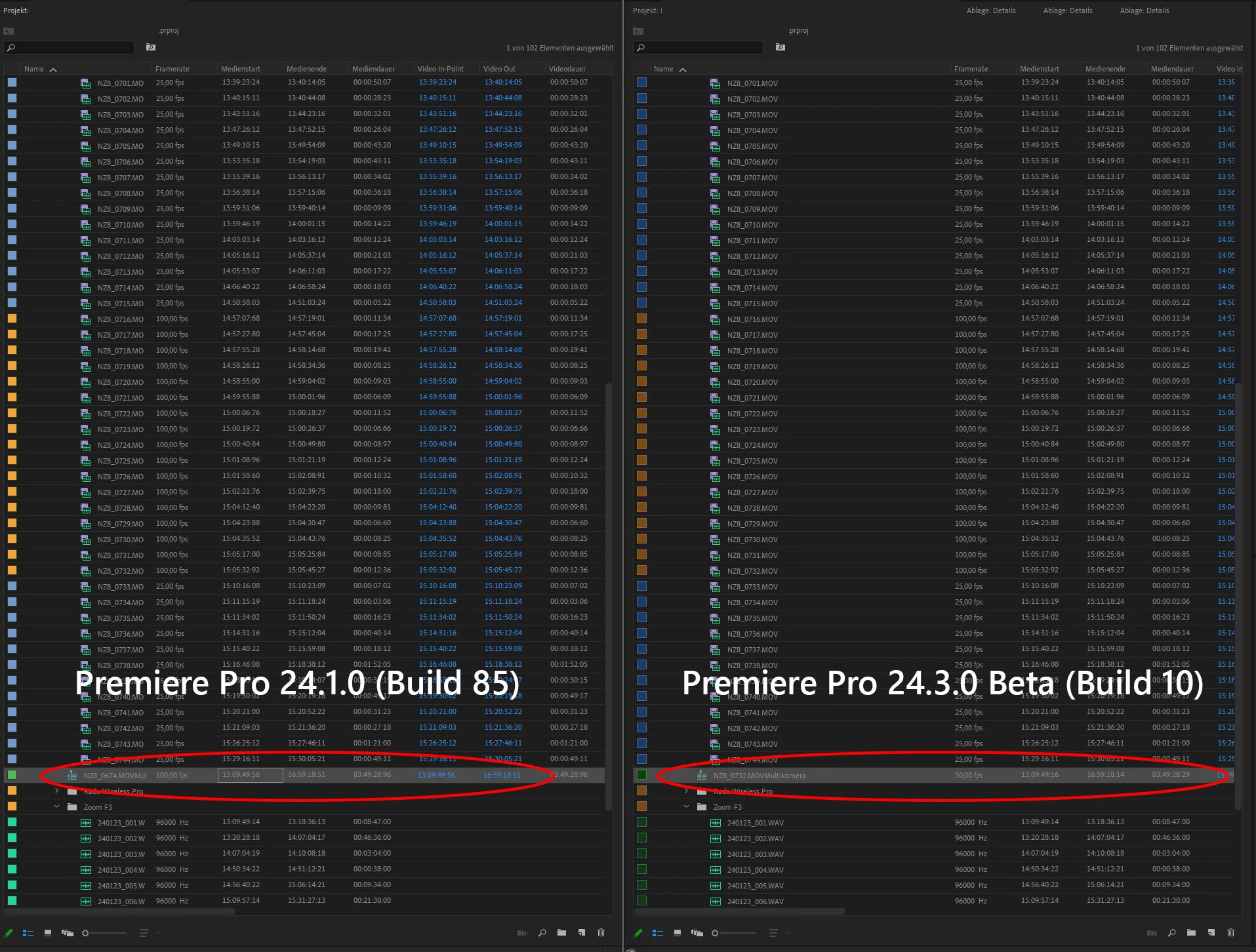
I have tested this with multiple files. This happens with 120 fps footage as well.
Since the sequence settings after all these years still don't contain high framerate options, you can't easily recover from this.
On a side note some feedback for the new audio transition UI in the sequence editor
I've sometimes seen the new audio transistion box glitch out and freeze in place, despite scrolling past it in the sequence. I can't reproduce this issue and you loose controll over the audio transistion until you reopen the panel and the item is rerendered.
Also it would be greate that the transistion box got priority over any keyframes in an audio sequence again, you can only really change it by giving the audio track a lot of height. Otherwise I always moved the audio levels instead of the transistion.
 AdChoices