
Known Participant
Aug 17, 2020 9:42 PM UTC
Question

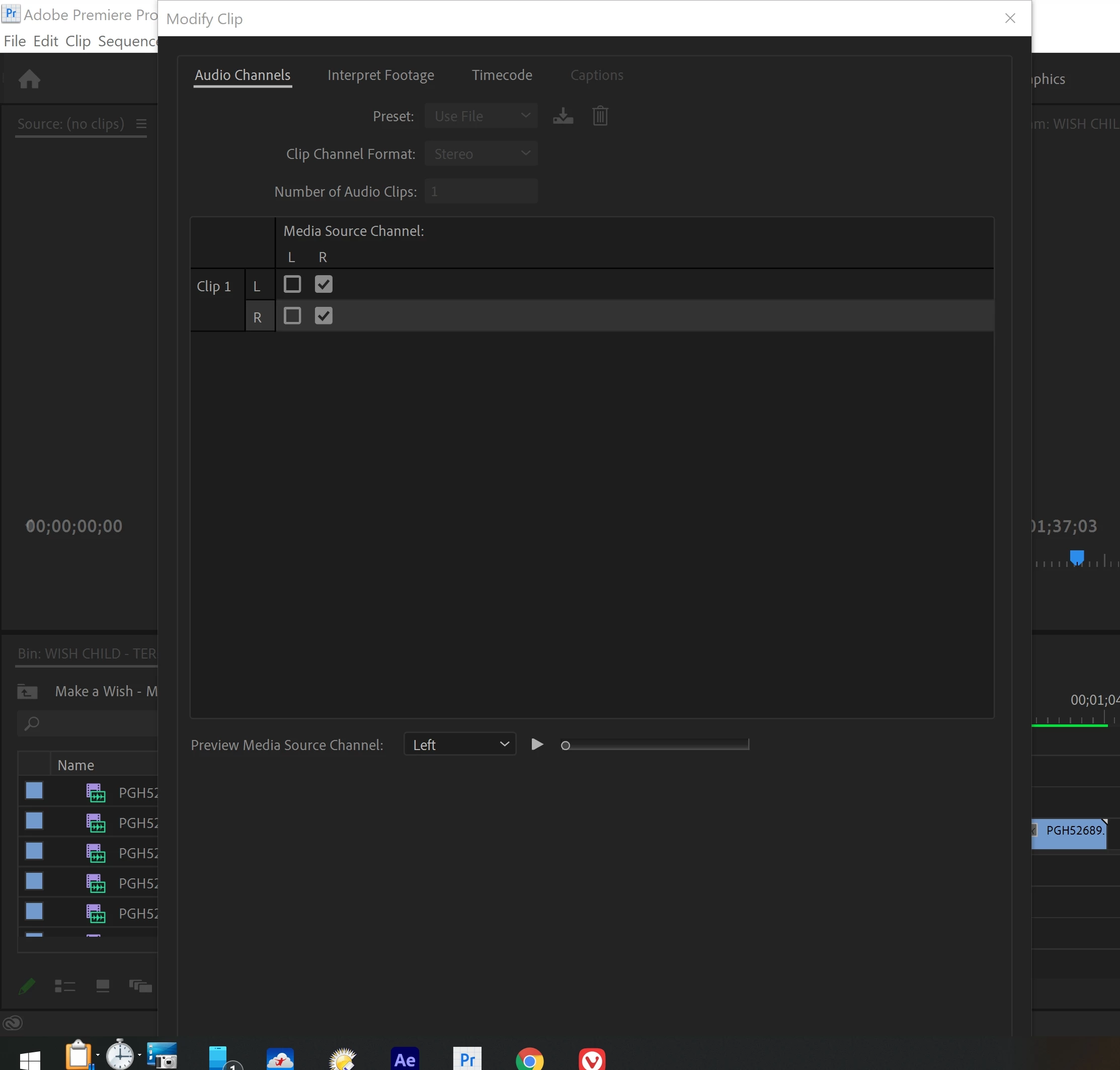
Dialog Box for "Modify Clip" cropped and not resize-able


Right click to adjust audio gives me the box below.  The only resolution that shows the complete box is a 4:3 aspect and still doesn't resize properly.  Box below looks the same at any 16:9 resolution.  
    This topic is closed to new replies. Start a new post to keep the conversation going.

    6 replies

    Stan Jones
    Community Expert
    Community Expert
    Sep 26, 2020 12:44 PM UTC

    Tested on Beta 14.5.0.42. Win 10 2004.


    Right click media file in Project Panel. Modify -> Audio Channels. Displays full window on 1920x1080 and 3840x2160 displays. However, the box cannot be reduced, width or height, beyond a point (probably the original default). It could be the height of 800? The window can be enlarged in either direction independently. Once changed (and exit with "OK"), next use results in changed window size.


    I don't see a way to get what you are seeing with scaling the monitor. Odd. 


    Curious: looked at 2018.1.2. Same behaviors.


    Stan

    Translate
    AjS VBAuthor
    Known Participant
    Oct 4, 2020 1:48 PM UTC

    Interesting as you can't modify audio channels from the PROJECT panel at all, this is form the timeline.  I included the screenshot so they're wouldn't be any confusion or paid commentors telling me to do stupid things that don't help whatsoever. 

    Translate
    AjS VBAuthor
    Known Participant
    Oct 4, 2020 1:59 PM UTC

    Also using any browser with all blockers turned off press the  "...More" button shows a blank rounded edge box disallowing correction of typos.  I love Adobe, nothing but frustration and excuses. 

    Translate
    R Neil Haugen
    Legend
    Aug 18, 2020 4:45 PM UTC

    What is the OS, and the vertical resolution of your screen? My laptop and desktop all have 1080 or better, no problem like this. I know the specs have listed 800 as the minimum vertical requirement.


    Neil

    Translate
    Everyone's mileage always varies ...
    AjS VBAuthor
    Known Participant
    Sep 26, 2020 11:50 AM UTC

    Windows 10 - all updates to date.


    Resolution doesn't matter, whether it's 4k or 1080.  The wasted space in the UI is bad enough, but this is just another stupid annoyance that should exist.  Beta behaves the same way.  As it's not widespread, I'm confident it'll never be fixed.

    Translate