



Discuss: Background Improvements for Captions and Essential Graphics
We're happy to offer early access to some new Background improvements for Captions and Essential Graphics in PrPro 15.3 Beta. Specifically, you can now put Rounded Corners on your text background and also set it to have a Per-Line fill instead of All Lines. We are looking forward to your feedback!
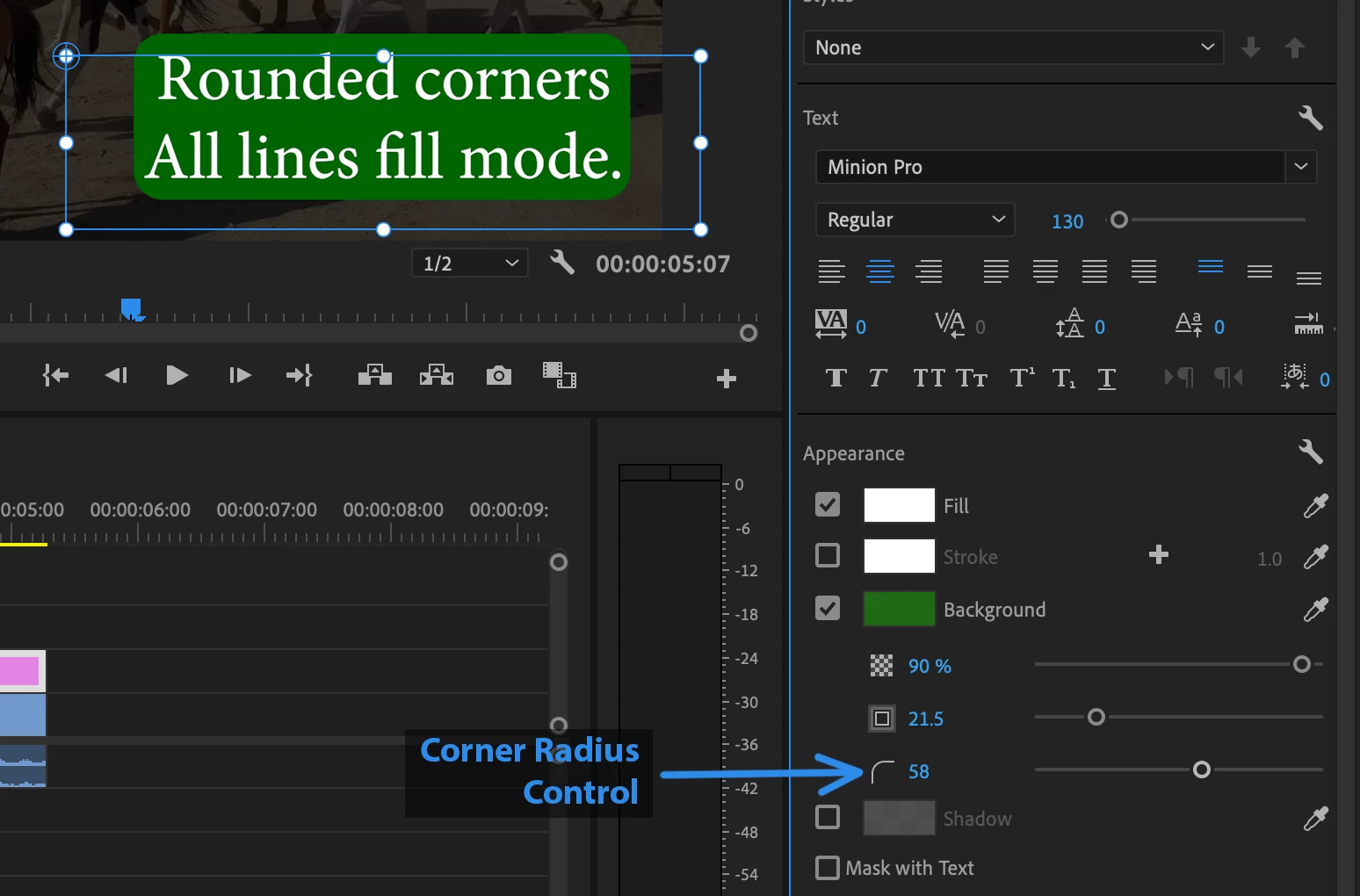
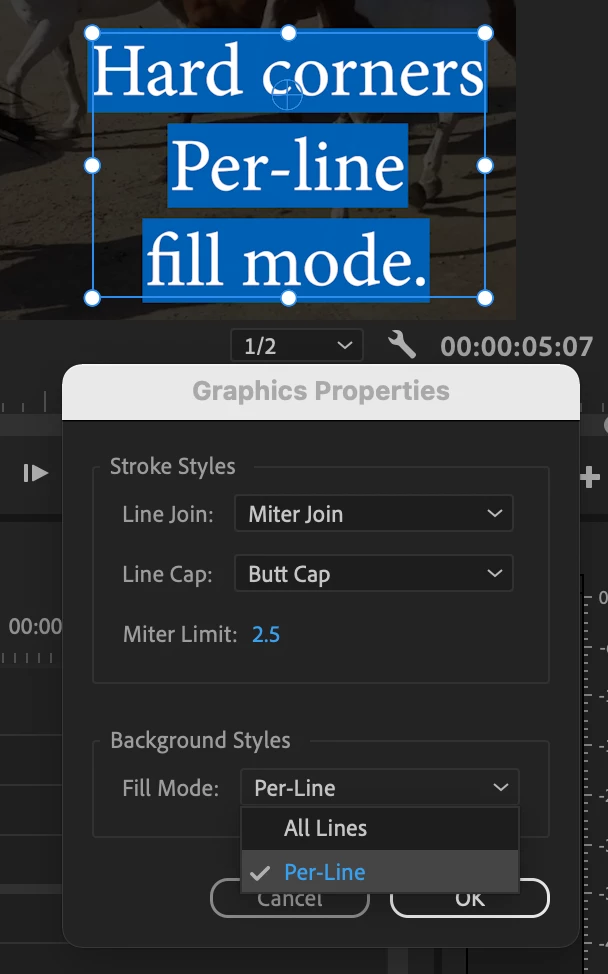
You can access this feature by selecting a Caption Segment or Text Layer and then checking on the Background control under Apperance in the Essential Graphics Panel. You will then see a "Corner Radius" control that will let you round your corners. Then, by clicking on the Appearance > Graphics Properties button (looks like a wrench), you can set your Fill Mode to be Per-Line or All Lines.
Here are a couple of images to help you understand where these controls are located. Enjoy!
Check on Background to see the Corner Radius and other controls:
Choose Per-Line Fill Mode in Graphics Properties:
 AdChoices