




Question
Discuss: New Essentials Workspace
There is a new workspace called “Essentials” that can be accessed by clicking the workspace switcher icon in the top right-hand portion of the header bar.
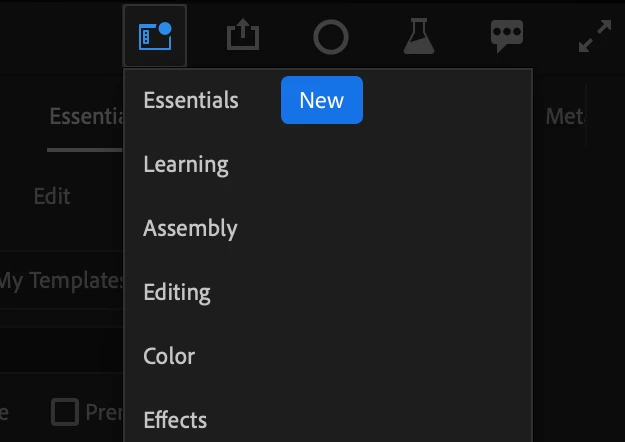
Essentials workspace
The new Essentials workspace offers a clean and simple layout, makes better use of space and is ideal for editors working on laptops or lower resolution displays.
The panels have been rearranged according to a new left-to-right workflow. Find content on the left, edit and view work in the center, and adjust properties on the right.
This is the new default workspace after a clean install or after resetting preferences.
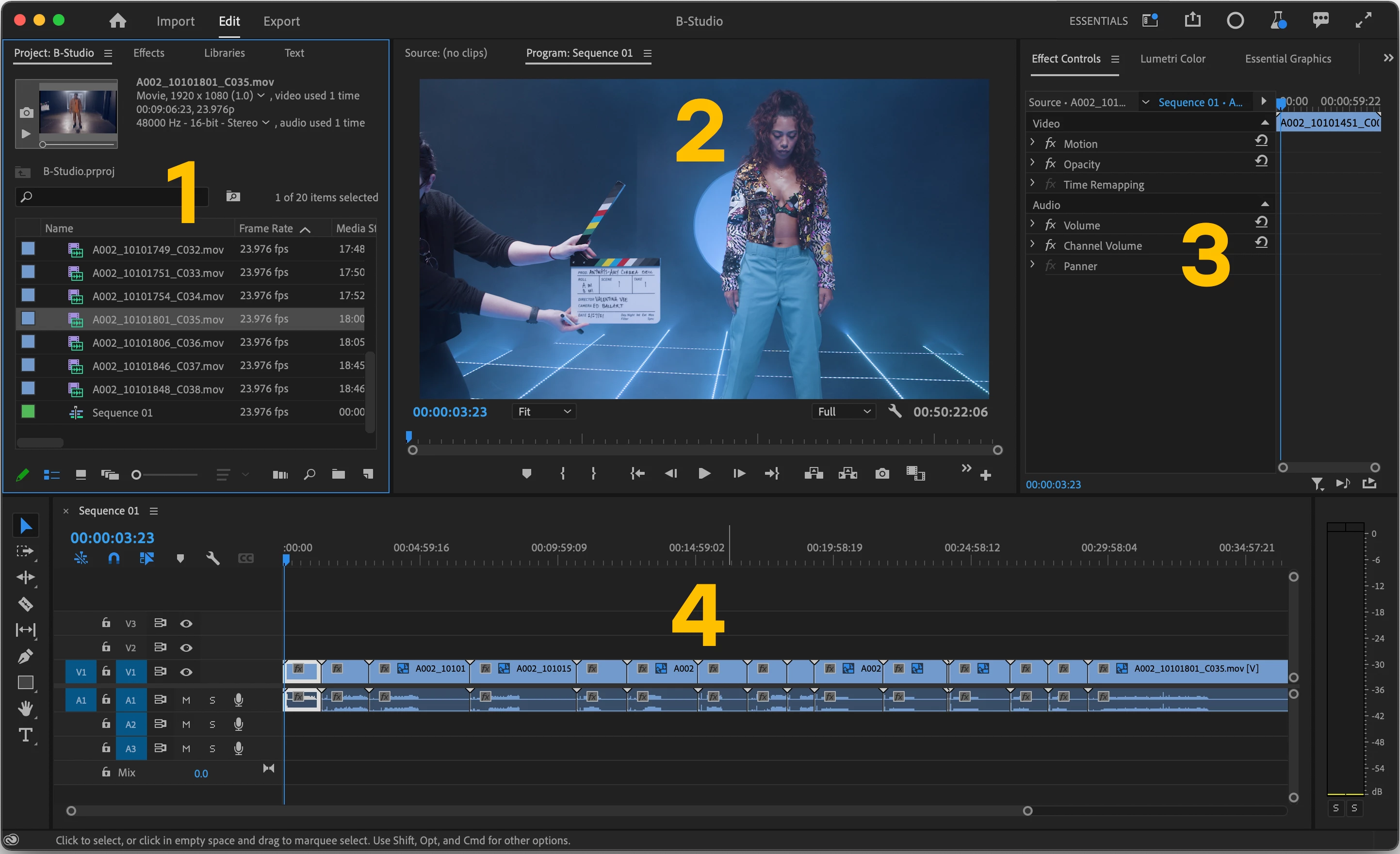
- Project panel, Effects, Libraries, Text. This is where you inspect content that you need to add to your sequence.
- The Source and Program monitor are docked in the same panel and switch automatically as needed. This gives the appearance of a single monitor layout, but don’t worry, we did not get rid of the source monitor. This is a much better use of space especially on small displays.
- Effects controls, Lumetri Color, Essential Graphics, Essential Audio, Metadata. All the panels needed for core workflows are docked in the same panel. This reduces the need to switch workspaces when moving through the different stages of work (color, audio, graphics, etc.) You can think of this area as the place you adjust properties.
- A nice big timeline 🙂
A few questions for the beta community
- How do you like the experience of editing without the source monitor always visible?
- Does the automatic switching of Source and Program work for you and your editing style?
- Are you able to achieve all the key workflows without switching workspaces(editing, color, audio, graphics) ?
- When would you choose to switch to a different workspace and why?
- Do you still think the Learning workspace should be the default?
We want to know what you think. Please join the conversation below.
 AdChoices