


October 12, 2020
Question

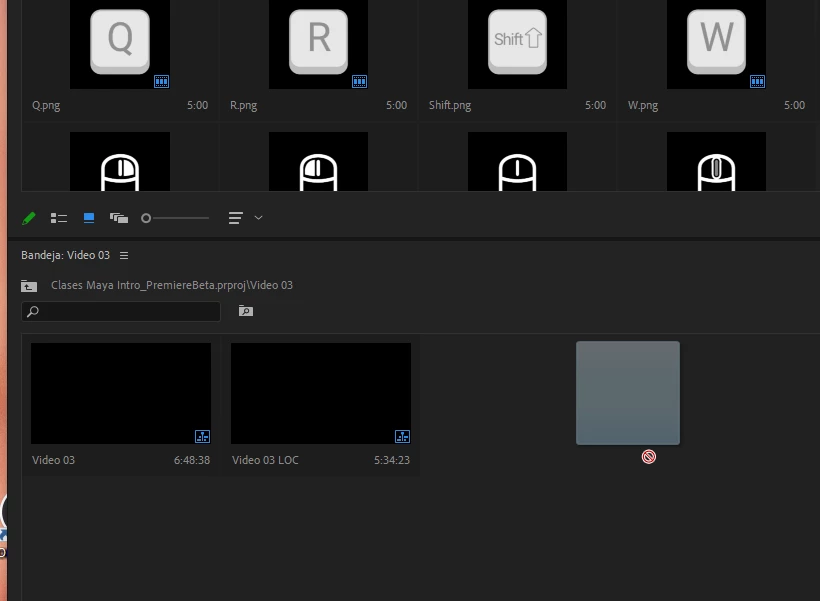
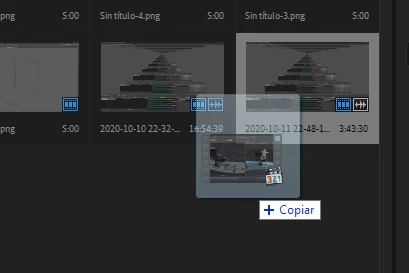
Dragging media to a detached bin does not work.

  • October 12, 2020
  • 3 replies
  • 271 views

Been working on a proyect since yesterday. Today noticed I could not drag media to my bins from the explorer. (The detached bins were saved to the proyect and were there once the premiere was reopened)

But the bins that are attached to the main window do accept media.
This topic has been closed for replies.

3 replies

R Neil Haugen
Legend
October 13, 2020

I'm a practical guy first. So ... that's what I'll comment on, and that's the way I tend to work. Whether or not I "like" the way something works, I first to go to what just works.


Then ... yea, I can get pretty enamored of how I would like to see it work, and the developers have heard a lot from me over the years.


Premiere can at times get a bit wonky if the bins and the project panel aren't on the same monitor. And for some with 3-4 monitors, yea that's a pain. You've got a way you'd like to set them up, and ... Premiere goes bonkers now & then.


I agree that it would be nice if the team fixed that so we could move the blame things where we want them and they just stayed ... and worked.


Neil

Everyone's mileage always varies ...
R Neil Haugen
Legend
October 12, 2020

I can't tell if you mean importing from the OS Finder/Explorer file managers or not. I realize many do add media from Explorer/Finder into Premiere, but I do give a cautionary note about that pratice: it does not always get all the file metadata properly registered with that file in Premiere. Like others, I learned to not use Finder/Explorer to bring media/assets into Premiere the hard way.


Using the MediaBrowser is very similar to working in Finder/Explorer but is the best way to assure that all metadata from the file gets properly registered in the MasterClip data for that file. Especially if you're working with spanned clips!


Other than that, right-click/Import in the Project panel is acceptable mostly it seems. Though I've had a couple cases where Premiere "lost" links for some AVCHD files later on that way. Re-importing them via MediaBrowser ... and sticking with the MB panel for such files ... cured that.


I'll oft import 'simple' media, where the audio/video are on one file, via the Project panel -> import option.


Just a word to the wise ...


Neil

Everyone's mileage always varies ...
October 13, 2020

I work 99% of the time with very simple media that does not rely on metadata at all so for me it is a common practice to just drag and drop into the proyect bin.

Right now, i'm recording a tutorial series for the university i'm working at, so i'm literally just recording at the same time I edit, so having the option to just "Oh, i could add this here" and then just drag and drop to the second monitor is ridiculously faster.

But then again, this is not a thing of best practices, and premiere has almost always had a nice drag and drop support.

Here, the problem is working with detached bins. Say for example i have 2 screens, One with the main premiere window, and the other were I place all the bins of the media i work with. The bug here is that, if I launch premiere, set my project, and drag the bins to the second monitor, everyrhing works normally. If i now save the project, close premiere and then reopen premiere and the project, i cannot drag media into the bins that are on the second monitor, they just refuse to accept said media. If i close the bins and reopen them they work (Also if there is still a bin attached to the main window, it works normally).

And I am not mentioning a behavior of which is the correct way to do things. If it is a feature, I will use it. If it doesn't work, the "That is not meant for that" argument doesnt seem coherent.

I appreciate the effort in educating me in the different ways I can ingest media into the proyect, but that is not the problem I'm facing and your comment downplays what for me is one of the seller features of premiere over many others NLE. I absolutely hated the way Avid MC handles media files, and having the option to drag anything straigth into the timeline is wonderful. 

October 12, 2020

Btw closing the detached window and rebuilding it (Detaching bins from the main window) works as a workaround.