
Participating Frequently
Feb 26, 2025 7:52 PM UTC
Answered

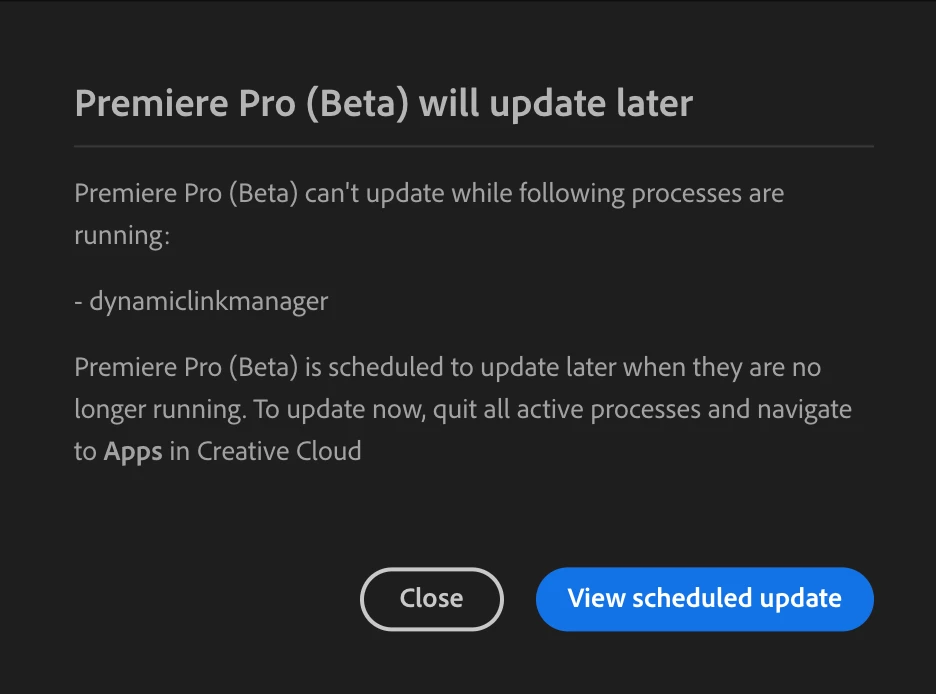
Dynamic Link Manager

Why is the Dynmaic Link Manager not automtacially stopped when I try update my software? Instead we do a dance of scheduling it three or four times before I just give up. Yes, I could do a search in my Mac Utilities and open Activity Monitor and force quit it but why do I have to? If this needs to be closed, close it! Or find a work around so we don't have to!

Ann Bens
Ann BensCorrect answer
Community Expert
Feb 27, 2025 10:35 AM UTC

Close Premiere which you have to do anyway, close updater.

Wait a few seconds.

Then open updater and hit update.

7 replies

Inspiring
Feb 27, 2025 10:37 PM UTC

When I run into this it's usually because I have Adobe Media Encoder running in the background. Close it, wait a minute, then it will run the update.

Translate
j19047533Author
Participating Frequently
Sep 12, 2025 6:32 PM UTC

Yeah, did that too. It happened again today. Closed everything but dynamic link manager did not close properly.  

Translate
Ann Bens
Community Expert
Ann BensCommunity ExpertCorrect answer
Community Expert
Feb 27, 2025 10:35 AM UTC

Close Premiere which you have to do anyway, close updater.

Wait a few seconds.

Then open updater and hit update.

Translate
j19047533Author
Participating Frequently
Feb 27, 2025 3:45 PM UTC

Thanks but I tried that. I had to go and force quit dynamic link to make it work. And not just once, on pretty much every beta update. There is a bug in the way it updates. 

Translate
kglad
Community Expert
Community Expert
Feb 27, 2025 1:00 AM UTC

in the future, to find the best place to post your message, use the list here, https://community.adobe.com/

p.s. i don't think the adobe website, and forums in particular, are easy to navigate, so don't spend a lot of time searching that forum list. do your best and we'll move the post (like this one has already been moved) if it helps you get responses.


<"moved from cc desktop bugs">
Translate
j19047533Author
Participating Frequently
Feb 27, 2025 3:46 PM UTC

Thanks!


Translate
Ann Bens
Community Expert
Community Expert
Feb 27, 2025 6:13 PM UTC

It is what it is: beta.

Besides if you have to update the public released version you will have to follow the same procedure.

Translate