


TheNordern
Participant
July 12, 2020
Answered

"Export media" Bug, "Sorry a serious error has occured"

  • July 12, 2020
  • 3 replies
  • 1736 views

Upon attempting to do either CTRL+M or use "Export-> Media" from the top menu, this error box appears
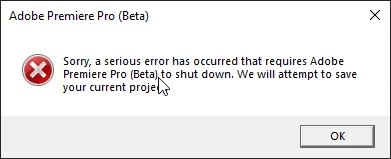
Opening project & sequence in Media encoder seems to work, and renders correctly

Video: https://youtu.be/BmrYzr_-rxs
 

This topic has been closed for replies.
Correct answer mattchristensen

We've got the issue reproduced internally and a fix is in progress. Thanks @TheNordern for getting me your crash logs so we could get to the bottom of it.

A fix will be in one of the next Beta versions.

3 replies

mattchristensen
Legend
July 16, 2020

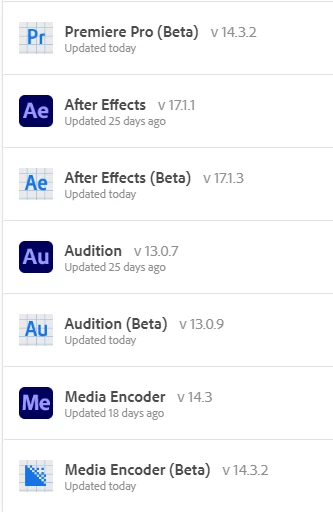
A new build of Premiere Pro Beta has been posted to Creative Cloud that should resolve this crash when exporting. It will be shown as version 14.3.2.27

Known Participant
July 17, 2020

Thanks for being on top of this and getting the issue resolved.

mattchristensen
Legend
July 13, 2020

Thank you for the video and explanation. When you get to the point at 1:15 in the video where you click Send on the crash report box, could you include an email address in the box before clicking Send? If you are able to submit a couple times like that and then let me know what email address you submitted with I can pull up your exact crash report and hopefully get to the bottom of this. You can DM me your email so it's not posted here publicly. Thank you.

mattchristensen
mattchristensenCorrect answer
Legend
July 13, 2020

We've got the issue reproduced internally and a fix is in progress. Thanks @TheNordern for getting me your crash logs so we could get to the bottom of it.

A fix will be in one of the next Beta versions.

R Neil Haugen
Legend
July 12, 2020

OS/CPU/GPU/vRAM, the number/type/connection of drives used, media involved, effects involved, any third-party plugins involved ... that all is really needed to be able to narrow these things down.


Also, that crash report you just closed out of should have been filled out and sent ... all those things help the engineers.


Neil

Everyone's mileage always varies ...
TheNordern
Participant
July 12, 2020


All video files are on a SSD SATA3 RAID0 array in my machine, with ProRes proxies in a subfolder made by FFMPEG

x264 source files


BorisFX Mocha for AE heavily used throughout the project that's the only "3rd party plugin" i use, allthough it's the built in one for AE


I've fill the crash reporters most times, just didn't this time for the video showing what happens, this happens in new projects aswell, it seems like the contents of my project does not have much to do with it at all

Let me know if there is anything else that i can send to help!


R Neil Haugen
Legend
July 12, 2020

Thanks for the detailed reply!


The engineers do read through this forum, so they will see this.


Neil

Everyone's mileage always varies ...
