



hellopaul4
Inspiring
January 19, 2024
Answered

Force Media Refresh: Only for growing media?

  • January 19, 2024
  • 2 replies
  • 981 views

I noticed today that (back in release 24.2.0.25), this was added:


Force Media Refresh
Adds a custom command to the source monitor and the keyboard shortcuts for forcing a refresh on growing media.
• There is now a new keyboard command & optional Source Monitor button shortcut for forcing a manual refresh on growing media files. Set the command to any keyboard shortcut you wish in the keyboard shortcut editor. (v24.2.0.25)
 
"Ooooh" I thought, "will this be like a 'Reload Footage' in AE?" No, I don't think it is...unless (I hope) I'm wrong? Is it ONLY for growing media files (eg. image sequences as they're being rendered)? It'd be SO nice to have an AE-style "Reload footage" - please! (I've assigned it to a keyboard shortcut, but it doesn't seem to do anything exciting on non-growing footage).
 
T'internet doesn't seem to be aware of its existence:
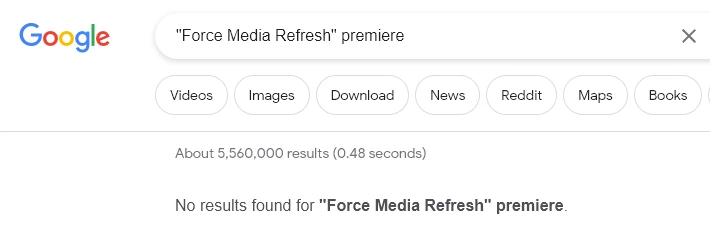
I've also searched the PPro online manual, with no results.

Correct answer Bruce Bullis

Nope, any media interpretation applied to the footage should remain in tact.


Cool; I think you're describing PPro's current behavior. 🙂

Each project item is handled by an instance of a PPro Importer plugin. Whenever PPro needs to know anything about a given project item, it asks the importer, which then does whatever's necessary to provide what PPro asked for. Additionally, whenever PPro gets sent to the OS background (user switches to another app), and whenever PPro comes back to the front, every Importer is alerted (and responds, by disconnecting/reconnecting from the media, or whatever needs to happen).

For Importers that are supporting growing media, PPro will ping them every N seconds (setting in the prefs), giving the Importer a chance to update, from the actual (slightly larger) media. 

When N is longer than the editor's patience will allow (think: editing highlights for a FIFA game before half time), we give them a way to trigger that 'every N seconds' refresh, ahead of schedule. 

2 replies

Bruce Bullis
Community Manager
Community Manager
February 20, 2025

If it worked the way you wanted, what would 'reload footage like in AE' actually do, in PPro?

hellopaul4
Inspiring
February 20, 2025

It would reload the footage, just like in AE. In other words, it would do a "Replace Footage..." and choose the exact same file as previously loaded, but in one command, ensuring that if the footage/PNG/WAV/etc had changed in any way, PPro would be working with the latest version.

Bruce Bullis
Community Manager
Community Manager
February 20, 2025

Would it blow away any existing footage interpretation, which had been applied to the original project item?

Participant
February 20, 2025

I've tried to look it up too, but there is no info on it. Very strange to add and no info about it.