



mikecox_
Inspiring
April 24, 2025
Question

full screen "not"

  • April 24, 2025
  • 3 replies
  • 251 views
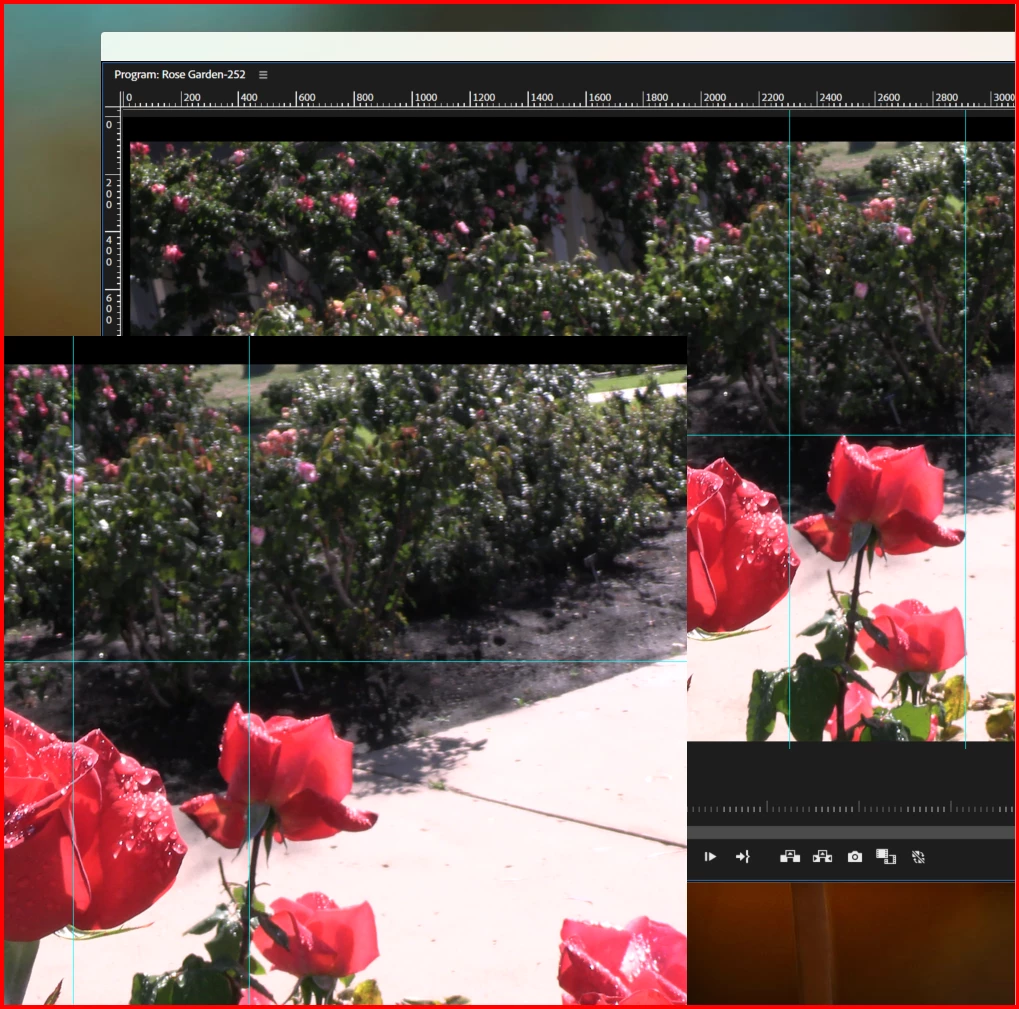
The frame\panel on the lower left is what I get when I use the Ctrl+` shortcut in Beta.
But if it did go full screen I wouldn't see the "guides" in the Proj Monitor. Why don't they match?
But what I really want to know is why it's not "full screen?" 
 

3 replies

MyerPj
Community Expert
Community Expert
April 26, 2025

BTW: Using Win11 is good to know, but you need to include the exact PP Version from the Help/About window.

MyerPj
Community Expert
Community Expert
April 25, 2025

I don't get it? Are either of those shots what it looks like 'full screen' and we're only seeing a partial? Why wouldn't the guides show if you toggle a panel to full screen? Are you perhaps looking for Transmit out, so you can see the final image on another monitor?

Community Manager
April 25, 2025

Hi Mike,


We're sorry to hear about this. Does the screenshot show how the display looks after you toggle the full-screen mode? If so, could you please confirm which GPU you have on the system & if it's using the latest drivers? We're here to help, just need more info.


Thanks,

Sumeet