




Generative Extend Update: Known Issues and Workarounds
Hello Community!
I want to update you about some temporary issues you might encounter while using Generative Extend in its current beta phase. Our team is actively working on upgrading the Generative-Extend experience causing these issues, but we want to ensure you can continue working smoothly in the meantime.
"Some features not supported" Message
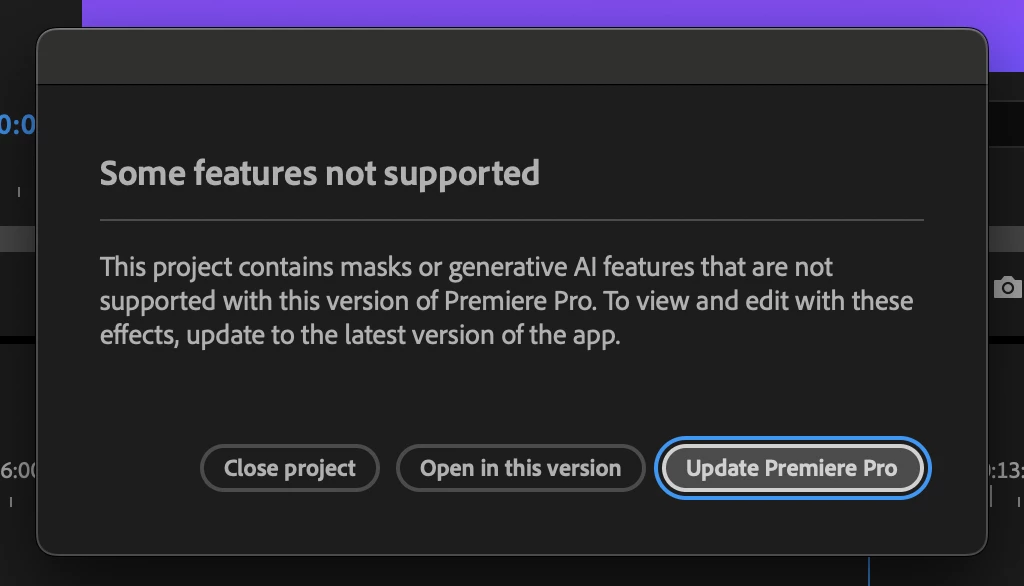
Some users may encounter a popup stating "Some features not supported" regarding masks or generative AI features. If you're running the latest version of Premiere Pro beta, this message is incorrect.
Workaround: If you're certain you're on the latest beta build, you can safely dismiss this message and continue working. The feature will function as expected.
Moving Forward:
Our development team is actively addressing these issues, and they will be resolved in future updates. We appreciate your patience during the beta phase and encourage you to:
- Continue using Generative Extend as normal after applying the above workarounds
- Report any other issues you encounter through our beta feedback channels
- Keep your Premiere Pro beta installation up to date
Your feedback and patience during this beta phase are invaluable in helping us refine and improve Generative Extend. We're excited about the creative possibilities this feature brings to your workflow and are committed to making it even better based on your experiences.
Stay tuned for more updates as we continue to enhance this feature.
 AdChoices