



Half-Saturation Vectorscope Target boxes
A lot of editing uses mulitple cameras of the same interview or scene, or matched cameras between scenes. Using chip charts from whatever source can help matching the images.
But the Saturation target boxes in the VectorsScope YUV are full saturation targets. Most camera clip chart work comes in as somewhere between half and 2/3rds Sat levels.
So one guesses ... you try to visually get the target inline, and about half the distance between center and outer target ... which is both slow and not entirely accurate due to visual guessing.
Having Saturation Target Boxes at half-Saturation would make this a TON faster and more accurate.
I include two examples ... this top one is on import to Premiere.
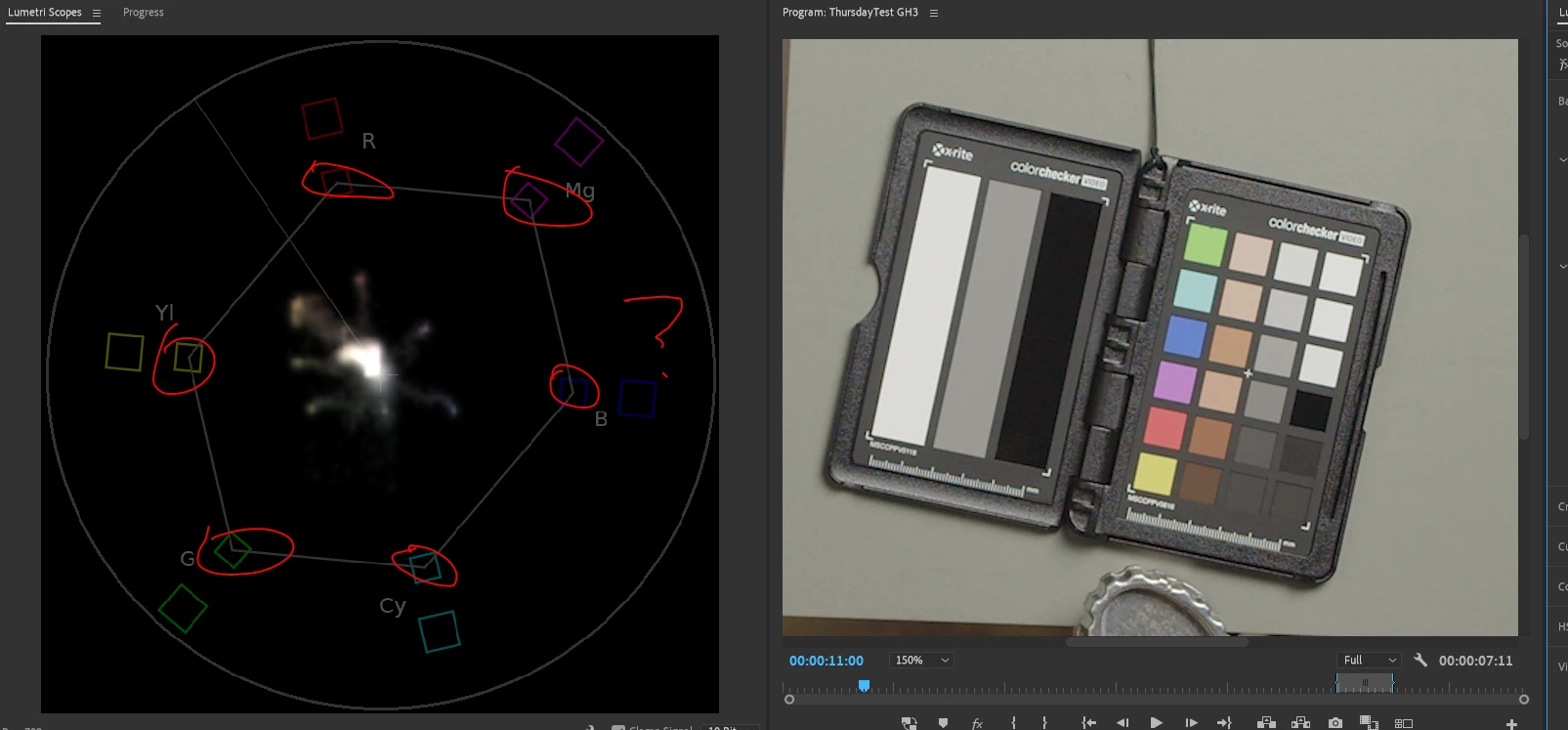
And this one is after importing. The saturation from the camera is PLENTY for the actual imagery.
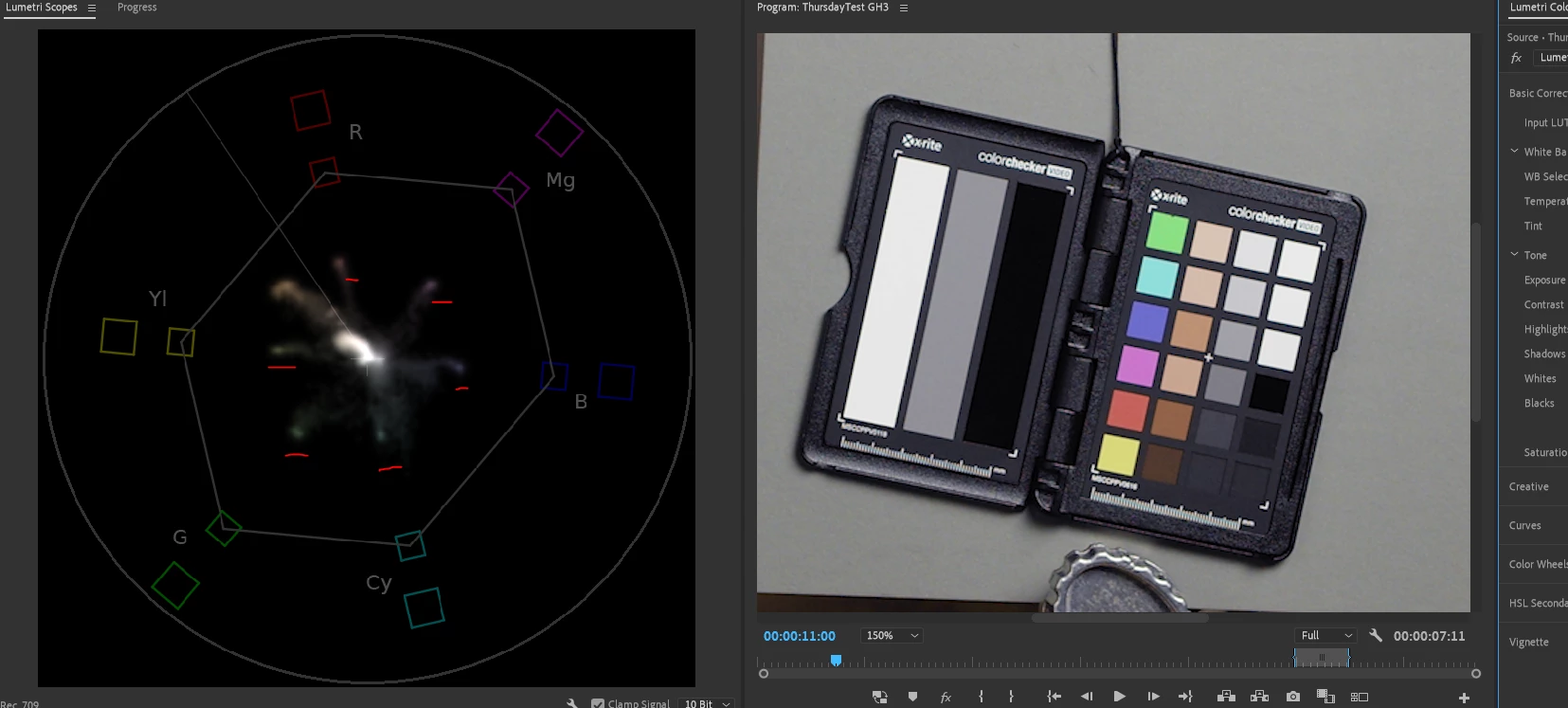
But note, the chips don't go past about half way of the distance from center to the target boxes. And I've used several different chip sets, from this Xrite one through the full sized Macbeth and several others. All seem to need to be about the 50-60% mark between the center and the target boxes per color.
Doing this with (in my case) a BMPCC4K and a GH3 gets me 90% of the way to a very tight 2-camera studio interview color prior to actually matching images. And I've used this with the BMPCC4K and Red, A7s3, Mavic drones, several other cameras.
But it would be faster and more accurate with targets that are usable!
Neil
 AdChoices