
Question
Hardware NVENC Encoding HD Anamorphic Not Working Properly
Hi Adobe Support Community,
I love the new NVENC encoder. Makes my encodes in h.265 so much faster! However, there is one big issue that I cannot seem to fix unless I use software encoding. Whenever I render a sequence which is in HD Anamorphic 1.33, I get a squeezed image such as the one here:
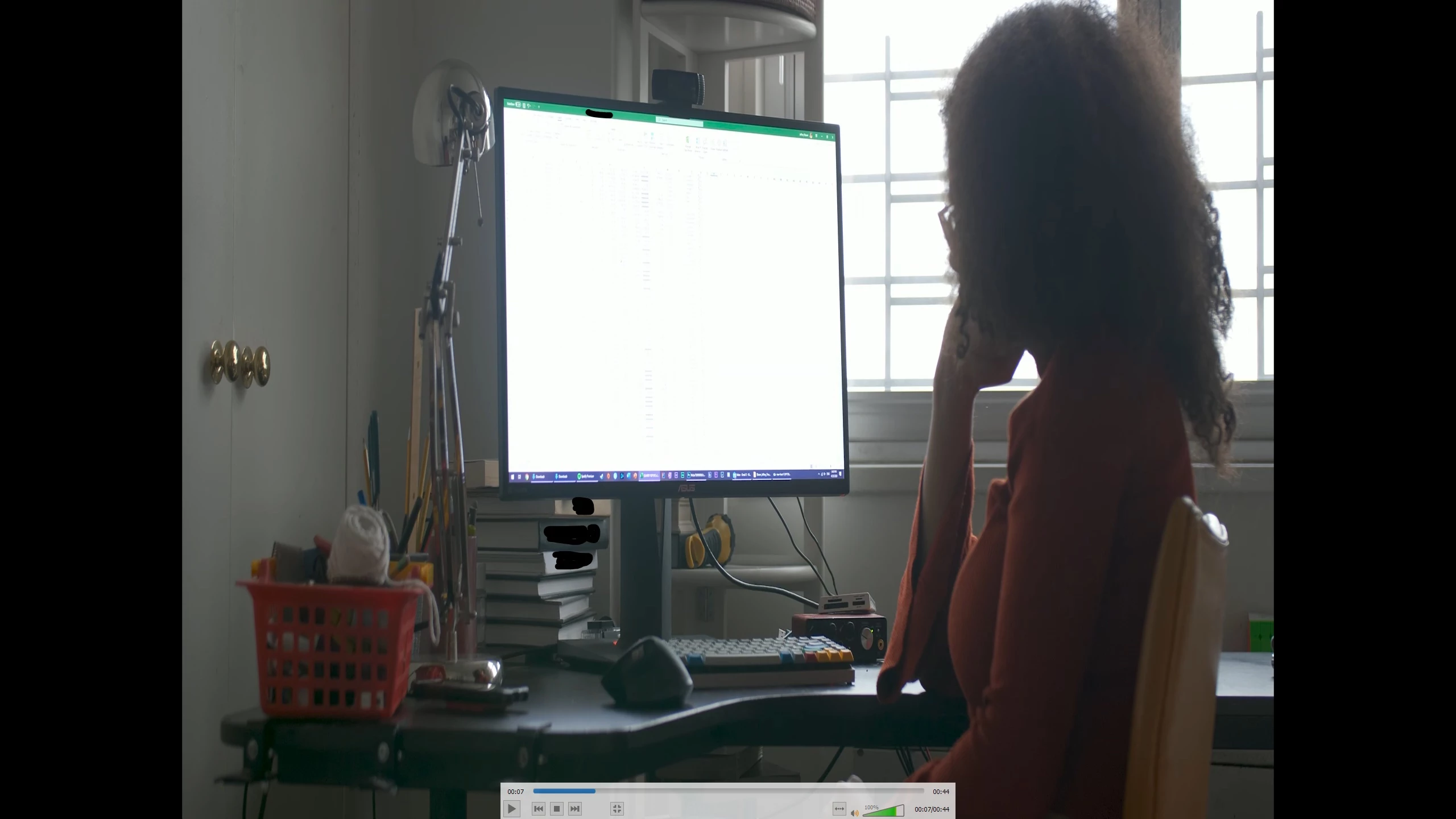
When I utilize normal software encoding, this is the result:
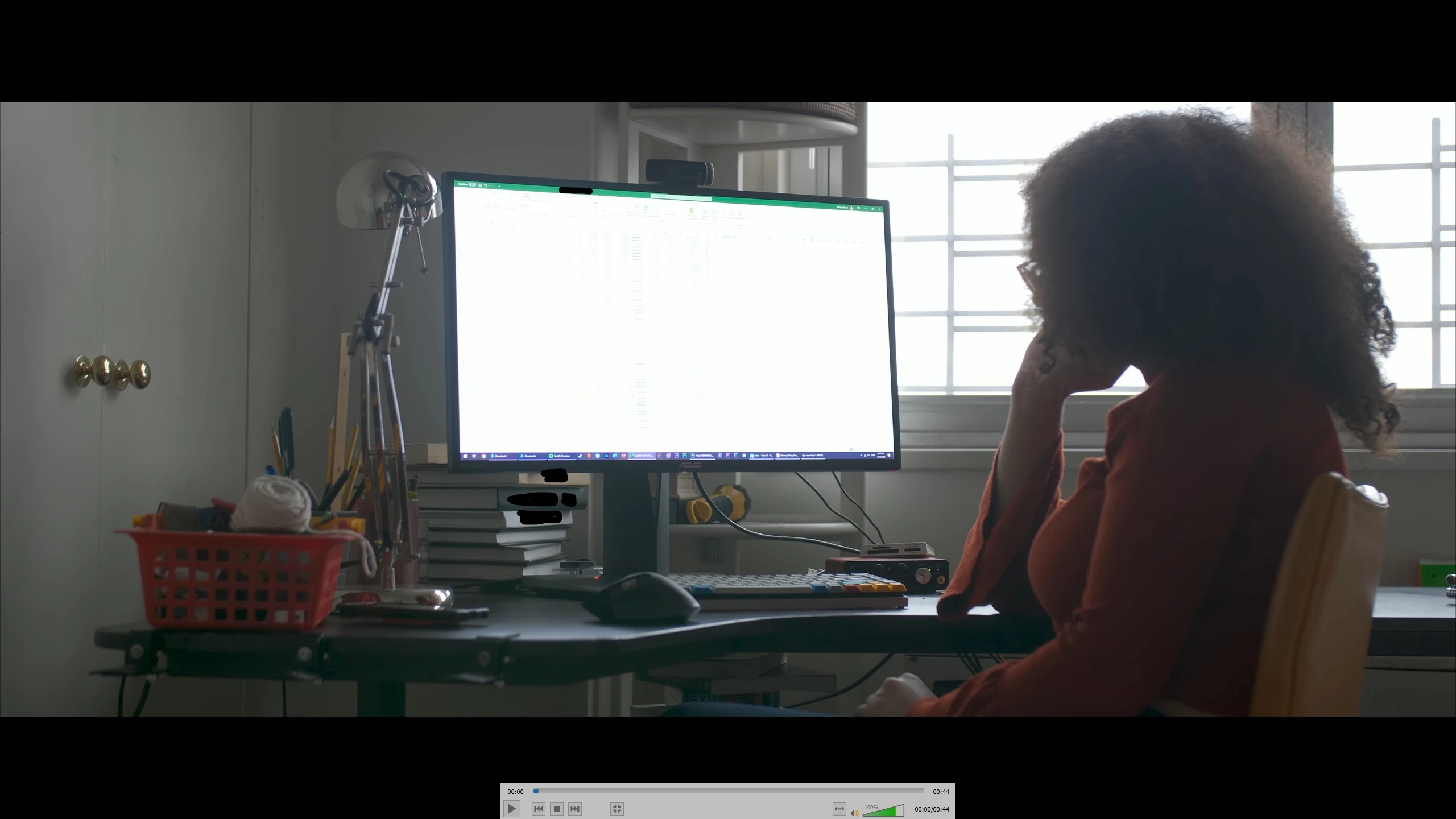
The software encoding has the intended effect. I cannot find a way to fix this without switching to software encoding, does anyone have a fix for this? If not Adobe, please fix this ASAP. I love the new hardware encoder and it greatly speeds up my workflow, and I would like to use it on my anamorphic projects.
 AdChoices