


Issue with Color Space Conversion in Premiere Pro Beta
Hello Premiere Pro Beta Support Team,
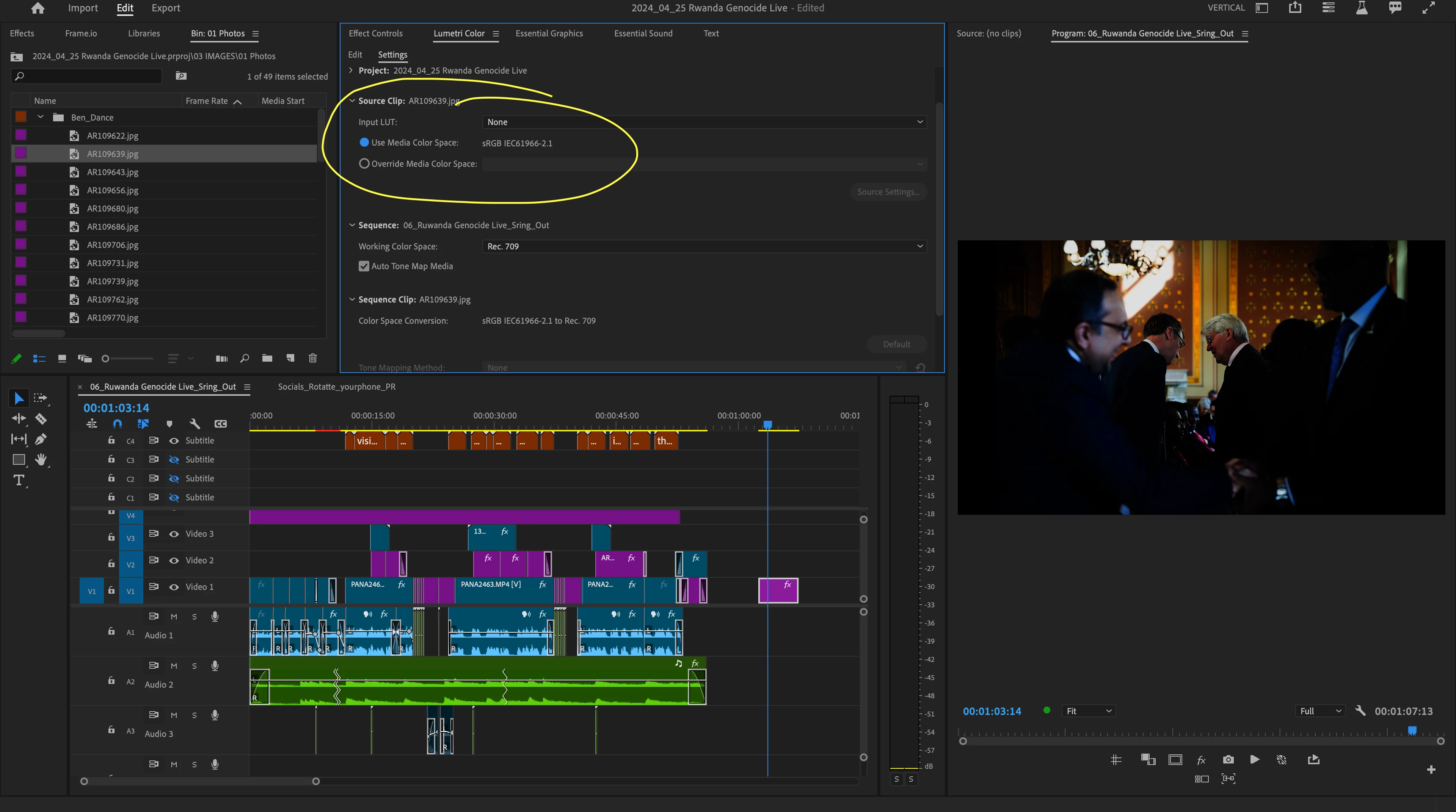
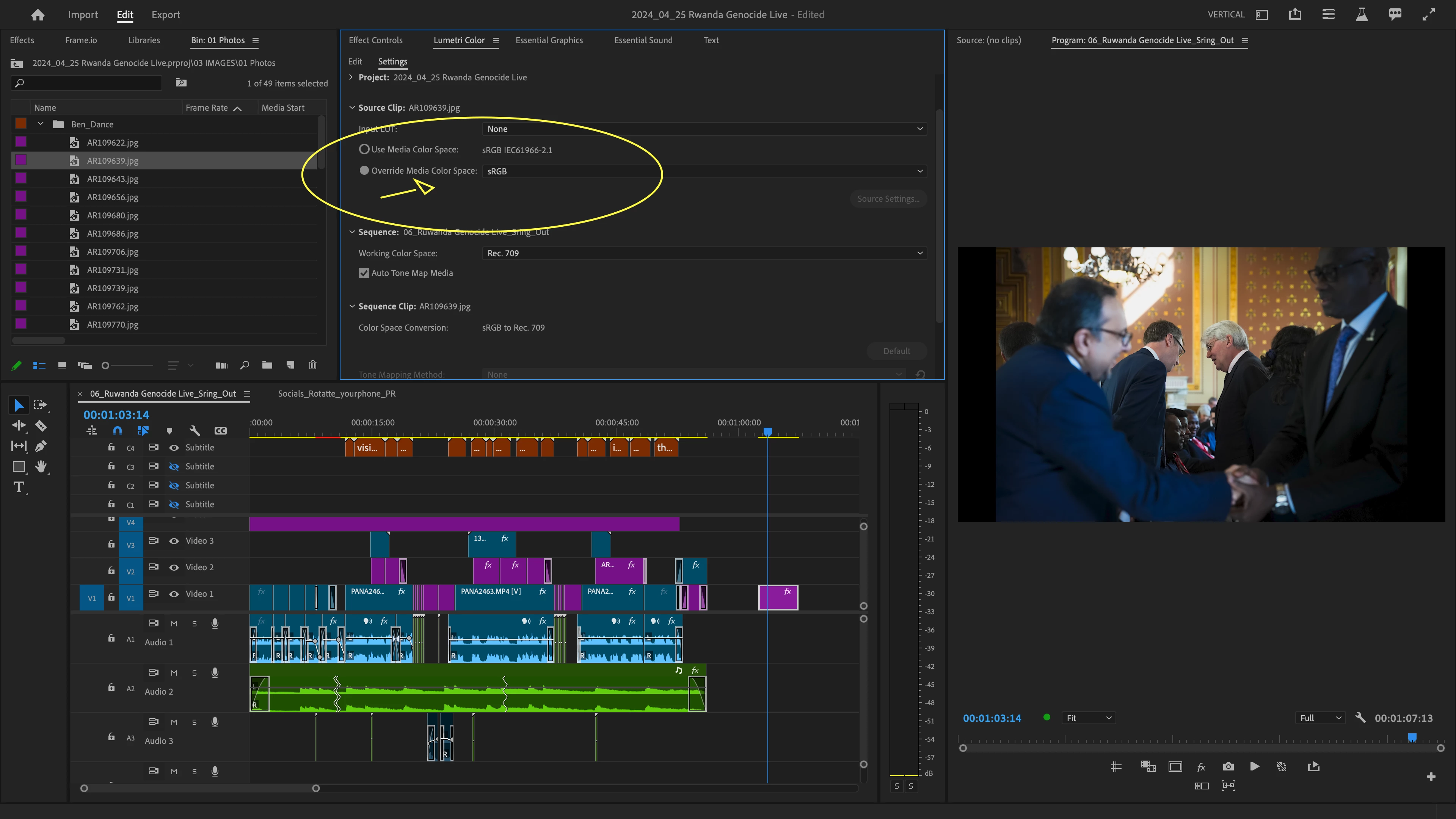
I am experiencing a recurring issue with the color space conversion in Premiere Pro Beta, specifically when importing into my timeline images. Despite setting my project and sequence settings to use the default color space, the images undergo an unwanted color conversion once they are in the timeline, significantly affecting the visual quality and color accuracy of my outputs.
Here are the details of my workflow:
- Project Settings: sRGB IEC61966-2.1
- Sequence Settings: Set to Rec. 709, with auto tone mapping enabled.
- Source Clip Settings: Attempting to maintain sRGB for exported images, but the exported files shift away from the selected color profile.
This issue has been persistent, and manual adjustments for each image are cumbersome and not always effective. It appears that the color management system may not be retaining the specified settings, leading to these inconsistencies.
Could you please advise on any potential solutions or workarounds? Additionally, if this is a known issue, are there plans for an upcoming fix in a future Beta release? Your assistance in resolving this would greatly help streamline my editing process and ensure the color fidelity of my projects.
Thank you!
 AdChoices