


Participant
September 21, 2024
Question

Issue with Premier Pro Beta V 25.1.0

  • September 21, 2024
  • 4 replies
  • 716 views

I know this product is Beta but I am unable to use it since recetn update September 21st, 2024.

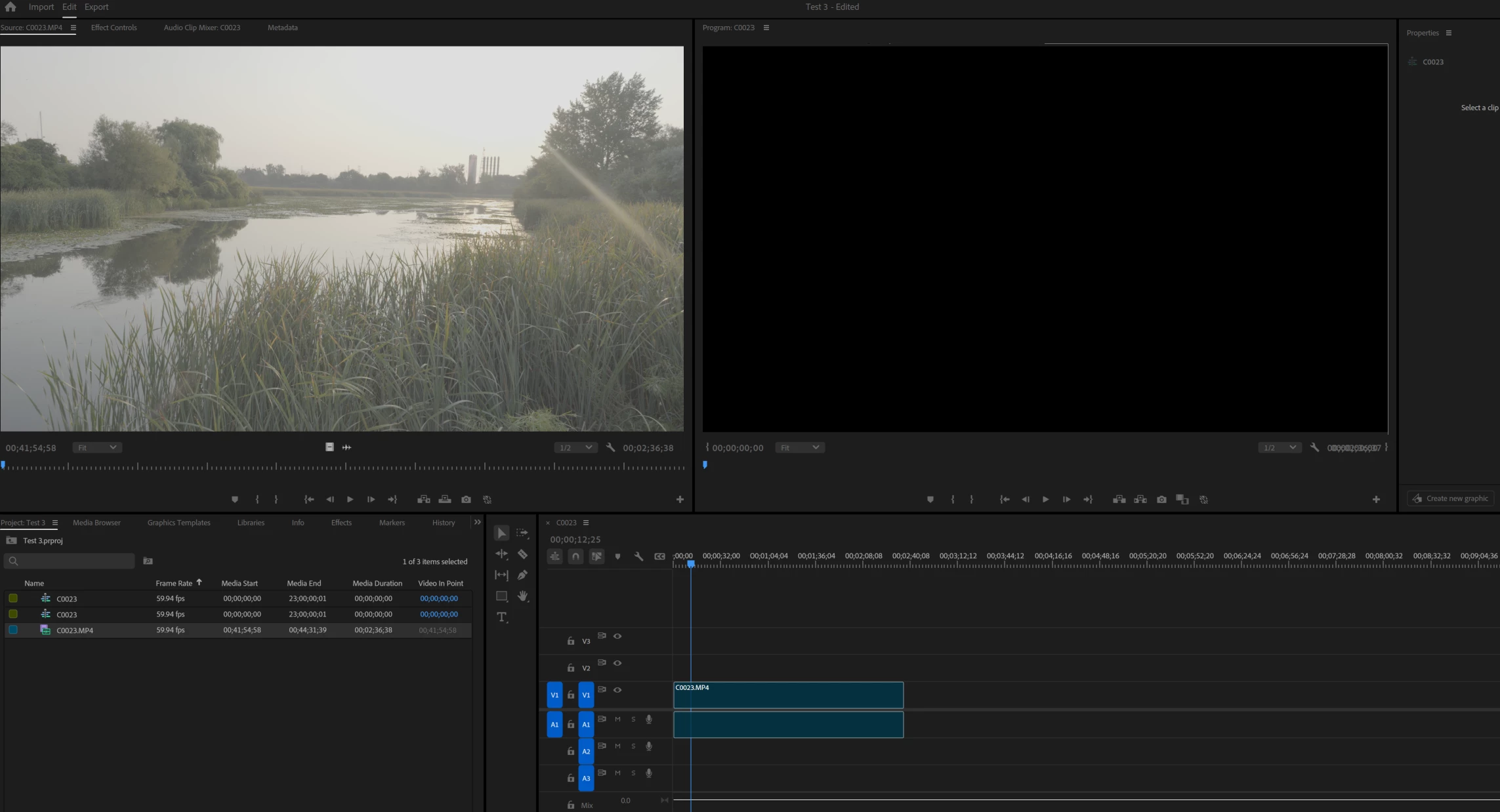
I am unable play, select or delete media clip added to the timeline. I have removed and re-install premier pro beta but the same issue. See screenshot. 


How do I correct this issue? is there something in the settings or preferrence? this only started to happen with the recent update.
 

This topic has been closed for replies.

4 replies

Jorge Jaramillo Hdz
Known Participant
September 23, 2024

Having the same problem.


Participant
September 23, 2024

I'm having a similar issue. I cant drag MXF files or mp3 files to the timeline without this happening.

Christian Leibig
Inspiring
September 23, 2024

This looks exactly like my problem here. 

Meaning currently no new drag/drop of a file with audio of any kind to the timeline is possible. It ends up as a "ghost clip" that cannot be interacted with.

Ann Bens
Community Expert
Community Expert
September 21, 2024

Moved to beta forum.