


Mac Studio (M3 Ultra) vs. RTX 5080 - (Is Apple Silicon really this much better?)
TLDR; Is Premiere Pro more optimised for Apple Silicon? Are Windows systems bottlenecked when it comes to dealing with scaling?
Hi - I’m hoping someone can settle something for me.
After a whole bunch of issues with my previous Windows machine (13900k/ 3070 Ti/ 96Gb RAM/ 3x NVME SSD), I decided to give Mac a try. So I picked up an M3 Ultra (28 core) Mac Studio.
I’m not loving MacOS, but I guess I also like trying to figure things out and this has been really bugging me. So, I’ve done a whole bunch of testing, including with an RTX 5080 in order to compare the Apple Silicon to PC.
I did a few PugetBench test runs, but this currently only works up until Premiere v25.2, which doesn’t have full Blackwell GPU support. So while the Mac scored better in most tests (besides RAW and GPU Effects), I thought it was worth testing USING THE v25.3 BETA as this apparently had support for Blackwell GPUs.
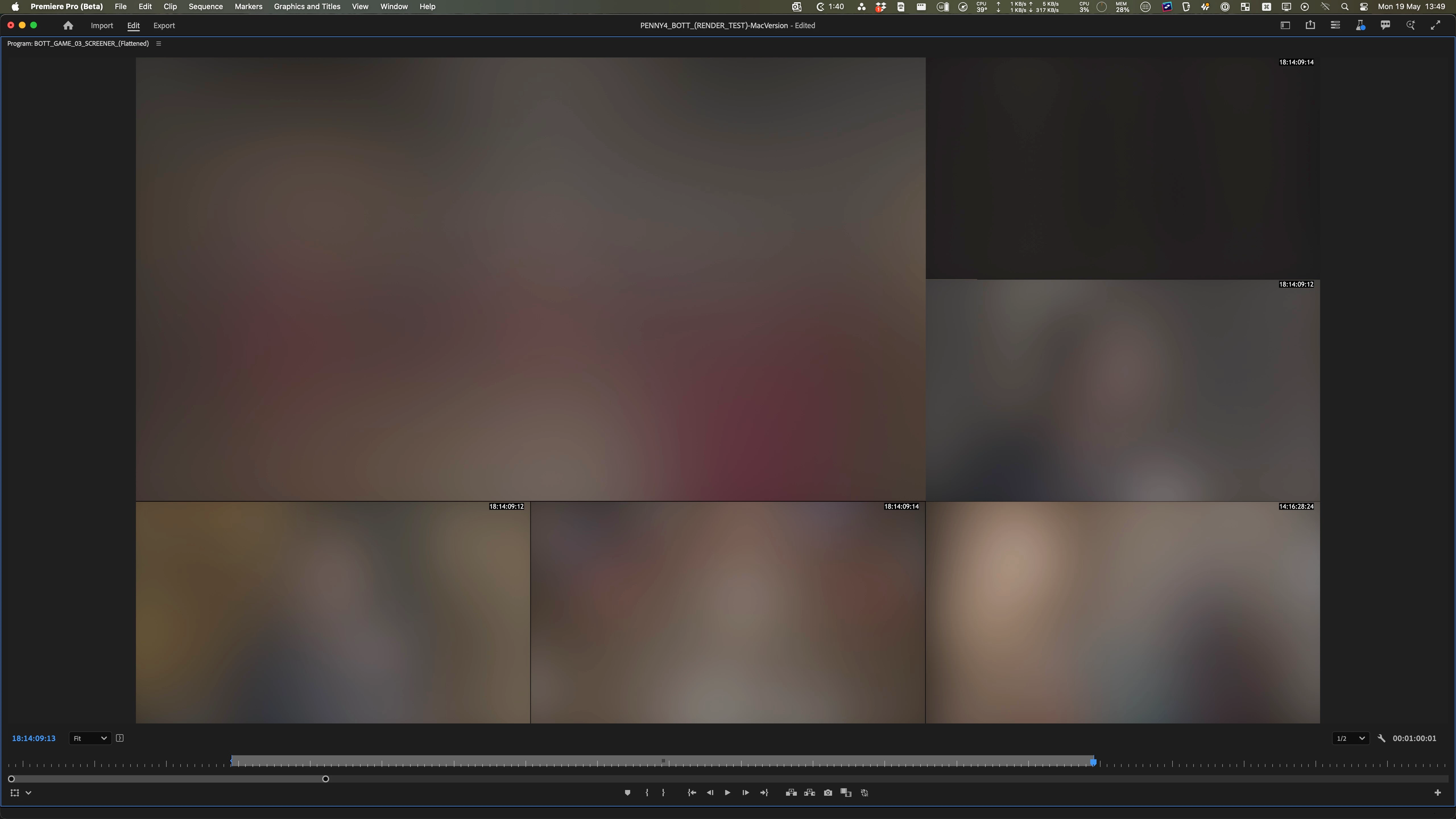
The main test was a 1min segment of a UHD timeline, with 6x UHD video streams. These were all scaled down to make a split screen.
The clips were mostly XAVC, MP4, 25fps, 4:2:2, 10bit. However, one of them was ProRes 422 LT.
I’ve attached a screenshot to give a rough idea of the timeline (I’ve blurred the project monitor, this is just as I can’t publicly share the content. Blur wasn’t applied to every test).
On the PC, I confirmed (via the Debug Monitor) that the clips were being hardware decoded. On a side note, the playback performance was noticeably better with the v25.3 Beta, now that it was able to utilize the 5080.
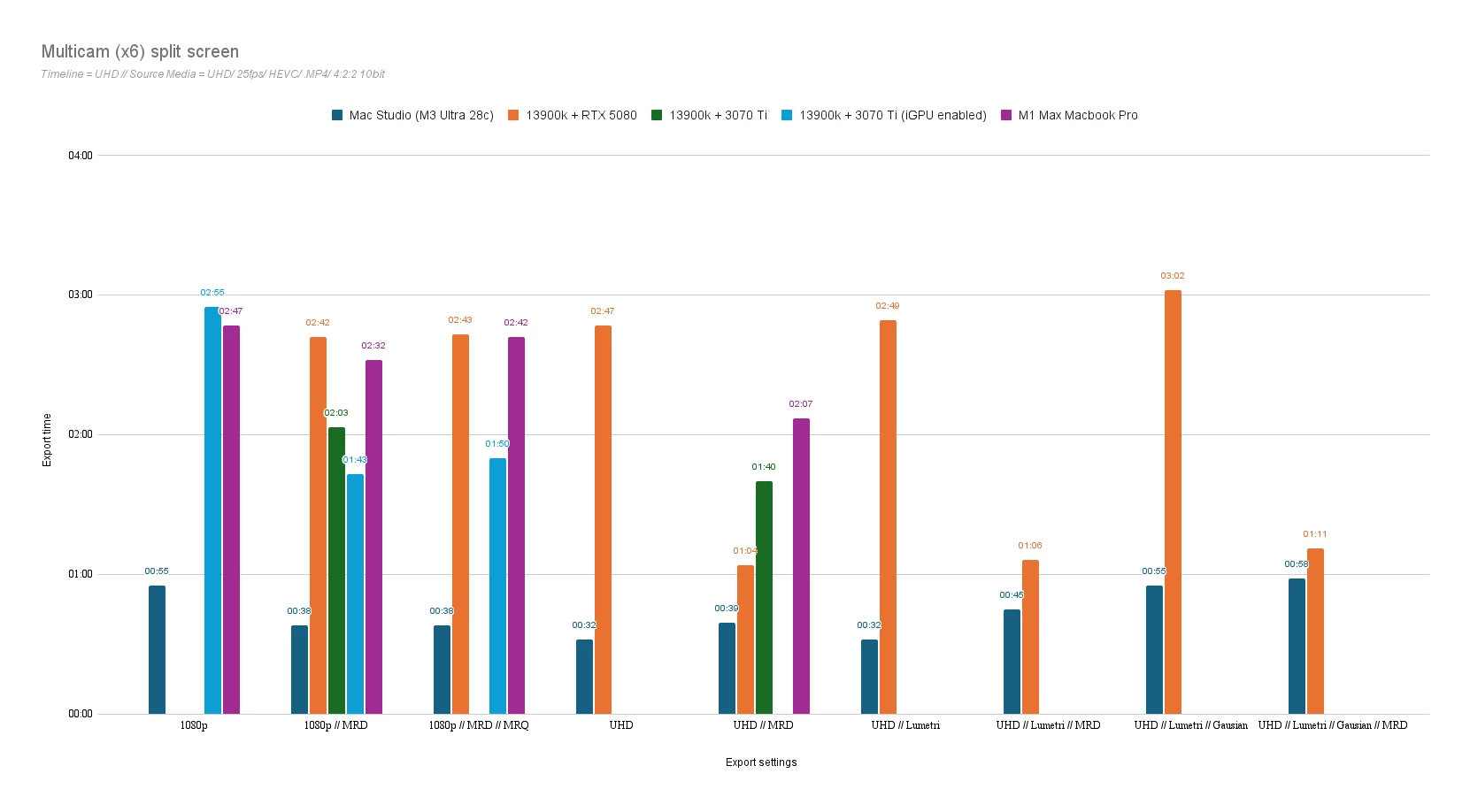
I then did multiple export runs, across different systems, changing various export settings, trying to figure out a pattern.
Sadly, the testing isn't exhaustive, as I haven’t had time to run the same test on every system. I’ve also had to return the 5080, so that result is missing in a couple of instances.
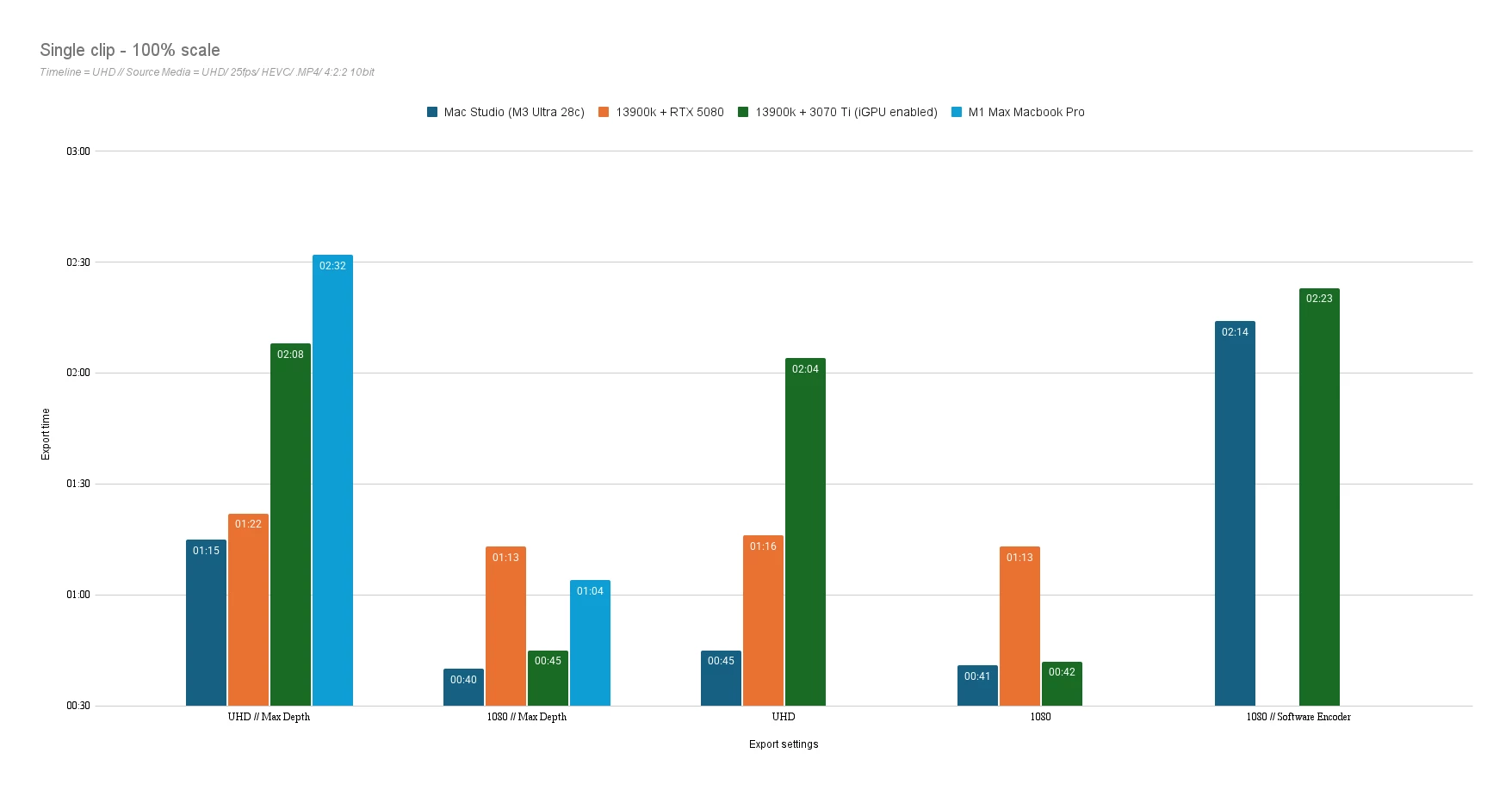
I also did a test exporting a 5 min chunk of just a single clip, scaled to 100% on a UHD timeline.
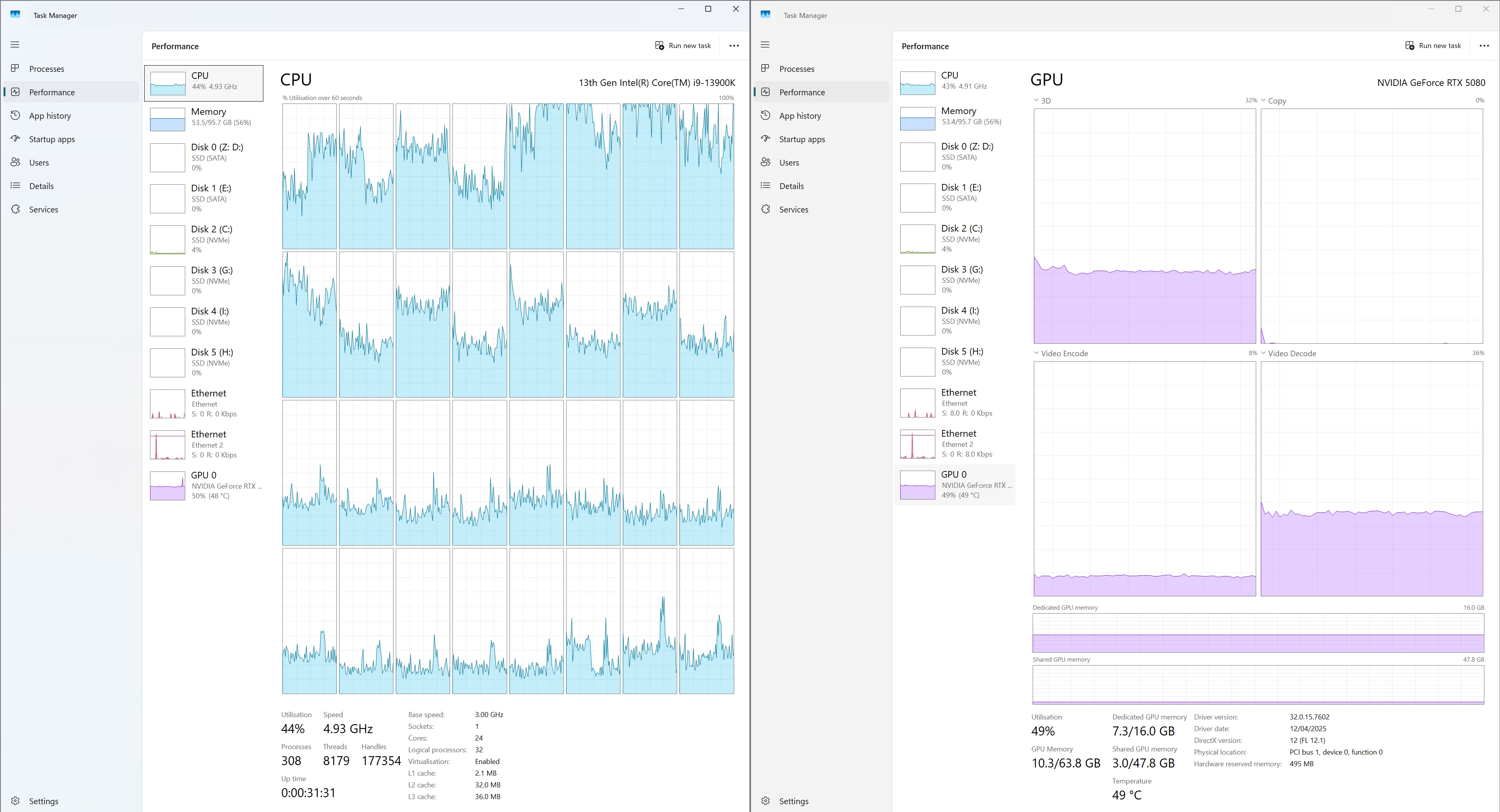
During the exports I kept an eye on Task Master to see what the utilisation was like. While the 5080 would see use across 3D, Encode and Decode, we’re talking about 32%, 8% and 36% respectively.
Ram usage would be around 50%
On the CPU front, on many of the tests, a couple of the threads would be pretty much maxed out, with the rest being utilised at various levels.
TIMELINE: UHD Split-screen | EXPORT - HEVC/ UHD/ Max Depth/ Hardware Encoding
In the end, the Mac pretty much always dominated. The PC results ranged. One of the biggest things that I found was that enabling Max Render Depth made a massive difference to the PC.
To be clear, I’m not surprised that the Mac Studio is coming out on top overall. It’s a much newer machine which has been well optimised for video. So it’s not a shock that the 13900k (which is a few years older now) isn’t entirely on it’s level.
What I’m surprised by is just how much further behind it is. For example, an export that takes 0:38s on the Mac, taking 02:42min on the PC. I'd honestly be surprised that the 3070 Ti was that far behind, let alone with the 5080 (but maybe that's me being unfair).
My best guess is that it’s a bottleneck todo with how the CPU handles scaling, being a single rather than multi threaded process? Either that, or it’s just an advantage of the unified memory on the Mac and not having the added latency of passing frames across to the GPU to render?
I’m probably way off, but that was all I could come up with.
Before I bought the Mac, I read lots of anecdotal info about how much more ‘optimised’ Apple Silicon and MacOS were for Adobe. But there was nothing concrete. Equally, I saw a lot of people saying that the experience was basically the same when in the app, so just pick what you prefer.
But based on my tests, the Mac clearly blows the PC out of the water.
I personally would prefer to stick with a Windows based system. But as much as export time doesn't always matter, this is an example of where when scaled up from the 1min test to the 30min timeline, it actually has a big impact.
So my questions basically are:
- Is this expected behaviour? Or is there a bug somewhere?
- Is this just down to the fact that, even in the v25.3 Beta, the Blackwell GPU support isn’t fully realised yet (e.g. Hardware accelerated Decode but no Encode)?
- Is Apple Silicon/ MacOS really just that much more optimised for Premiere and this is just showing that?
As I was testing using the Beta, I figured I should post here rather than in main forum.
Some extra notes:
- I did tests exporting to DNxHR and the pattern was the same
- I did runs swapping out the source media to DNxHR. Sadly only on the 3070 Ti, not the 5080. However, the pattern was the same
- Storage was well under I/O limit
- Hopefully I've not made a stupid mistake somewhere along the line!
 AdChoices