


Philipptim
Inspiring
July 13, 2021
Answered

Missing a Playhead and a Timeline in Source Window

  • July 13, 2021
  • 1 reply
  • 1564 views

Installed Beta (V.22) this morning. First time for me.

When I preview a video or audio clip in Source Window, I cannot use my Playhead or the timeline, because neither of them are there (images attached). Already restarted Premiere, closed/opened this panel, made it full-screen - nothing is helping.
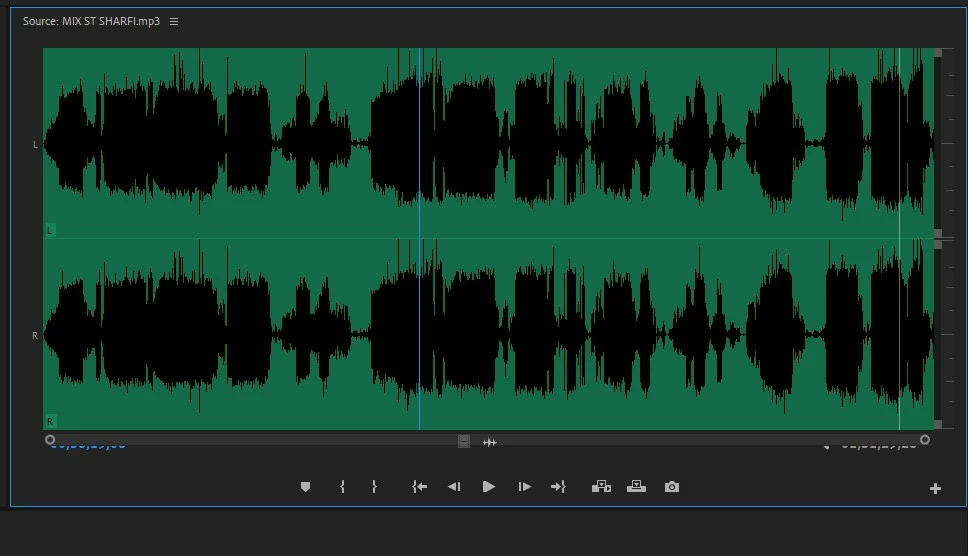
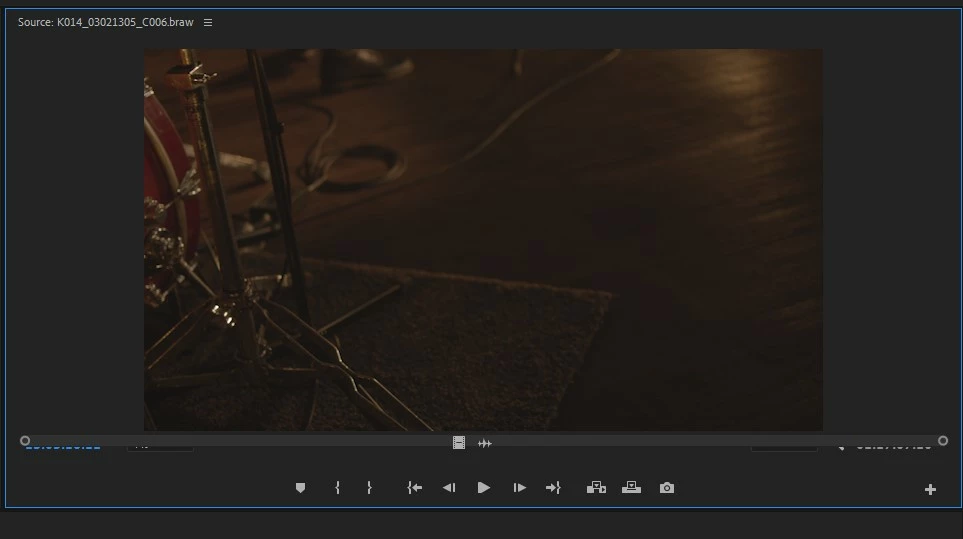

This topic has been closed for replies.
Correct answer Ann Bens

This is a bug that goes way back.

Close panel and open by double clicking on a clip in the timeline.

1 reply

Ann Bens
Community Expert
Ann BensCommunity ExpertCorrect answer
Community Expert
July 13, 2021

This is a bug that goes way back.

Close panel and open by double clicking on a clip in the timeline.

Philipptim
Inspiring
July 13, 2021

Thank you!

Is this a bug in beta versions only? Cause I have never seen it in public versions before.

Ann Bens
Community Expert
Community Expert
July 13, 2021

No public versions as well, I have had it for ages. Mostly on audio files.

Same goes for the Project window having a mind of its own in workspaces. Still not fixed.