


Participant
August 7, 2021
Answered

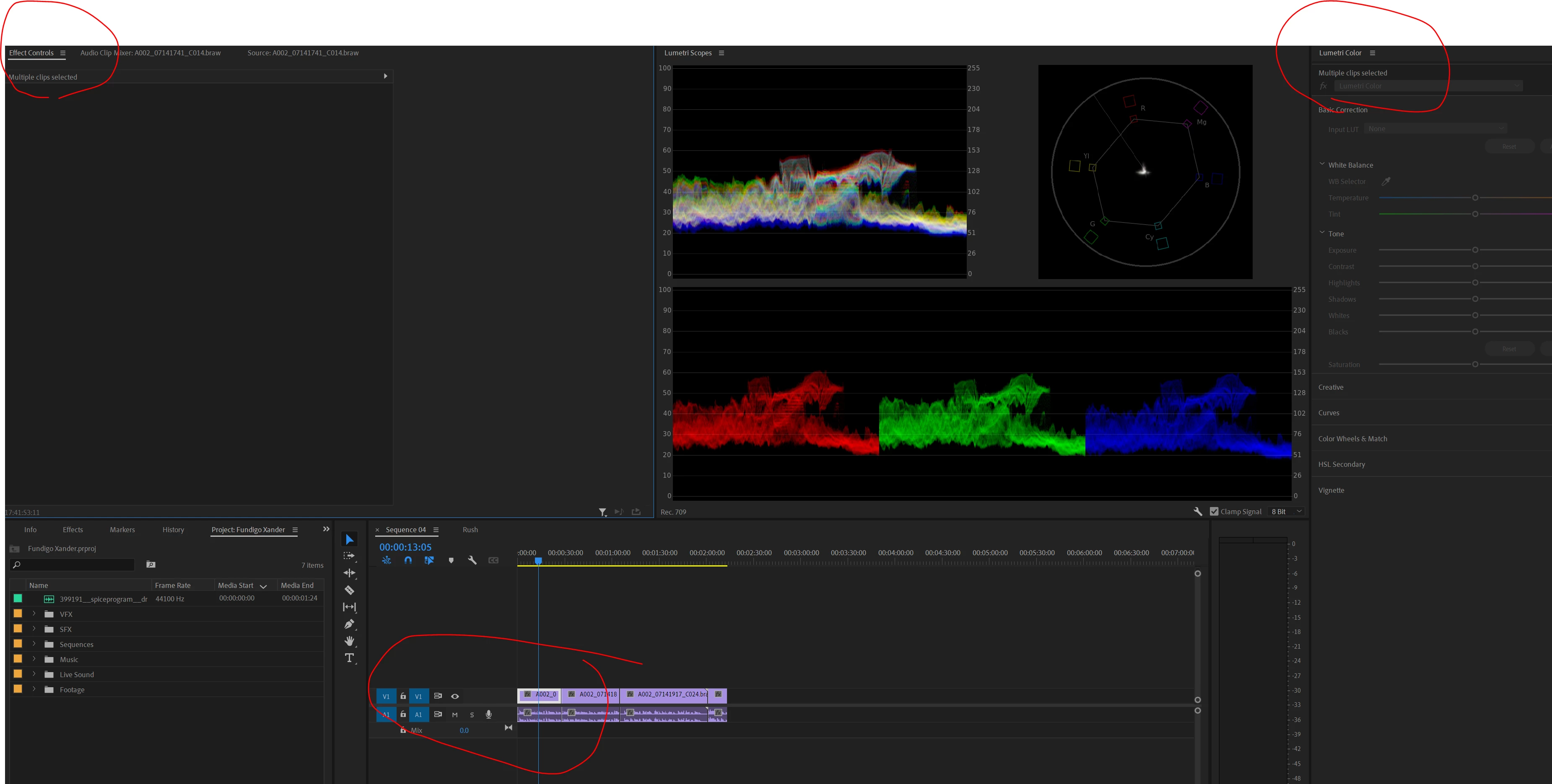
multiple clips selected (BRAW problem?)

  • August 7, 2021
  • 4 replies
  • 295 views

Nomatter how I select my clips, alt-select, trurning off linked selection,ungroup, unlink, unlock track, etc. when i select a video file it keeps showing up as multiple clips selected. 

This is true across sequences and I'm unable to edit my BRAW settings.
 

[Moderator note: title modded for assistance to dev team.]

This topic has been closed for replies.
Correct answer R Neil Haugen

And the 22.0.051 build fixes this, so we can work BRAW in the public beta again.


Thanks devs!


Neil

4 replies

R Neil Haugen
R Neil HaugenCorrect answer
Legend
August 10, 2021

And the 22.0.051 build fixes this, so we can work BRAW in the public beta again.


Thanks devs!


Neil

Everyone's mileage always varies ...
R Neil Haugen
Legend
August 9, 2021

I got a confirmation just now that this has been replicated in-house by the devs on both Mac & PC platforms. A fix is in process but no clue when we'll get it.


Neil

Everyone's mileage always varies ...
R Neil Haugen
Legend
August 8, 2021

Well now ... there was an update I hadn't applied to the Public beta ... and bet your bootie, you're right!


Selecting the Source tab in the ECP to go to the BRAW settings ... shows "multiple clips selected" and one cannot do any BRAW adjustments.


But RED files allow access to the Source tab just fine.


Not good at all!


Neil

Everyone's mileage always varies ...
R Neil Haugen
Legend
August 7, 2021

Is this with the freebie plugin from BlackMagic?


I can't replicate with the Autokroma plugin on my Win10 rig.


Neil

Everyone's mileage always varies ...