


Kimblah
Inspiring
April 10, 2020
Answered

Panasonic S1H 5.9k files look underexposed in the newest beta version

  • April 10, 2020
  • 5 replies
  • 1491 views

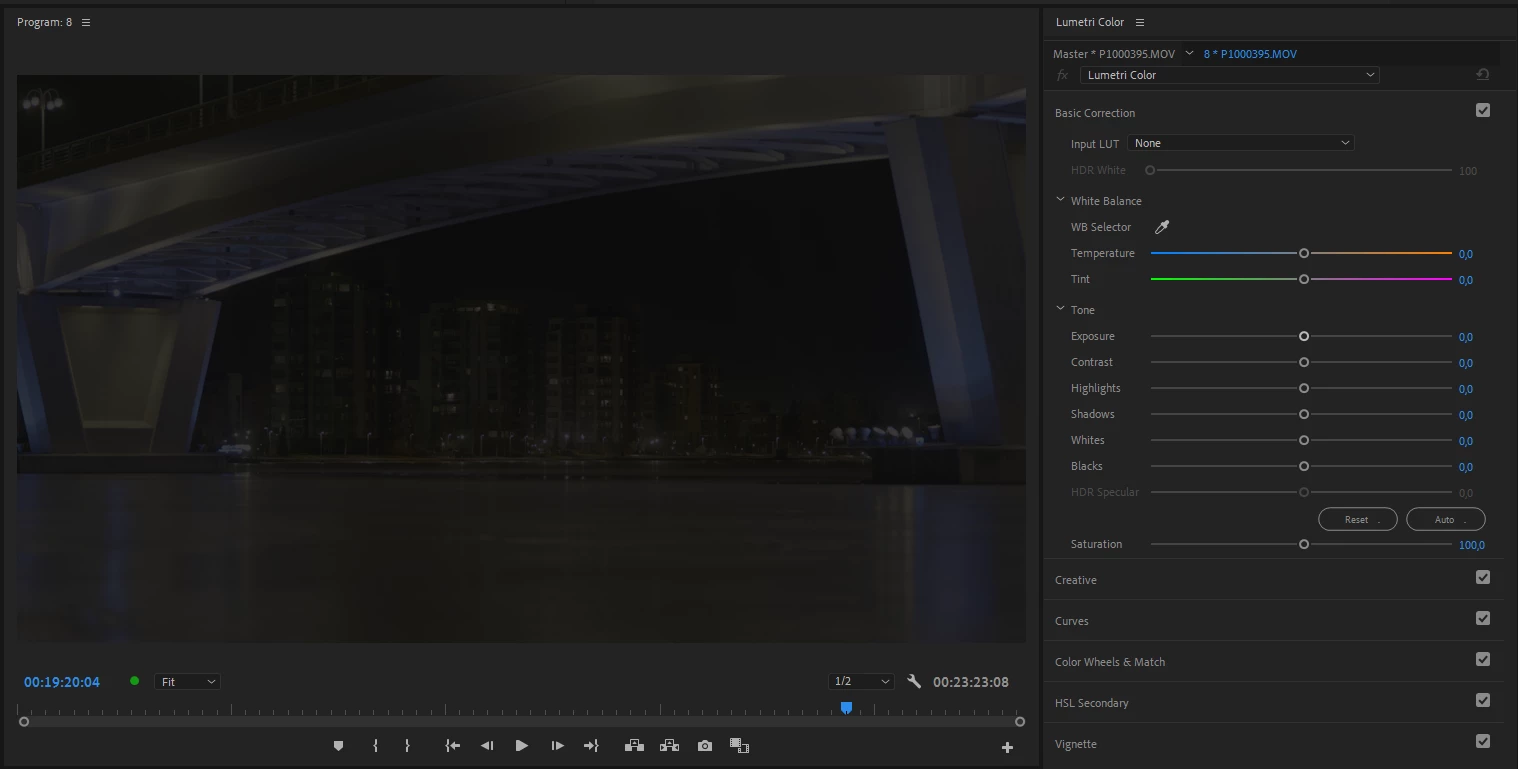
With the newest beta of Premiere Panasonic S1H 5.9k files started to look way underexposed. 4K ALL-I files look normal. I think this started to happen few beta versions ago. Anyone else having this issue?

5.9k:
 

4K ALL-I:
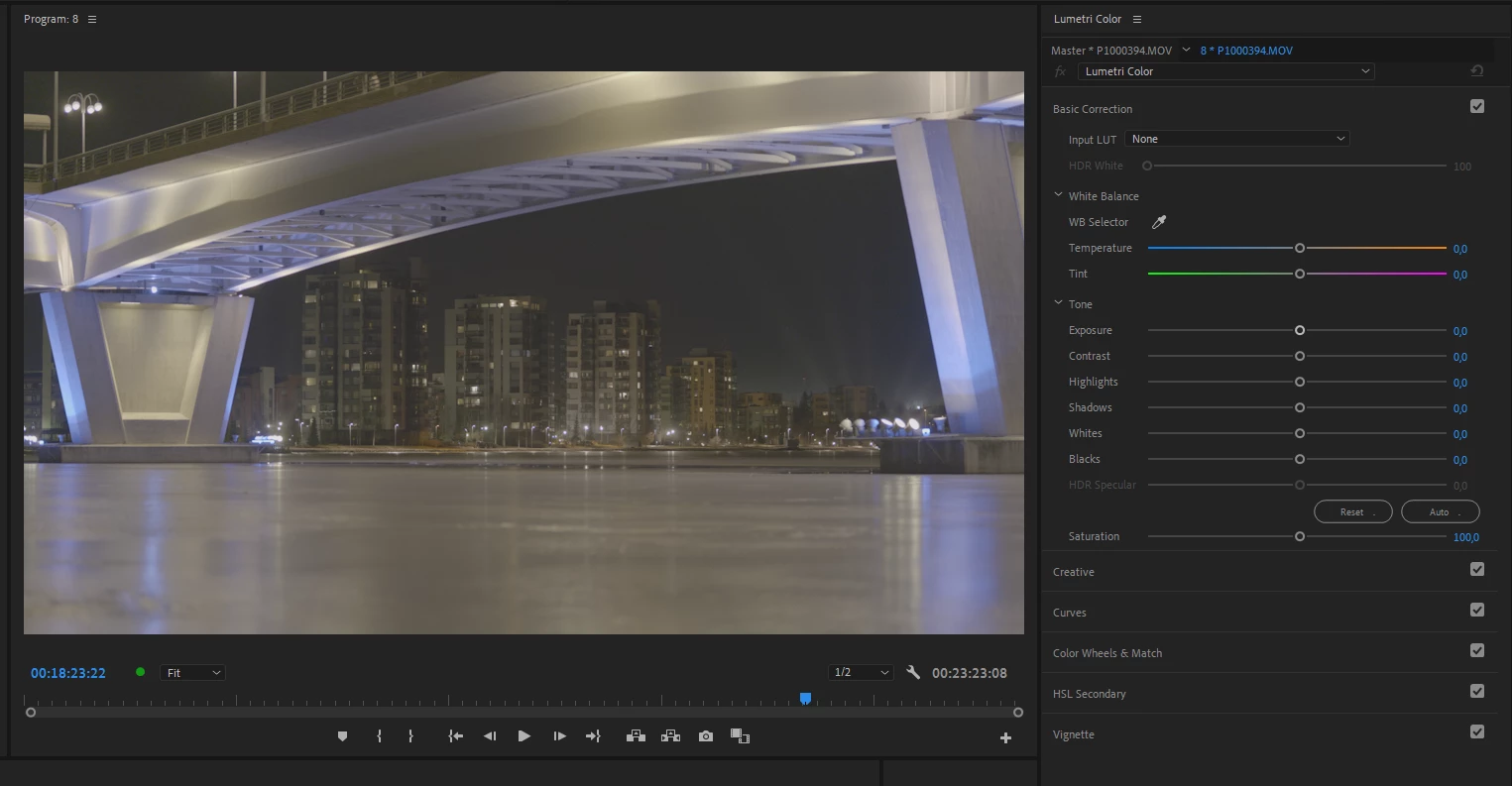
 

No effects applied and both these files have exactly same exposure settings (shot in VLOG) and shoud look identical. And few versions ago they looked the same.


System info
    Application: Premiere Pro (Beta) v14.2.0.15
    OS: Windows v10.0.18363, RAM: 63.88 GB, CPUs (logical): 32

This topic has been closed for replies.
Correct answer Chetan Nanda

As Manish said earlier,  We have identified a similar issue and the fix for that is included in Premiere Pro (Beta) v14.2.0.29.

It will be helpful if you can check on the latest beta and confirm if that fix solve the issue discussed in this thread too.


Thanks,

Chetan

5 replies

Chetan NandaCorrect answer
Adobe Employee
April 23, 2020

As Manish said earlier,  We have identified a similar issue and the fix for that is included in Premiere Pro (Beta) v14.2.0.29.

It will be helpful if you can check on the latest beta and confirm if that fix solve the issue discussed in this thread too.


Thanks,

Chetan

Kimblah
KimblahAuthor
Inspiring
April 23, 2020

This seems to be fixed now in v14.2.0.29. 


-Kimmo

April 17, 2020

I can also reproduce this with GH5 4:3 6k footage. I can provide some samples if needed


Manish_Kulkarni
Community Manager
Community Manager
April 17, 2020

We have identified the problem and a fix is in progress. If you are able to send additional footage for our testing, please send me a Private Message with a download link. Thanks!!

Manish_Kulkarni
Community Manager
Community Manager
April 15, 2020

Can you post (or send to me directly) a link to download the Panasonic S1H 5.9k footage which is looking under-exposed?


Manish

Kimblah
KimblahAuthor
Inspiring
April 15, 2020

How can I send you a file directly?


Kimmo

Manish_Kulkarni
Community Manager
Community Manager
April 15, 2020

You can send me a Private Message with a link to download, for example from Dropbox or Google Drive. 

R Neil Haugen
Legend
April 11, 2020

Are those recorded in-cam or on an Atomos recorder?


Neil

Everyone's mileage always varies ...
Kimblah
KimblahAuthor
Inspiring
April 11, 2020

Both recorded in-cam. 5.9k files work fine on non-beta Premiere and worked also fine couple of beta versions ago. 

R Neil Haugen
Legend
April 10, 2020

You don't show the timeline so we can't see the clips to see if there's the red line under the FX icon in the clip indicating that a MasterClip effect has been applied ... have you checked the MasterClip tab to see if Premiere is setting something on those dark clips?


Neil

Everyone's mileage always varies ...
Kimblah
KimblahAuthor
Inspiring
April 11, 2020

No MasterClip effects applied. 5.9k file has just been set to frame size in an UHD timeline. But it doesn't matter if it is UHD or 5.9k timeline. Edit: Just tried it on my other computer and same is happening there also. So seems to be a bug.

5.9k:


4K ALL-I: