



Participant
October 29, 2023
Question

Playback Freezes in Premiere Pro (Beta) 24.1, runs fine in standard Premire Pro

  • October 29, 2023
  • 3 replies
  • 1197 views

Been editing this project in Premiere Pro (Beta) 24.0 on/off for 3 weeks.

Went to make some final amendments today and realised that there was a new update available, so naturally, updated.

Opened project following update and now there is no playback, I can't scrub through my timeline, and the video won't export (see below screenshots).

I've done a fair amount of research, and tried common suggestions - resetting workspace layout to default, render and replace timeline, copy to new project, copy to new sequence, changing from GPU to program optimised render, etc., and no results.

Project runs fine in standard Premiere Pro, but 24.1 is causing problems. 

Tried to roll back firmware to 24.0, but the program only opens in the background, and is only viewable in taskmanager.

Any suggestions please?
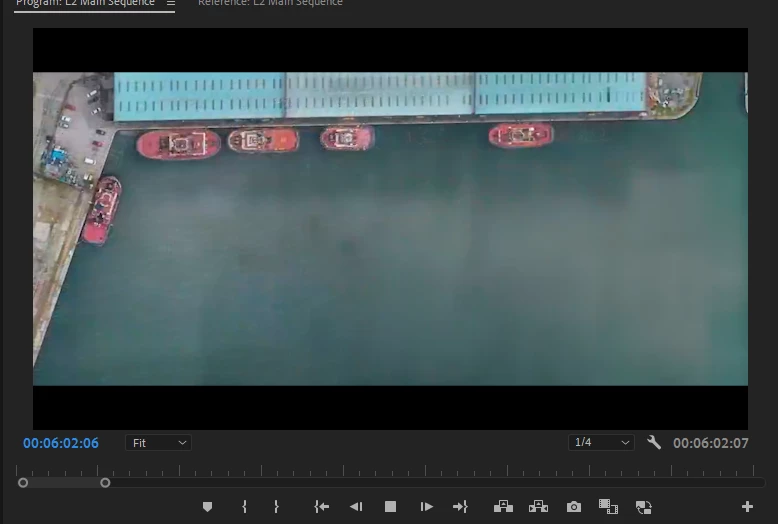
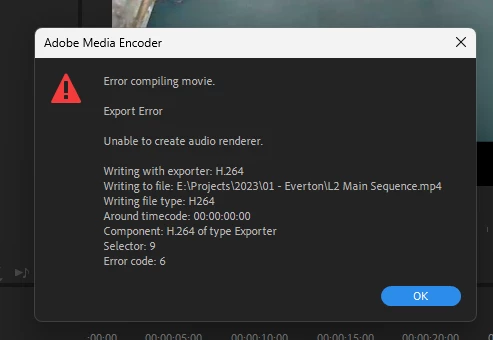


This topic has been closed for replies.

3 replies

Participant
January 12, 2024

I ran into this issue today. Opening my project in 24.1 works, but it's much slower than what I was getting in the beta. The 24.2 update this morning messed up my playback, preview and label colours and I'm mad about it. 

Participant
January 12, 2024

Rolled back to 24.1 beta and it's working. No more auto-updates for you, Premiere!

Legend
January 13, 2024

🤣🤣🤣Bro, you have the willpower to tolerate mistakes in every update and be able to deal with them instead of working on projects.

Participant
December 26, 2023

Hi,
I'm having the same problem right now with the new versions.
I was editing this morning and all was fine, but after the update, I can't preview anymore... When I export, I can't export the audio... I don't really know what to do.

Have you found a solution ?

Participant
January 4, 2024

I'm having the same issue today. Has anyone found a solution to this yet? 

Thanks!

Amitzi Photography
Known Participant
January 4, 2024
Opening in release version helps to unfreeze, but honestly performance is
not what it was two weeks ago.
Participant
October 30, 2023

10/30/23 New Firmware Update:

A new firmware update was released today for Premiere Pro (Beta) V24.1.00.76, unfortunately, I'm still encountering the same issue. 

I've again tried rolling the firmware back to V24.0, but I'm still encountering the same problems, originally outlined in this post.