marliton
Community Expert
Community Expert
April 26, 2022
Answered

Premiere and Frame.io without the extension

  • April 26, 2022
  • 1 reply
  • 517 views

Hi. How suppose works Premiere with Frame.io without the extension? There is a native panel? I have the beta 22.5.0 build 8.


 

This topic has been closed for replies.
Correct answer Andy Edwards

Hi Marlon,


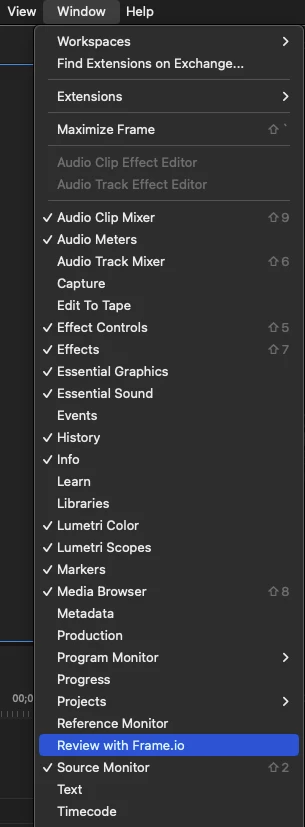
In Beta 22.5.0 build 8, under the Window Menu, choose Review with Frame.io.


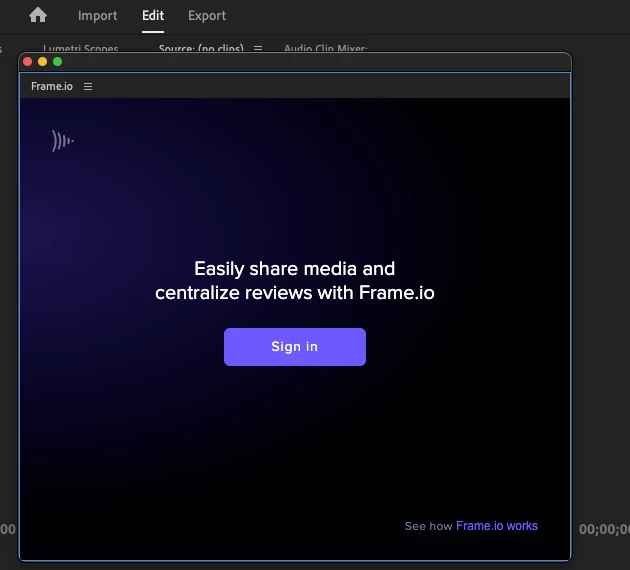
The sign in Menu shows up where you log in with your Adobe ID:


You can read more details about it here:

https://blog.adobe.com/en/publish/2022/04/12/premiere-pro-and-after-effects-now-include-frameio-for-creative-cloud


Other Option:

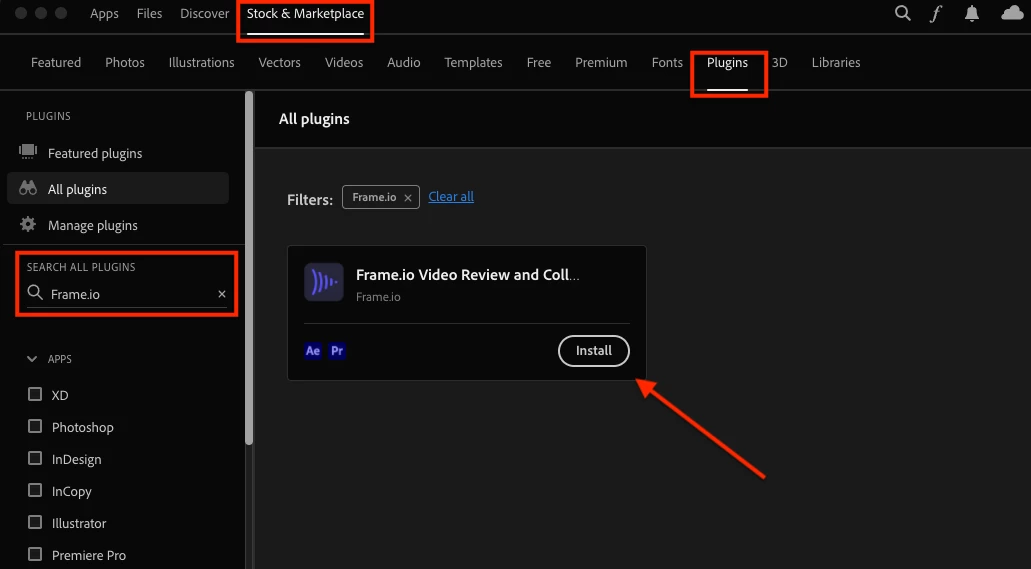
You can also install the Frame.io extension from the Creative Cloud Desktop app. Go to your CC app, choose Stock & Marketplace, then choose Plugins. In the search box type in Frame.io. You should now see a Install button.


Hope this helps


Andy


1 reply

Andy EdwardsCorrect answer
Inspiring
April 27, 2022

Hi Marlon,


In Beta 22.5.0 build 8, under the Window Menu, choose Review with Frame.io.


The sign in Menu shows up where you log in with your Adobe ID:


You can read more details about it here:

https://blog.adobe.com/en/publish/2022/04/12/premiere-pro-and-after-effects-now-include-frameio-for-creative-cloud


Other Option:

You can also install the Frame.io extension from the Creative Cloud Desktop app. Go to your CC app, choose Stock & Marketplace, then choose Plugins. In the search box type in Frame.io. You should now see a Install button.


Hope this helps


Andy


marliton
Community Expert
marlitonCommunity ExpertAuthor
Community Expert
April 27, 2022

Thanks a lot!


Marlon Ceballos