


Participant
May 12, 2023
Answered

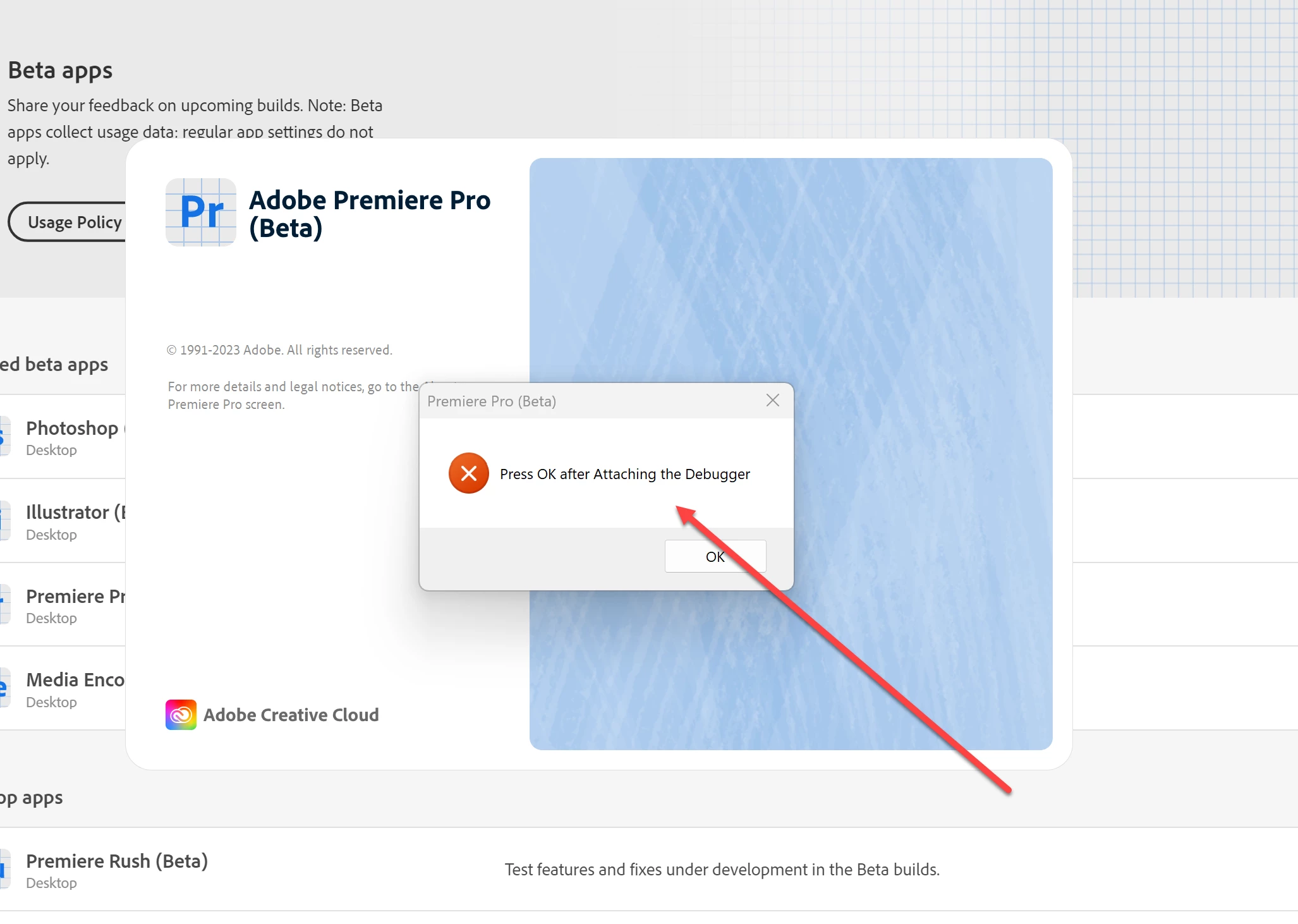
Premiere Pro wont open suddenly and Pro (Beta) says press ok after attaching debugger?

  • May 12, 2023
  • 10 replies
  • 2646 views

Suddenly this am premiere Pro won't open at all the splash screen comes up and the logo appears in my taskbar then disappears.


pro beta says press ok after attaching debugger ? what does that mean? i have installed both and reinstalled but I get the same issue 


help!!!! please
 

Correct answer cjudge05

Windows 10 Beta 24.1. The current official version opens fine. I was able to figure out the hold shift while opening to disable plugins and that ended up working. I didn't realize how long to hold shift the first few times I tried to do it.

10 replies

Participant
December 11, 2023

I'm having the same problem. My splash screen opens and then crashes. I've tried task manger, running it as an admin, etc. Nothing seems to work, any solutions?

Participant
October 4, 2023

Still having this issue on October 4. Any other help would be great.

Kartika Rawat
Community Manager
Community Manager
October 4, 2023

Hi there! Sorry about that. Which OS do you have? Could you share a screenshot of the error message? Which version of Premiere Pro are you using?


Let us know.

KR


Moved to discussions

cjudge05Correct answer
Participant
October 5, 2023

Windows 10 Beta 24.1. The current official version opens fine. I was able to figure out the hold shift while opening to disable plugins and that ended up working. I didn't realize how long to hold shift the first few times I tried to do it.

Participant
August 29, 2023

i found the solution for this go to creative cloud and from there go to apps hold shift key down , keep holding and then click on premiere pro beta app then a window box will pop up (if you dont see it , just look on the taskbar its there ) then click on disable plugins and then continue it will load perfectly , so i think there's an issue with plugins and beta version they not syncing and i hope adobe team fix this

Participant
January 28, 2025

yes it works I managed to open it

Participating Frequently
August 27, 2023

i suddenly have the same problem , what is this even about ? i tried updating it and instead of opening it from windows i open it from creative cloud and same issue 

Participant
July 14, 2023

I switched back to my 3080 from my 7900xtx and it started working again. Hopefully either amd or adobe will fix this in an update but for right now it seems like a compatability issue.

Participant
July 14, 2023

Can't use premiere pro or premiere beta, for some reason photoshop beta works fine but some other apps weren't working either.

Participant
July 14, 2023

Same exact problem, happened to me after a computer rebuild.

Adobe Employee
July 10, 2023

emmetr21808029 - did you use an email with the 'crash' dialog, or do you mean to say you were getting the exact dialog 'Press OK after Attaching the Debugger' ?

Inspiring
July 2, 2023

Every day im having to find workarounds to get this software to work, anyway if you hold the alt key on start up and disable third-party plugins it worked for me.

Also adobe it was working fine for the last two weeks since i upgraded today it crashed about 10 times. any suggestions?   

Participant
June 3, 2023

I am having the same issue . I have uninstalled both, and reinstalled with same result