CSI Productions
Inspiring
June 26, 2024
Answered

Random Render issues in Adobe Premiere 24.6.0 Beta (build 38)

  • June 26, 2024
  • 3 replies
  • 428 views

Released and Beta versions (Adobe Premiere 24.6.0 Beta (build 38)) randomly not rendering.


I've attached a video showing the export of two files.

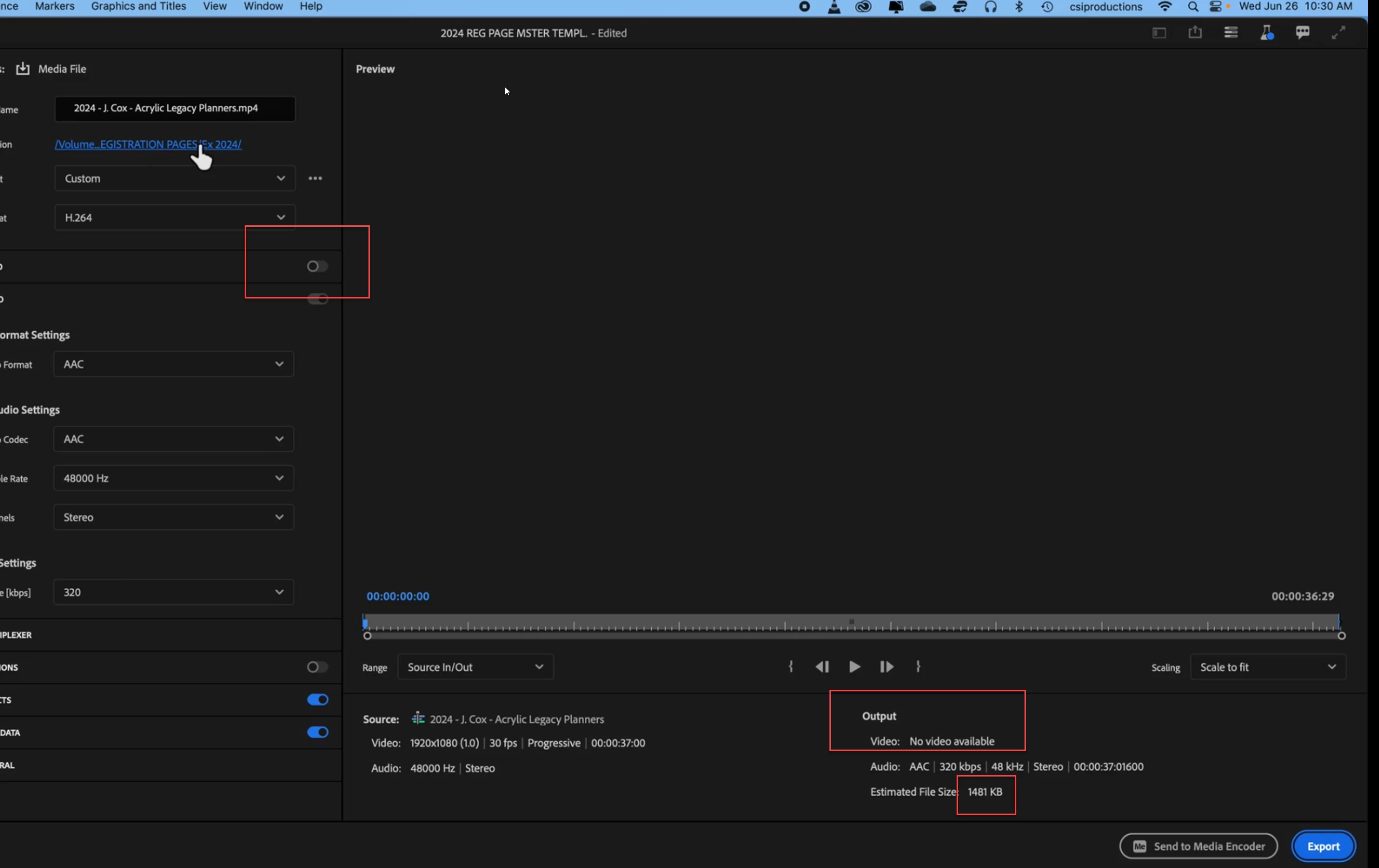
One renders normally and results in what's expected, the second renders fast and incompletely


This happens in both the Premiere release as well as the beta. I've tried creating a sub sequence and the results are the same.


I've also restarted my system and done a "CleanMyMac" system scan. Trying to cut all content and paste into a new sequence doesn't work either.


Thoughts? TY. 

This topic has been closed for replies.
Correct answer Ann Bens

Your second clip matches the estimated file size: no video in export.


3 replies

CSI Productions
Inspiring
June 26, 2024

TY Ann! Oversight. I shut that off to output Audio Only (months ago). I had to go back into this file to render a correction and where video is almost always on I neglected to turn that back on. BAM! You Rock!

R.CatesCSI ProductionsIf you want peace, be peaceful.
Ann Bens
Community Expert
Ann BensCommunity ExpertCorrect answer
Community Expert
June 26, 2024

Your second clip matches the estimated file size: no video in export.


Ann Bens
Community Expert
Community Expert
June 26, 2024

Moved to beta forum.