


Participating Frequently
November 9, 2025
Question

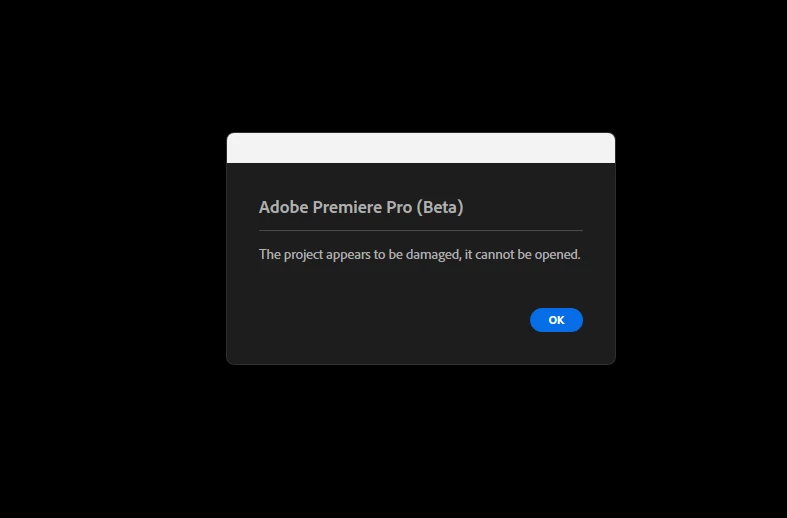
This project appears to be damaged

  • November 9, 2025
  • 2 replies
  • 124 views

I can't get any of my auto save files to reopen after I save them. No matter what I do. I've tried all the steps posted online to try and get the files to save.


I can open one of my auto save files from 2 days ago, but nothing I do will let me save it again and reopen it. Hourse and hours and hours of work gone because of a bug. Why? I will take any suggestions anyone has, because this is so frustrating. 
 

2 replies

Inspiring
November 10, 2025

This is the same thing I experienced.

You may be able to recover your project file. 


Have a temporary work around I outlined here: 

https://community.adobe.com/t5/premiere-pro-beta-discussions/project-won-t-open-the-project-appears-to-be-damaged-error-premiere-pro-beta/m-p/15582989

Participating Frequently
November 10, 2025

Thank you for this. At this point I'm just going to start over in Project 2025 (non beta). The beta version works so much better. The sync works better, the new menu system is nice, the text recognition, all of it. I just don't want to have this happen again.

I'm thinking there is something in the audio system that is bugged. I needed to use a 10 band eq on some of the music I'm working with. I had a few crashes while trying to EQ the music. Either the EQ interface wouldn't come up, then Adobe crashed, or it just crashed. The last crash that wiped out my project was also while working with audio.  I notice, at least the error you posted, dealt with an audio clip, so maybe that is where the issue lies.

Hoping they can come up with a fix. Until then, I'm off the beta. 

Participating Frequently
November 10, 2025

I'm editing a show with multiple acts. 

I opened up the one auto save that would open and selected the first few acts and copied the timeline over to a new project. The file with the first 4 acts would reopen after saving. If I tried to add any other acts I got the same "project appears to be damaged" error. Now I'm adding all my other footage back in, syncronizing. When I get all of them added, and I test that it opens, I guess I need to start saving as every time. I'm gunshy now of this happening again and losing all my progress again. 

Is there any idea at all what is triggering this so we know to avoid it? 


Participating Frequently
November 10, 2025

Another update - went through and added footage back in act by act. Got all of them added, sync'd up to the backing music tracks, didn't even add any effects. Saved it at the end and it won't open. Project appears damaged. Guess I'm strarting over from scratch, but is that even a solution? I'm going to start fresh in the regular program and not the beta, but not even sure if that will work.