



Transcription auto-line break is odd in use and slows work
When the auto-transcription service completes its thing and I have it make subtitles/captions, it adds an auto-line break somewhere between 25 and 40 characters in. And this is not the 'wrap' for the text box, it ignores the text box, and happens even if it's already wrapped. Making a short middle line. Leaving out the last couple words of the text.
And it is normally in the wrong place.
I use supposedly the two-line option for captions/subtitles, which actually quite often makes a THREE line caption.
Partly because it will break the first line, give a few characters on the second line, then break again.
Look at the following two examples of original and fixed ... and I fixed by simply removing the auto-line break.
Original transcribed captions ...
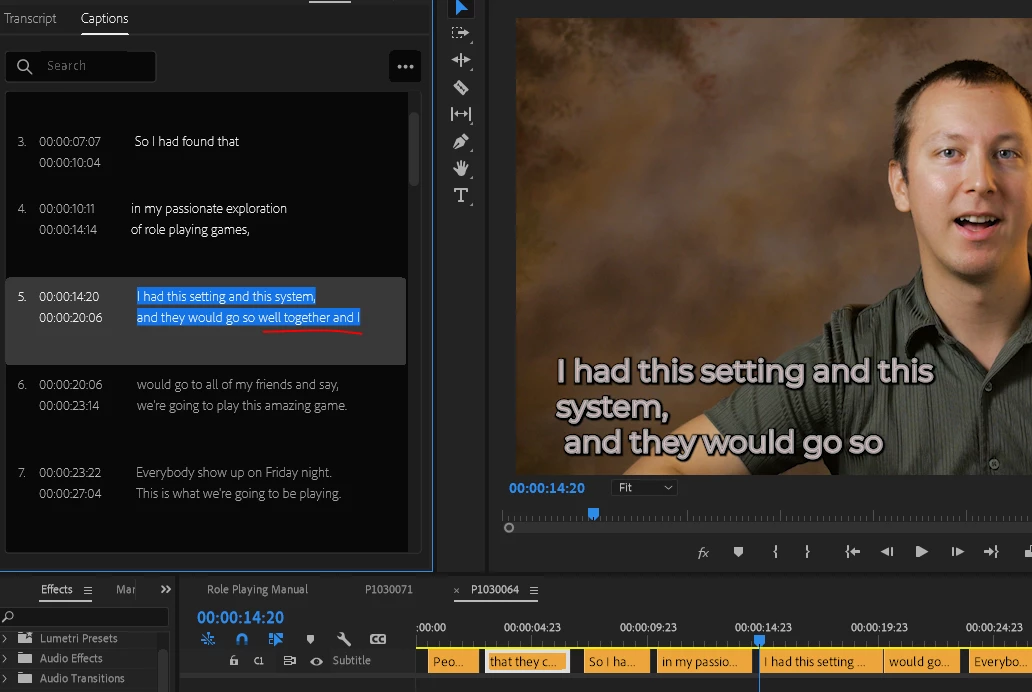
Note that it's three lines with a break after 'system' for some reason, though it already "broke" (wrapped) on "this" for line one. And the last bit of the caption "... well together" is left out, not shown anywhere.
I simply removed the auto-line break after 'system,' and got this ...
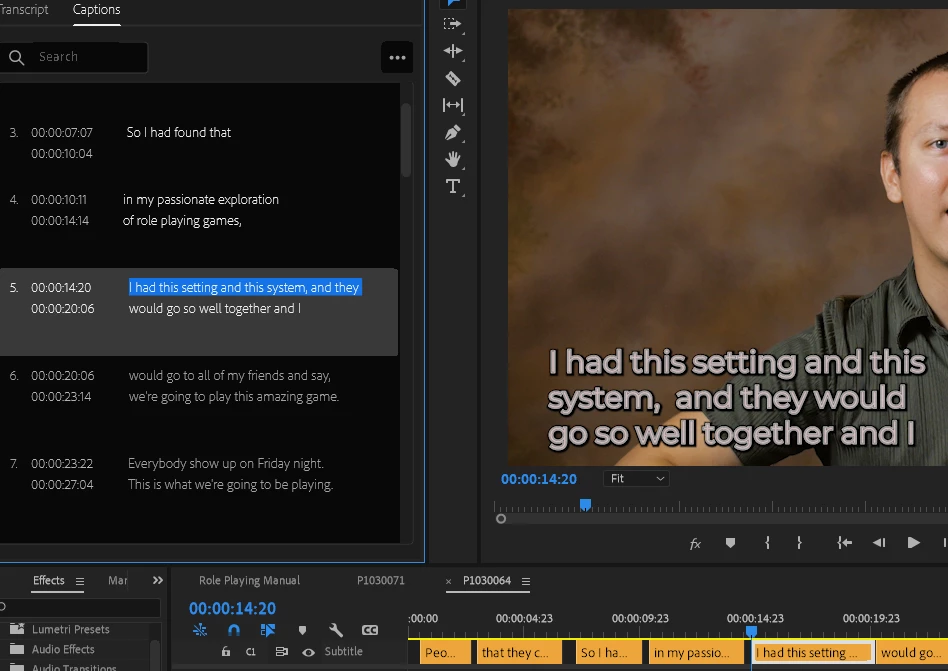
Which uses the space better and includes all the text.
Another example a couple lines later ...
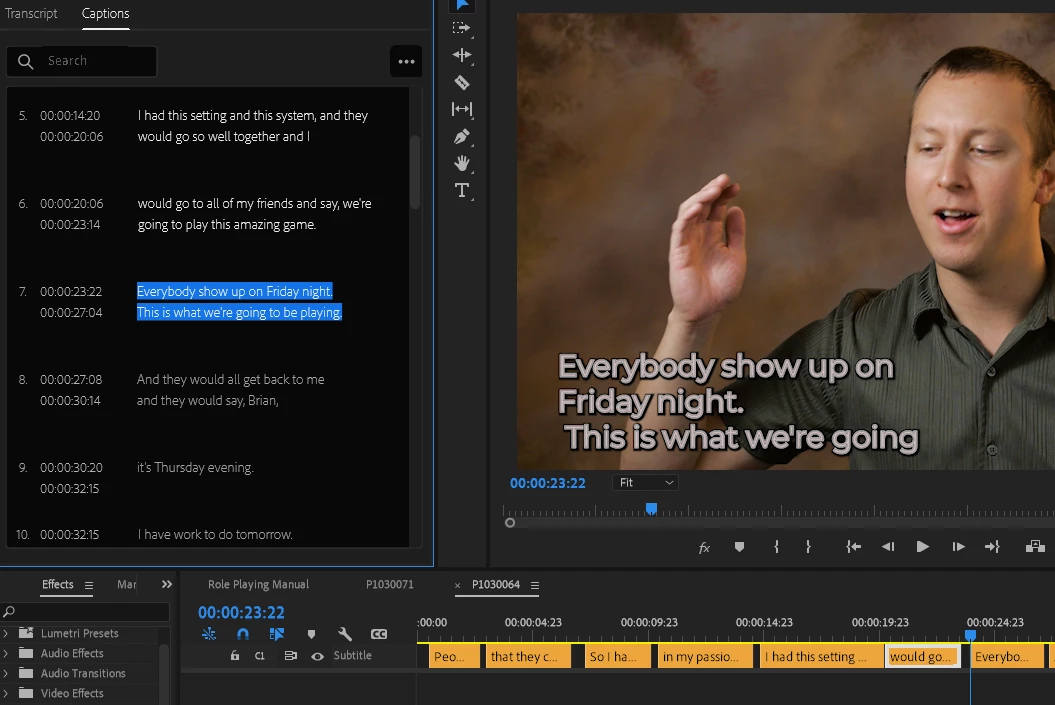
Note again the short middle line, and some words left out. They're not in the next caption, as like above, they're simply not ever shown. But by removing the auto-break after "night.", I got this ...
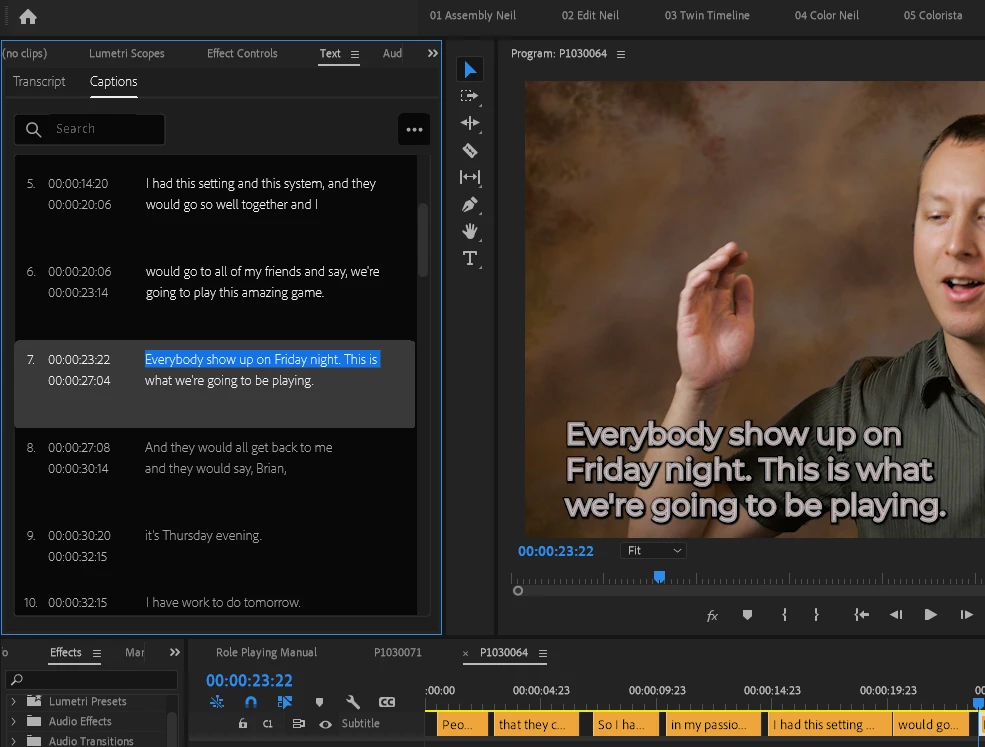
Again, better use of the space, and all words are shown.
I have to do this repeatedly down every sequence I transcribe. If that auto-break thing just didn't exist, and it simply wrapped for the text box, it would save me a ton of time cleaning up the transcriptions. Getting all the words visible.
@mattchristensen could you get this to the attention of the proper people?
Neil
 AdChoices