


Ann Bens
Community Expert
Community Expert
June 5, 2024
Answered

Transitions ' disappear'

  • June 5, 2024
  • 2 replies
  • 668 views

When transition have been applied and track is collapsed at max (minimized) the transition is no longer visible on the timeline in this new design.

This behavior is very inconvenient.

Botton screenshot shows 2023.
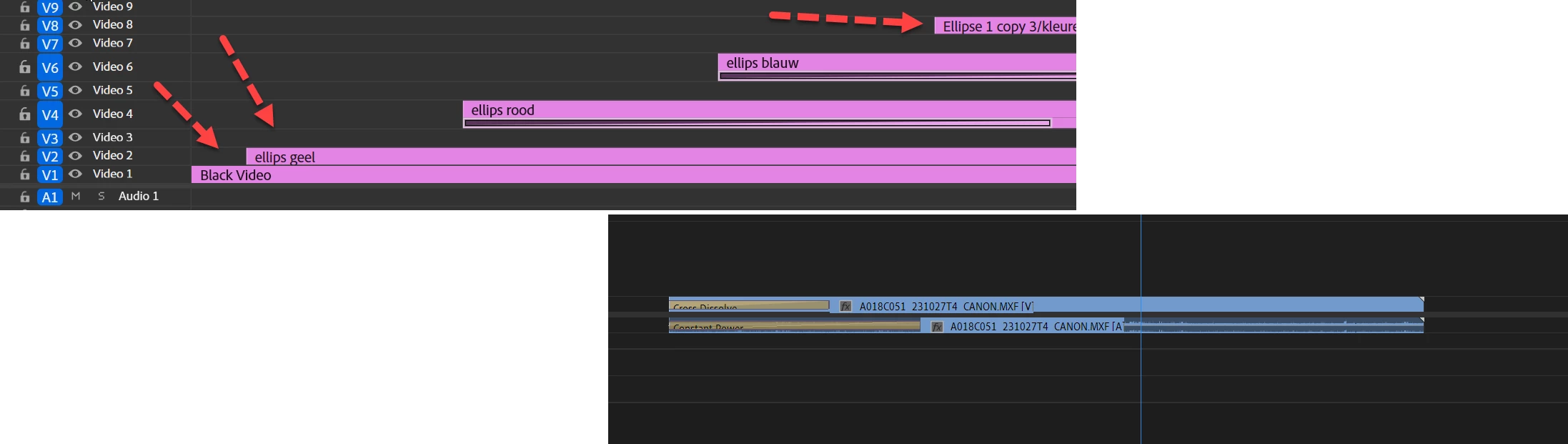


This topic has been closed for replies.
Correct answer michael_audio_team

Hi @Ann Bens - This is fixed in Premiere Pro (Beta) 24.6.0.016 that now available in the Creative Cloud Desktop app.  Thanks again for the report.

2 replies

Inspiring
June 8, 2024

Steps to reproduce:
1. With track at "normal" height (narrow), take a clip and apply default transition.

2. Try to select the transition and delete it
 
Result: The whole clip is deleted.
Expected: The transition ONLY to be selected and deleted.


Workaround: Expand the track so it's taller, then select and delete the transition.  


I haven't had to do this in very recent builds, but it worked a few weeks ago with track narrow.
 
System info
    Application: Premiere Pro (Beta) v24.6.0.17
    OS: Windows v10.0.22631, RAM: 63.83 GB GB, CPUs (logical): 16

Ann Bens
Community Expert
Ann BensCommunity ExpertAuthor
Community Expert
June 10, 2024

Cannot reproduce in 4k monitor

Just zoom in on the timeline a little bit.

Adobe Employee
June 5, 2024

Hi @Ann Bens - Thanks for the report.  Sorry for the inconvenience.  This is a bug in the current Beta builds.  We have a fix and I'll update once that build is available in CCD.  

Ann Bens
Community Expert
Ann BensCommunity ExpertAuthor
Community Expert
June 5, 2024

Good to hear (or rather read)!
