Community Expert
November 8, 2025
Question

Whats up with Frame.io V4? NOT WORKING

  • November 8, 2025
  • 3 replies
  • 284 views

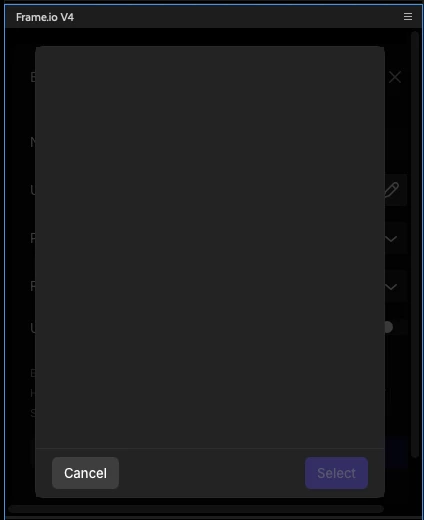
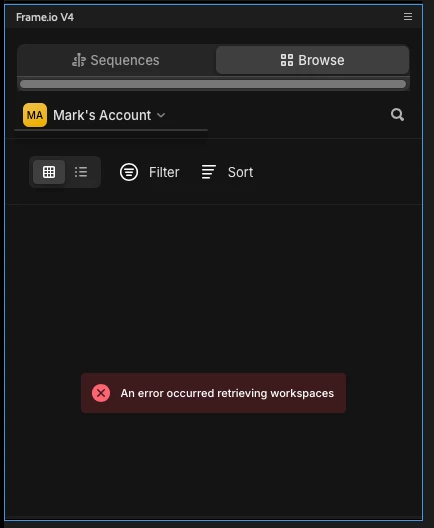
I logged in to the new Frame I.O. but I keep getting an error and when I try to select where to save the file it goes blank! I signed in an out to Creative Cloud, quit, restarted, signed out again.... Frame I.O. keeps me signed in... seems like the ONLY feature working!

Please help!

Thanks!
mark

3 replies

MyerPj
Community Expert
Community Expert
November 9, 2025

PP 26.0 b24 / Win11 24H2

I've been getting that same error screen since I first started try to get there in PP Beta. Accessing via Web/Chrome works fine.


Stan Jones
Community Expert
Community Expert
November 9, 2025

@mark@headTrix @MyerPj,


I have not gotten that "error loading workspaces" recently, if ever.


Win 11, Beta 26.0.0.20. 


When I update the Beta, I always trash preferences, cache, and plugin loading cache, and start a new project. I don't know whether that makes any difference or not.


Stan


MyerPj
Community Expert
Community Expert
November 9, 2025

Hi @Stan Jones ,


I always delete the cache with every update. However, just for you I deleted preferences (having an easy way to get them back) and the plugin loading cache, plus I set the keyboards shorts to default. (Before the above, so it loads with that.)


Same exact screen (well, replace the Mark's with Myer's), so no change. Same screen that has been poping up ever since I've had Frame.io (a month or so).

Patrick Southern
Community Manager
Community Manager
November 8, 2025

Hey @mark@headTrix! What build of Premiere (Beta) are you running? When was the last time you updated the beta?

Community Expert
November 9, 2025

Hi Patrick! I have build 24 Version 26. Just updated yesterday!

headTrix, Inc. | Adobe Certified Training & Consulting
Community Expert
November 10, 2025

i cant get the legacy or the new framei.o to work.... not sure whats going on?


headTrix, Inc. | Adobe Certified Training & Consulting
Stan Jones
Community Expert
Community Expert
November 8, 2025

@mark@headTrix,


I think you are in the Beta, working with the Frame.io V4 (Beta). Click on the dropdown arrow by "Mark's Account" and try that logout. Since the Frame.io login is handled by a web page (that you have to switch to when logging in via PR), I suspect you have to logout via Frame.io. I think it requires you to log in each day, so you'll be logged out tomorrow anyway.


Note in that screen that it will show the version of Frame.io V4 that is running. I think for problems we want to track both the PR Beta build, and the Frame.io version.


What error are you seeing?


@Patrick Southern Any thoughts?


Stan


Community Expert
November 9, 2025

Hi Yes I am in the beta.... just updated recently. Frame i.o v4, and I shared screenshot above of the errors. I click that arrow and nothing happens. I did log in again today... same error. If a choose a directory nothing comes up. see screenshots above!

Thanks!
Mark

headTrix, Inc. | Adobe Certified Training & Consulting