


Participant
July 29, 2024
Answered

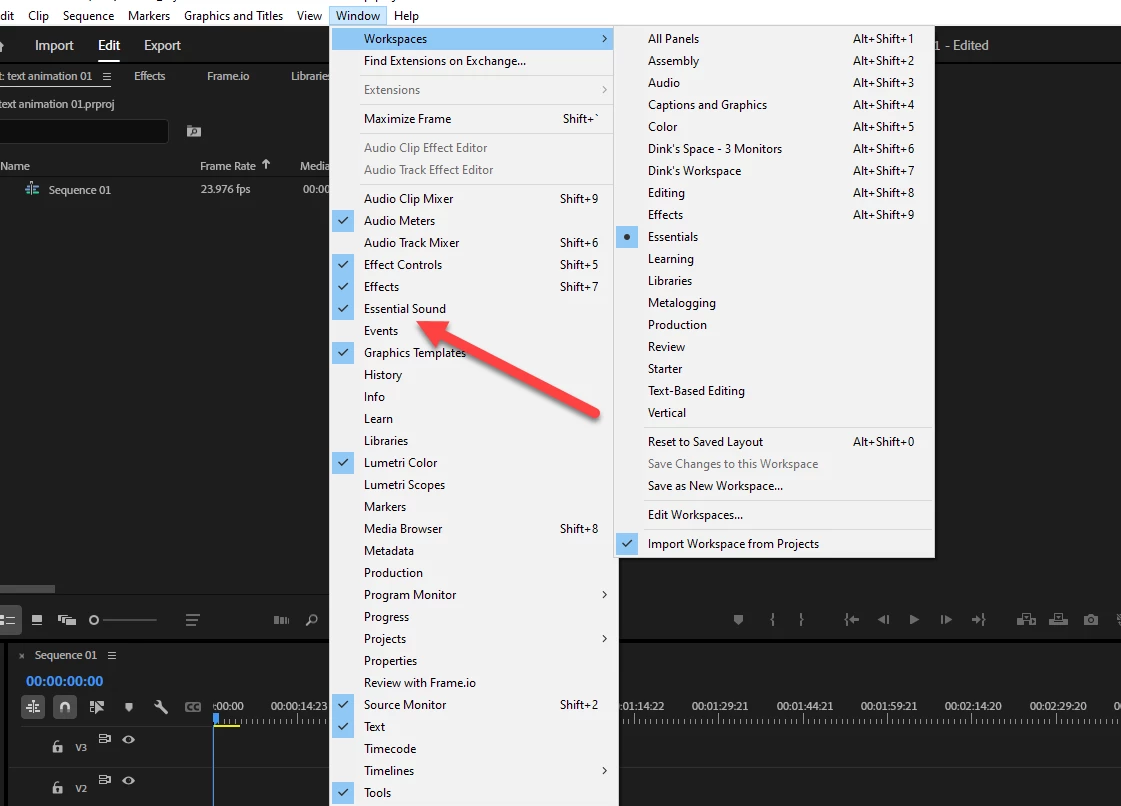
Where did "Essential Graphics" go? It has completely disappeared from my menus.

  • July 29, 2024
  • 1 reply
  • 2174 views

Maybe I'm completely missing something...shouldn't it go where the arrow is pointing below?

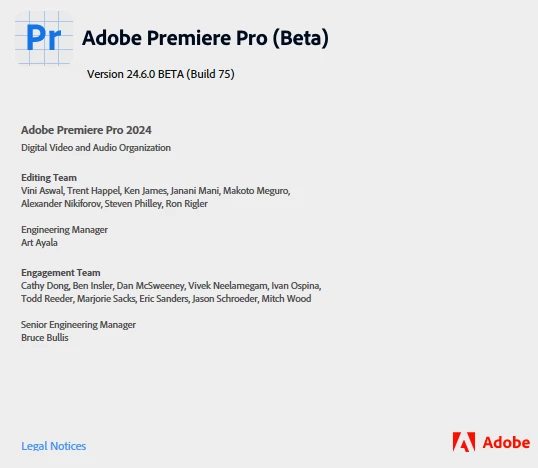
Has this feature moved or been changed possibly? I've searched everywhere I can on here, and even asked ChatGPT, and have had no luck finding an answer.  There's also a screenshot below of the version I'm running.
Thanks so much for any help!

William

 

This topic has been closed for replies.
Correct answer newmediasoup

Hello William!

Although features/UI in a Public Beta are subject to change,

in the 24.6.0 BETA, "Essential Graphics" is now "Graphics Templates."

When editing graphics elements, the "Edit" now displays in the new  "Properties" Panel.


Regards,

Joel Penner, Adobe Community Expert

1 reply

newmediasoup
Community Expert
newmediasoupCommunity ExpertCorrect answer
Community Expert
July 29, 2024

Hello William!

Although features/UI in a Public Beta are subject to change,

in the 24.6.0 BETA, "Essential Graphics" is now "Graphics Templates."

When editing graphics elements, the "Edit" now displays in the new  "Properties" Panel.


Regards,

Joel Penner, Adobe Community Expert

Participant
July 29, 2024

Hi Joel,


Ahhhh! I knew Graphics Templates was there, but figured this couldn't be it because there was no "Edit" panel.

This makes complete sense now (and nice that the edits are in a whole separate window).


I had really only been using Beta because of Essential Sound (which is absolutely amazing...I almost never have to worry about sound issues when recording now). But I see it is in the latest iteration of the regualar Premiere Pro software now. I think I'll switch back (unless you think it's worth sticking with Beta).


Thank you so much!!!

William

newmediasoup
Community Expert
Community Expert
July 29, 2024

Happy to help!

Joel