



Randune23
Inspiring
June 12, 2024
Answered

Why can't I rename tracks in PP Beta?

  • June 12, 2024
  • 2 replies
  • 668 views

So I opened a new project in PP Beta 24.6.0 and I wanted to start renaming my tracks.  However, the option is GRAYED out (or for those European peeps it's GREYED out).  Does anyone know how to change or fix this?  It is really handy when I can label different tracks for b-roll, new footage, voiceovers, graphics, text, etc.
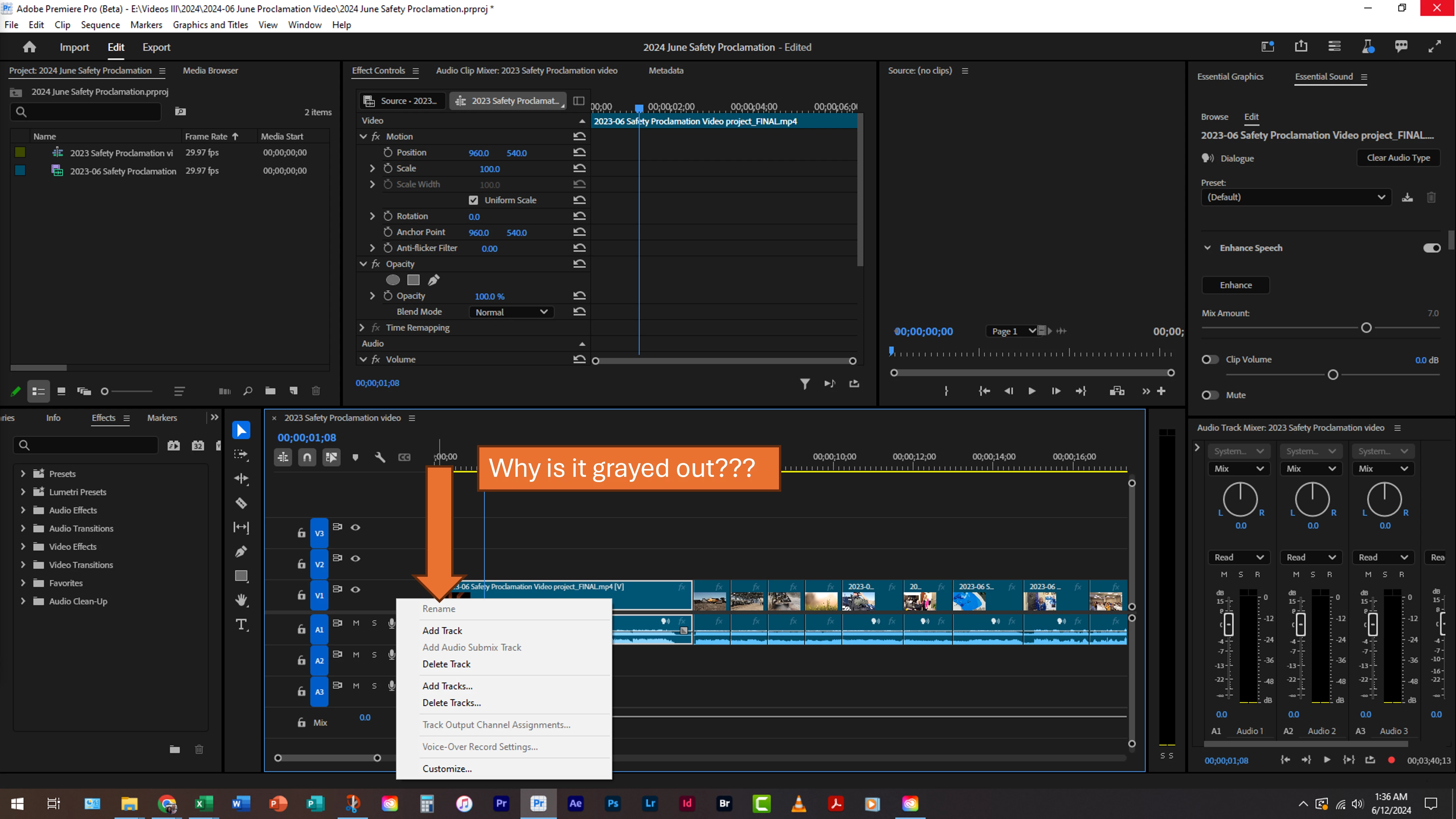
 

Any and all answers are greatly appreciated!


Randy

 

This topic has been closed for replies.
Correct answer MarekMularczyk

Hi,

It's not a bug. Your tracks are too short to be renamed. You need to make the track taller until you see the name and then Rename option becomes available.


2 replies

Ann Bens
Community Expert
Community Expert
June 12, 2024


Moved to beta forum.

Moved for bugs to discussion board.

MarekMularczyk
Community Expert
MarekMularczykCommunity ExpertCorrect answer
Community Expert
June 12, 2024

Hi,

It's not a bug. Your tracks are too short to be renamed. You need to make the track taller until you see the name and then Rename option becomes available.


Adobe Community ExpertAdobe Certified Professional
Randune23
Randune23Author
Inspiring
June 15, 2024

THANK YOU THANK YOU THANK YOU!

I actually received an answer to a problem and it was all my fault.


I am so relieved and now it works like a charm.


Randy

MarekMularczyk
Community Expert
Community Expert
June 26, 2024

You're welcome. My pleasure 🙂


Adobe Community ExpertAdobe Certified Professional