Hi WolfyGirl,
Sorry for the trouble here.
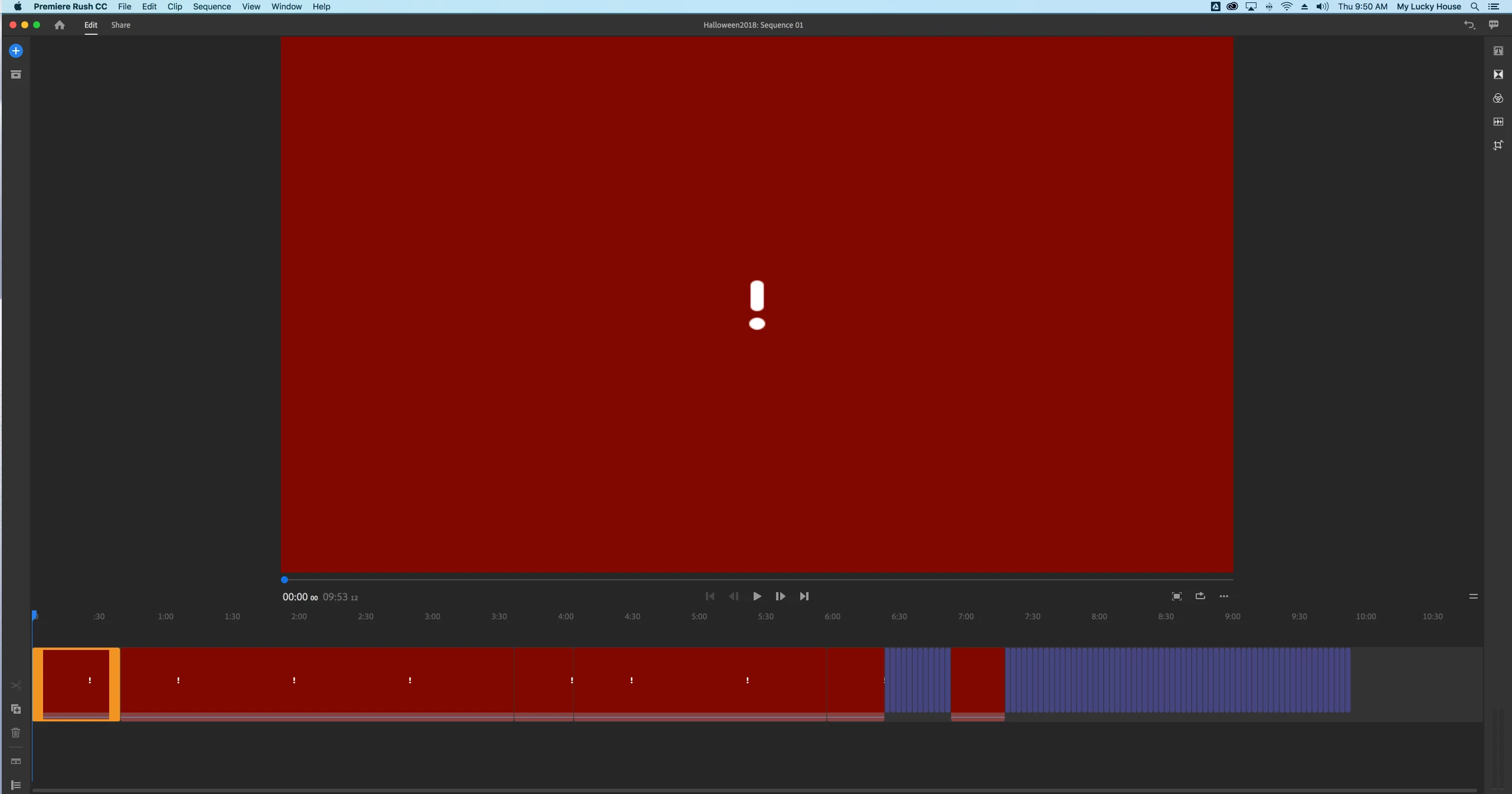
These red frames represent the missing media from the Rush project. This seems strange that it's taking so long to connect to media in your case.The only issue I can think of is the unavailability of media on the cloud.
We upload the media to Cloud while creating synced projects from mobile devices and the same media gets linked in Rush project when open on other devices(iMac in your case). Generally this process is instantaneous as long as media was successfully uploaded on the cloud.
Can you try verifying Adobe Creative Cloud location(can access from Creative Cloud App on your Desktop too -->Assets --> Files--> View on web) if the media is present there when you see these red frame in your Rush project ? If not, this will mean media was not uploaded to cloud from your iPhone properly. (fast internet might help to do it quick, until there is some other issue that we will have to figure out)
Moreover, you can also right click on these red frame in Timeline area on Desktop and try relinking to any media file.
Hope this resolve your concern.
You can also submit feature requests for anything you would like to see in Rush here Premiere Rush: https://adobe-video.uservoice.com/forums/916423-premiere-rush
Keep highlighting your doubts. !
Glad to help,
Mayjain




 AdChoices