


Participant
Feb 15, 2024 6:04 PM UTC
Answered

Where are Rush projects stored?

I edit on a Windows PC. For example, I want to open the same project that is on an external hard drive, but I can't find the project file. Where is it?


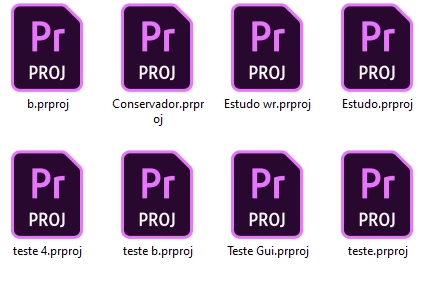
Like from adobe premiere ".prproj" I put a photo attached.


Mod note: Title and text were edited slightly.
natalies35909954Correct answer
Participant
Mar 5, 2024 8:04 AM UTC

The reply is misleading, the files are accessable, it is just complicated;


go to C:\Users\<your username>\AppData\Roaming\Adobe


The folder "Team Projects Local Hub" will have the project files, and this folder can be transferred to the same location on a new computer to transfer the files


Additionally, you can use the export projects feature (settings->preferences->share logs->share longs and project files) on the mobile version of the rush app to export files to a desktop computer

30 replies

Participant
Mar 11, 2025 6:52 PM UTC

I created my project on my iPad in Rush and now want to open/edit in Premiere on my Mac. What is the work around since Sync has been discontinued?

Translate
Kevin J. Monahan Jr.
Legend
Mar 12, 2025 10:25 PM UTC

Hello @KhiKaine,

See if this article helps you move your files to your computer. I hope so!


Thanks,
Kevin


Translate
Kevin Monahan - Sr. Community and Engagement Strategist – Adobe Pro Video and Audio
Participant
Mar 12, 2024 1:11 PM UTC

My laptop with Adobe Rush failed, the HDD is ok, how do I transfer projects to a new laptop?

Translate
Kevin J. Monahan Jr.
Legend
Mar 13, 2024 1:01 AM UTC

Hi @Jozef299083984xr0,

Sorry to hear that. Is that a Mac or a PC? Let us know.


Thanks,

Kevin

Translate
Kevin Monahan - Sr. Community and Engagement Strategist – Adobe Pro Video and Audio
Participant
Mar 18, 2024 12:18 PM UTC

Notebook with Win11


Translate
natalies35909954Correct answer
Participant
Mar 5, 2024 8:04 AM UTC

The reply is misleading, the files are accessable, it is just complicated;


go to C:\Users\<your username>\AppData\Roaming\Adobe


The folder "Team Projects Local Hub" will have the project files, and this folder can be transferred to the same location on a new computer to transfer the files


Additionally, you can use the export projects feature (settings->preferences->share logs->share longs and project files) on the mobile version of the rush app to export files to a desktop computer

Translate
Kevin J. Monahan Jr.
Legend
Mar 8, 2024 9:17 PM UTC

Thank you for the corrections, @natalies35909954. I did not wholly understand the solution and was corrected by the engineer, @Wes Howell), as well.


FYI: on macOS, the path is: /Users/<user name>/Library/Application Support/Adobe/Common


I hope Wes or anyone else can chime in for workflow tips around saving and moving project data.


I will mark your reply as the correct one. I appreciate your post. Thank you!


Kind Regards,
Kevin

Translate
Kevin Monahan - Sr. Community and Engagement Strategist – Adobe Pro Video and Audio
WesHowellPPro
Adobe Employee
Adobe Employee
Mar 8, 2024 11:14 PM UTC

Useful link!  LMK if you have further questions.  Thanks everyone. 


https://helpx.adobe.com/premiere-rush/kb/creative-cloud-files-end-of-life-for-premiere-rush.html

Translate
Kevin J. Monahan Jr.
Legend
Feb 15, 2024 6:37 PM UTC

Hi @Wanderson27249258qigs,

Thanks for the question. Rush is architected differently than other apps. It does not save files like Premiere Pro because of its (now disabled) syncing function. Rush saves projects in a database that is not accessible to users. You cannot save or move project files to another drive. Edit: To access the database, see this thread (or scroll down just a bit). The database can sync projects between your mobile device and your home or office computer.


Syncing was disabled on February 1, but the saving mechanism remains. There are still no hard project files. Sorry about that. I hope the info clears up any misunderstandings. Please return with questions.


Thanks,
Kevin

Translate
Kevin Monahan - Sr. Community and Engagement Strategist – Adobe Pro Video and Audio
Participant
Feb 16, 2024 8:51 PM UTC

Thank you very much for your reply! It's a shame this file doesn't exist. I will continue with it, but, I must learn Premiere. Thank you one more time!

Translate
Kevin J. Monahan Jr.
Legend
Feb 17, 2024 12:06 AM UTC

My pleasure. Thanks!

Kevin

Translate
Kevin Monahan - Sr. Community and Engagement Strategist – Adobe Pro Video and Audio