Participant
January 5, 2025
Answered

3D text

  • January 5, 2025
  • 1 reply
  • 205 views

Hello


I have added 3D text to the sides of a cube. When i rotate the cube, the text moves with the sides in design. However, when i use the timeline to preview the render, the text does not move with the cube. I have merged all the text and the cube but it does not seem to work as a single object. Is it possible to add 3D text to a 3D shape and then use the rotate/spin rendering?


Thank you


Stuart

Correct answer JMathews

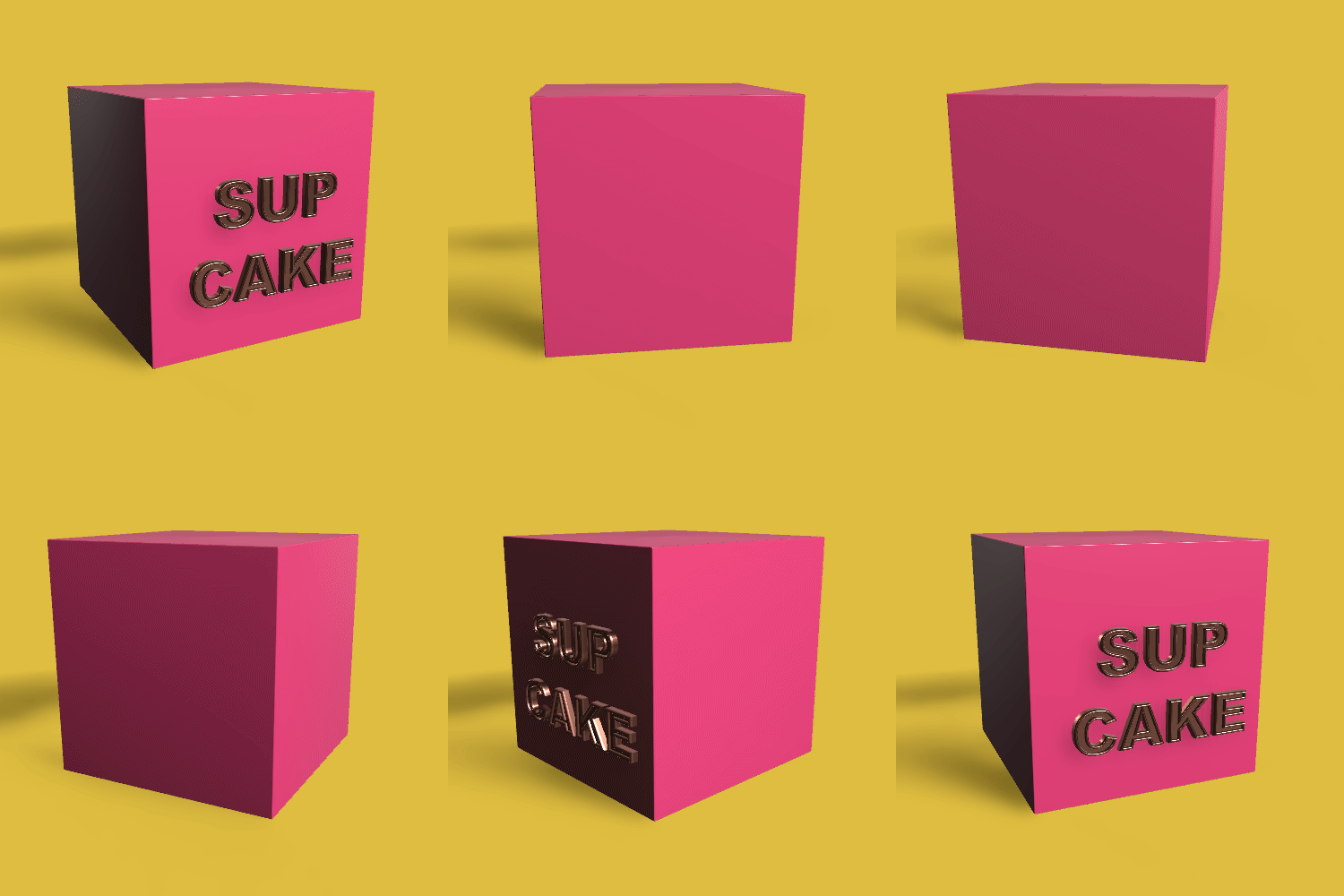
Hi @stuart_1308 - Spin spin!


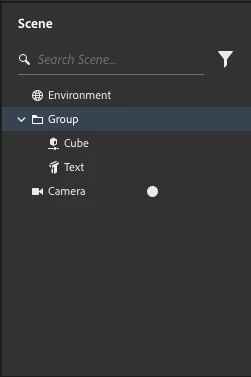
I was able to achieve this by putting them into a group and then spinning the group itself.  Here's the scene panel where you can see the box and the text are inside a group.


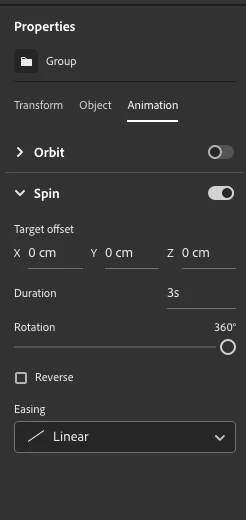
And here's the group properties where you can see the animation is applied to the group.


1 reply

JMathews
Community Manager
JMathewsCommunity ManagerCorrect answer
Community Manager
January 6, 2025

Hi @stuart_1308 - Spin spin!


I was able to achieve this by putting them into a group and then spinning the group itself.  Here's the scene panel where you can see the box and the text are inside a group.


And here's the group properties where you can see the animation is applied to the group.


Adobe Principal Product Manager, 3D & Immersive