Inspiring
June 25, 2021
Answered

About Collision

  • June 25, 2021
  • 1 reply
  • 464 views

Hello,


Is there some tutorial to explain how Collision Work?

Do we have to ungroup objects?

is it possible to also add "gravity" to the physical engine?

I'm trying to make a "Chain" and even if I can move some "link" manually and get some constraints but to lay "natural" I guess a little gravity will give more realism.

This topic has been closed for replies.
Correct answer JeanetteMathews

Hello!  Please look at this article for details on the collision based transform system:

https://substance3d.adobe.com/documentation/sg/collision-based-transformation-213061192.html


The basics are 

  • Turn collision on in the tool options
  • Enable collision for each object you want to interact
  • Use the transform tools to move the objects


There's special behavior for groups - you don't have to ungroup objects but you can enable collision for sub-parts or the group itself. If you have collision on a parent/group then its children are treated as one object.

Stager does not have live physics - like simulations of gravity, wind, friction etc, yet.  It is only exposed through the transform tools.  However it is built on a physics engine that we plan to expose more features for in the future!


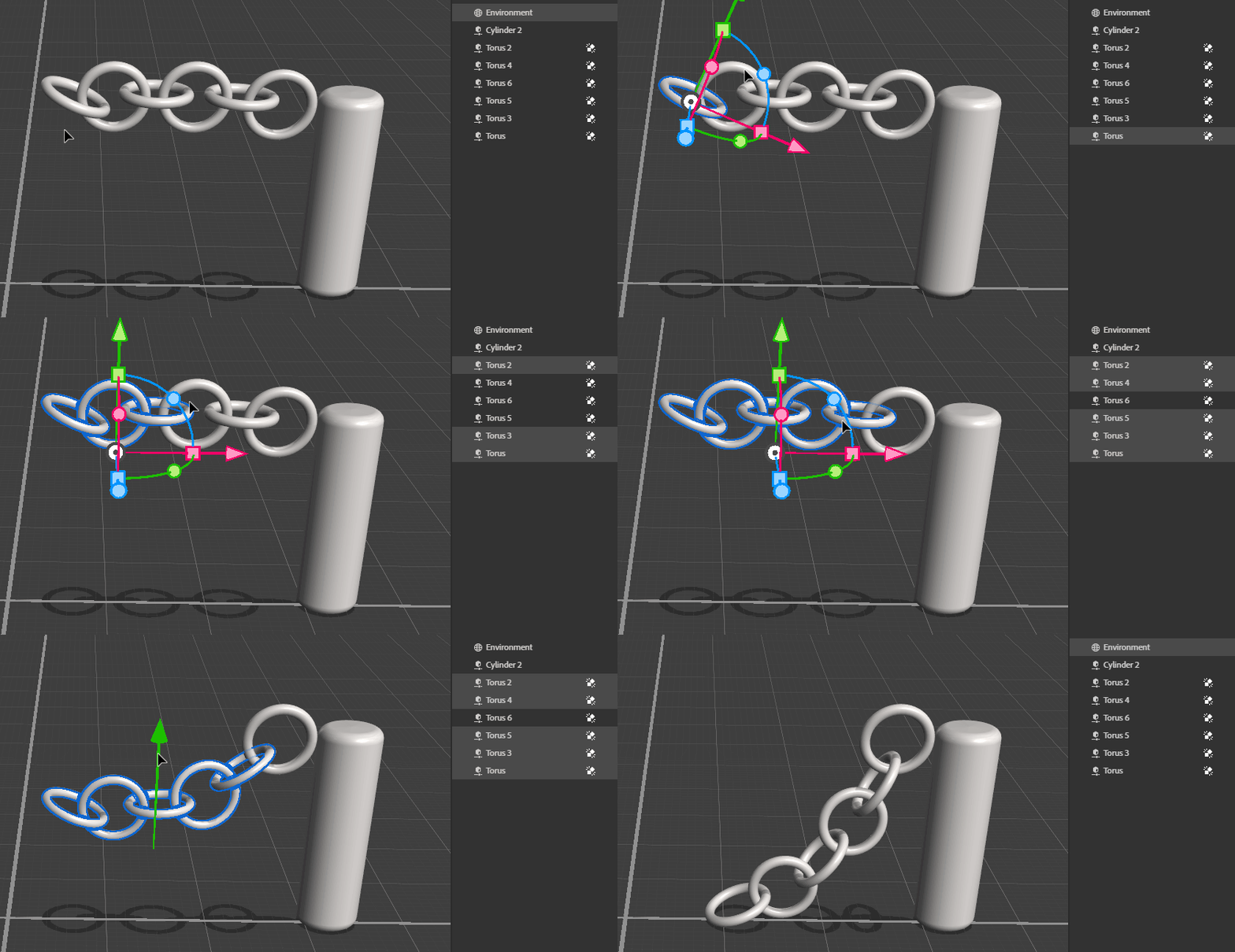
For a chain, I would make all of the pieces then select them all and move it together.  I will say this isn't probably the best case for collision - it's more usful for things like stacking books, putting obejcts on tables or leaning up against eachother.  We can make a better interface for something like chains though for sure ❤️ 
 

1 reply

JeanetteMathews
Adobe Employee
JeanetteMathewsCorrect answer
Adobe Employee
June 25, 2021

Hello!  Please look at this article for details on the collision based transform system:

https://substance3d.adobe.com/documentation/sg/collision-based-transformation-213061192.html


The basics are 

  • Turn collision on in the tool options
  • Enable collision for each object you want to interact
  • Use the transform tools to move the objects


There's special behavior for groups - you don't have to ungroup objects but you can enable collision for sub-parts or the group itself. If you have collision on a parent/group then its children are treated as one object.

Stager does not have live physics - like simulations of gravity, wind, friction etc, yet.  It is only exposed through the transform tools.  However it is built on a physics engine that we plan to expose more features for in the future!


For a chain, I would make all of the pieces then select them all and move it together.  I will say this isn't probably the best case for collision - it's more usful for things like stacking books, putting obejcts on tables or leaning up against eachother.  We can make a better interface for something like chains though for sure ❤️



