Participant
May 10, 2023
Answered

Adobe Stager

  • May 10, 2023
  • 1 reply
  • 228 views

how to delete an imported image as background in Adobe Stager

This topic has been closed for replies.
Correct answer Ares Hovhannesyan

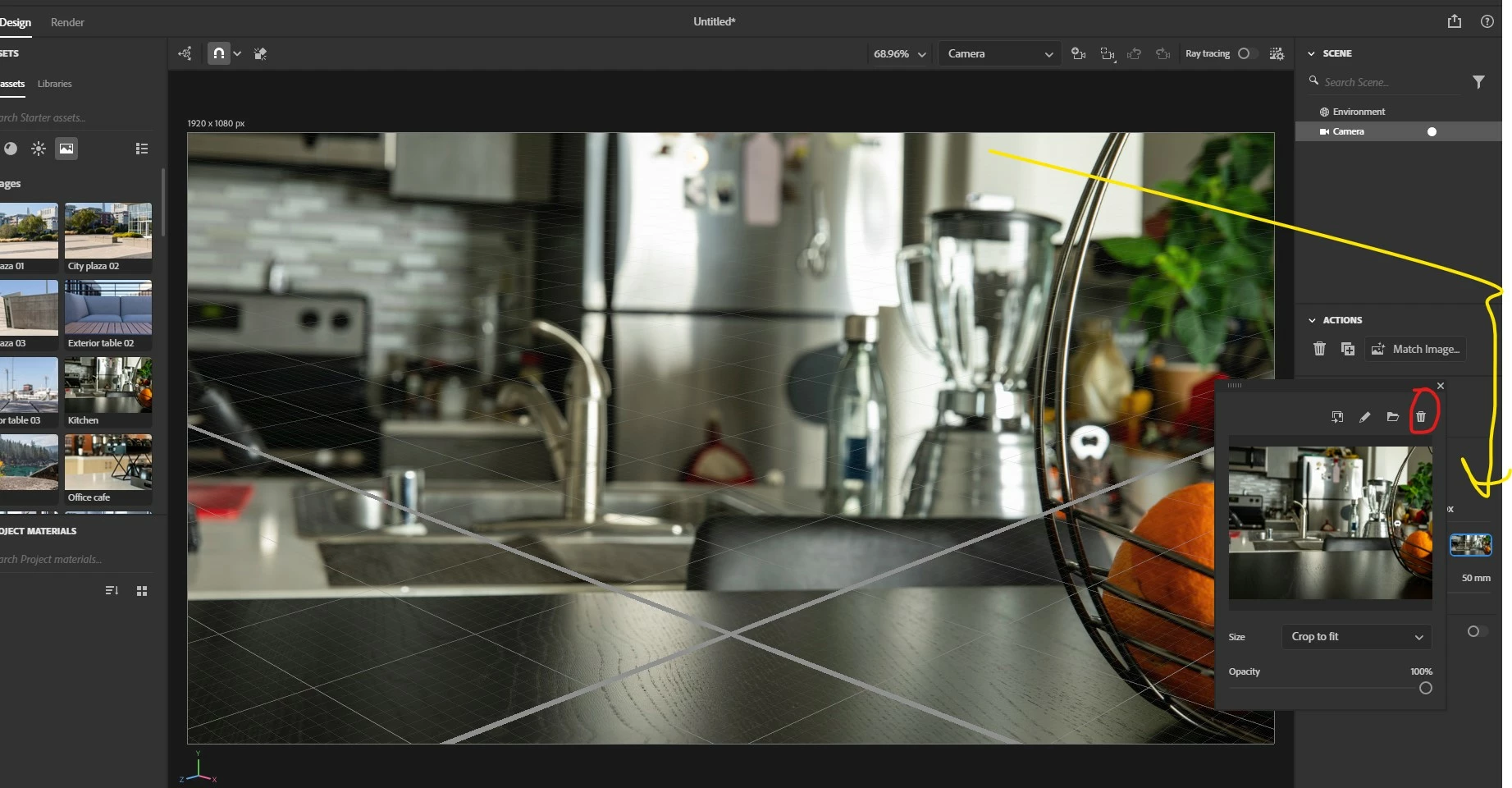
Double click on image or select camera. click on thumbnail open image property panel and use delete button (red circle)

1 reply

Ares Hovhannesyan
Community Expert
Ares HovhannesyanCommunity ExpertCorrect answer
Community Expert
May 10, 2023

Double click on image or select camera. click on thumbnail open image property panel and use delete button (red circle)