


Known Participant
November 8, 2021
Question

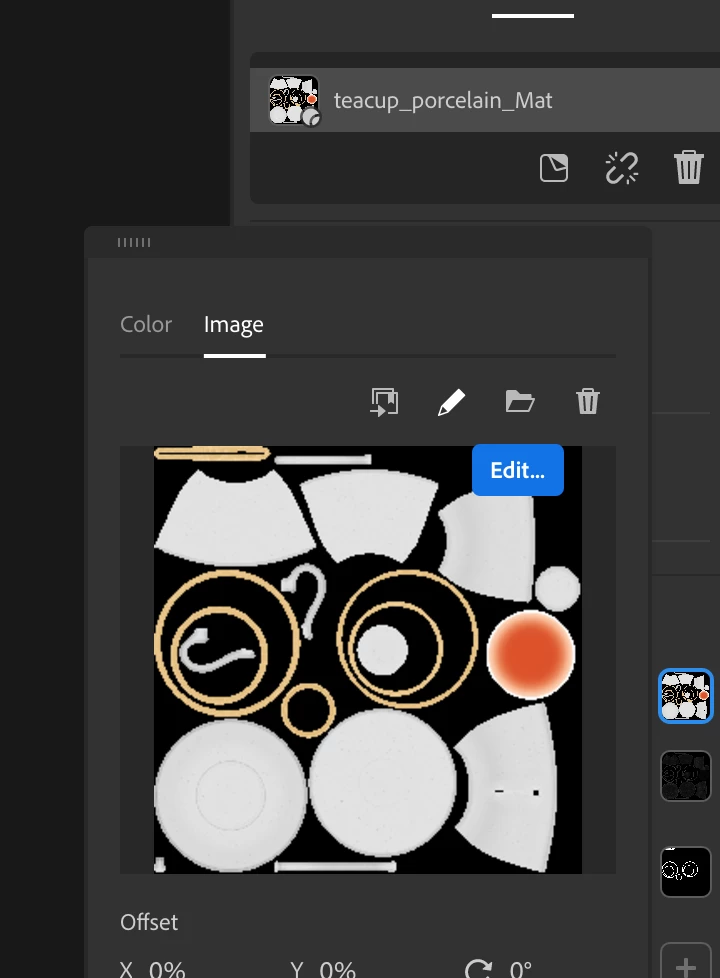
Can't edit material

  • November 8, 2021
  • 1 reply
  • 436 views

I and many others have this problem with Adobe Dimension, and I thought maybe it wouldnt be an issue in Stager... When I click edit on a graphic, image, or decal it won't open in Photoshop like it did just a week or so ago. I used to be able to VERY easily modify the color of anything in photoshop, click save, and it would change in Dimension/I assumed it would in Stager. When I click edit, it does nothing at all. If there isnt a solve to this, how can I quickly modify things?
 

This topic has been closed for replies.

1 reply

Ares Hovhannesyan
Community Expert
Community Expert
November 8, 2021

It happens now with many users for Dimension also and depend what version of Ps , Dn or Stager has been installed. Are you on Mac or Win?

Known Participant
November 8, 2021

Hi Ares, 


I'm on a mac! I have Photoshop 2022. I also have 2020 installed. Ive read on this forum that downgrading back to PS 2021 would likely solve the issue, but was just curious if there might be another workaround with Stager which I just intalled the trail verison of. 


Thanks for the help. 

Ares Hovhannesyan
Community Expert
Community Expert
November 9, 2021

I am able to use Ps with Stager and as we have discussed in other forums I have delete all my previous preference for Ps. I think that problem is that Dn or Stager can't find path to correct Ps exe files. Which Ps is default app on your Mac for opening PSD files?