


Inspiring
November 5, 2021
Answered

Change gizmo / pivot position manually?

  • November 5, 2021
  • 5 replies
  • 2933 views

I can't figure out how to move the gizmo. I imported an .obj with a bunch of models, and I'm only using one of them. 

Currently it's positioned quite a bit to the left of the 3d model, it's positioned in the center of the original obj, but with the other objects gone it's gone off-side. 
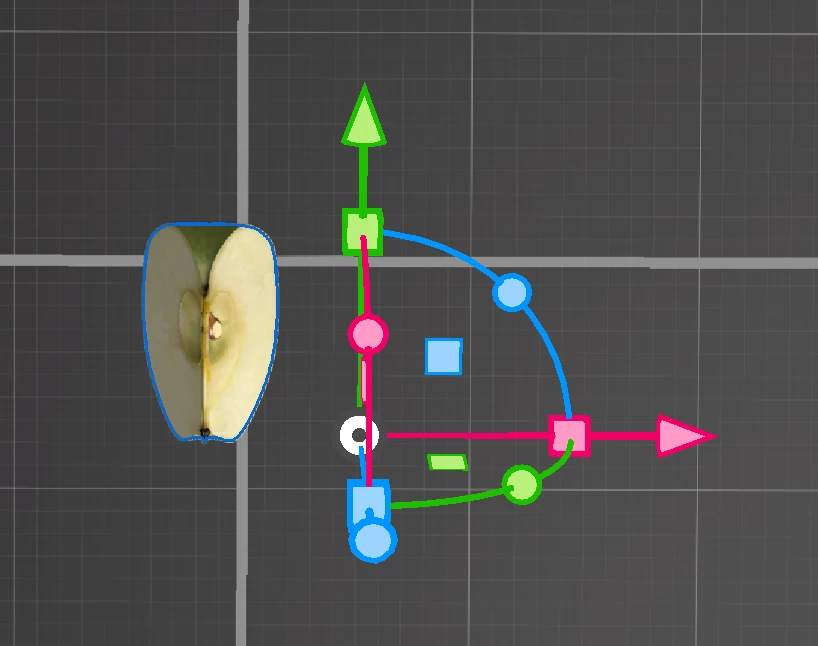
 

Update: my bad. the original additional objects were still in the group. Removed them, set the pivot to "centered", and it's useable. I'd still like to move the pivot manually, but this'll work for now.

Correct answer JMathews

Manual pivot control is something we'd love to add!  For now we support custom pivot import from other apps or setting to general pivots like bottom center, center, and top center.

5 replies

Participant
June 11, 2025

Custom pivot request in 2025!

Participant
July 24, 2024

Still waiting on that custom pivot option.....

Participant
June 20, 2023

Any idea if manual pivot control will be added in the near future?

 
JMathews
Community Manager
JMathewsCommunity ManagerCorrect answer
Community Manager
December 3, 2021

Manual pivot control is something we'd love to add!  For now we support custom pivot import from other apps or setting to general pivots like bottom center, center, and top center.

Adobe Principal Product Manager, 3D & Immersive
Ares Hovhannesyan
Community Expert
Community Expert
November 5, 2021

True. That have to work in that case.