


Participant
January 4, 2022
Question

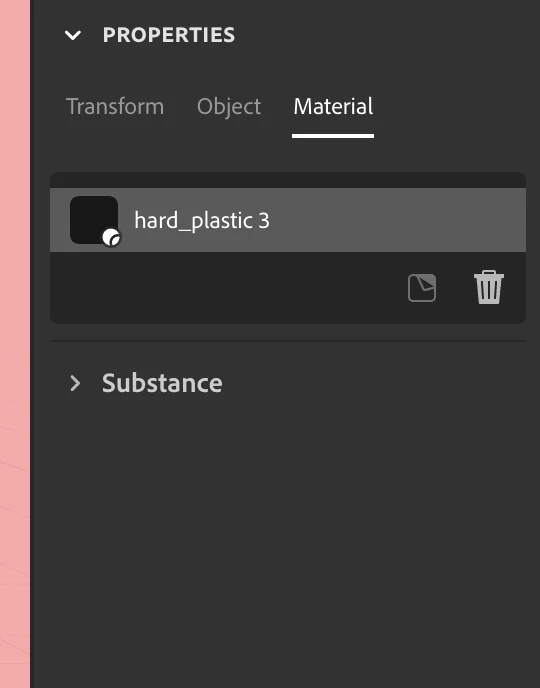
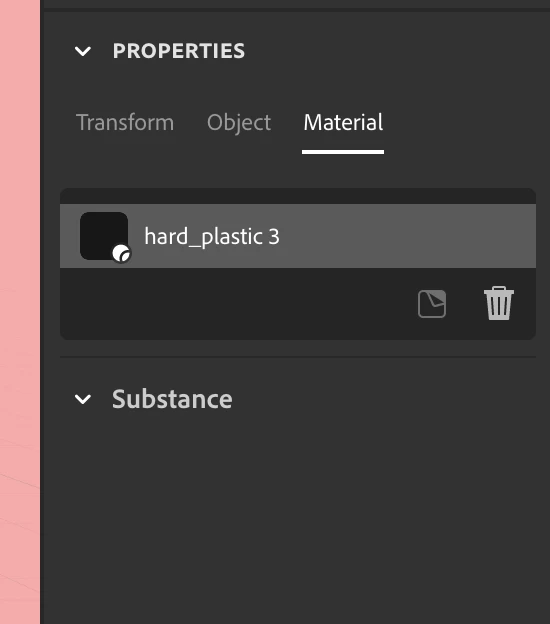
collapsable Substance view doesn't display any parameters for material (M1 Pro)

  • January 4, 2022
  • 1 reply
  • 203 views

hi there, my stager has stopped showing paramerers for materials and objects. To clearify, when pressing on the collapsable Substacne module in on the right lower hand side after having chosed a material,  the Substance modal seems to be open, but doesn't dispaly any parameters. Any advice for displaying them again, maybe my Adobe Substance Stager is corrup, idk, anywho, any help is usefull here. 


i'm runnign stager on a mcb pro m1 pro, 

Stager version: 1.1.1


(as you can see on the picture, i have chosen hard plastic and in the Substance modal, no parameters are found)
This topic has been closed for replies.

1 reply

Alexandre Becquet
Community Expert
Community Expert
January 5, 2022

Hello, what is you OS ?

Can you try to save as the project, close Stager and restart the MBP pro?

It's only on this material or it's the same for all?


I'm on M1 Max with Stager 1.1.1 on MacOs Monterey with no problems but sometimes the properties of the material is a bit long to open.

Ans i think a re install of Stager could be the solution.


Let us know if it work


Participant
January 5, 2022

hey there

macOS Monterey 12.0.1

Stager: 1.1.1

Have tried every grandma advice, restarting the computer/program etc. 

Also tried to remove the application and install it again, same problem arises. 


any rumor of when adobe will optimize this application for apple silicon. 

as for now, Fusion 360 is a way more fluent CAD software for apple silicon computers