


Emission Image - Distortion / Inconsistent Scale (simulating illuminated printed signage)
Good day,
I want to achieve an illuminated printed signage panel (for back-lit applications in commercial graphics).
MY PROCESS
I've been able to get close to it by doing the following:
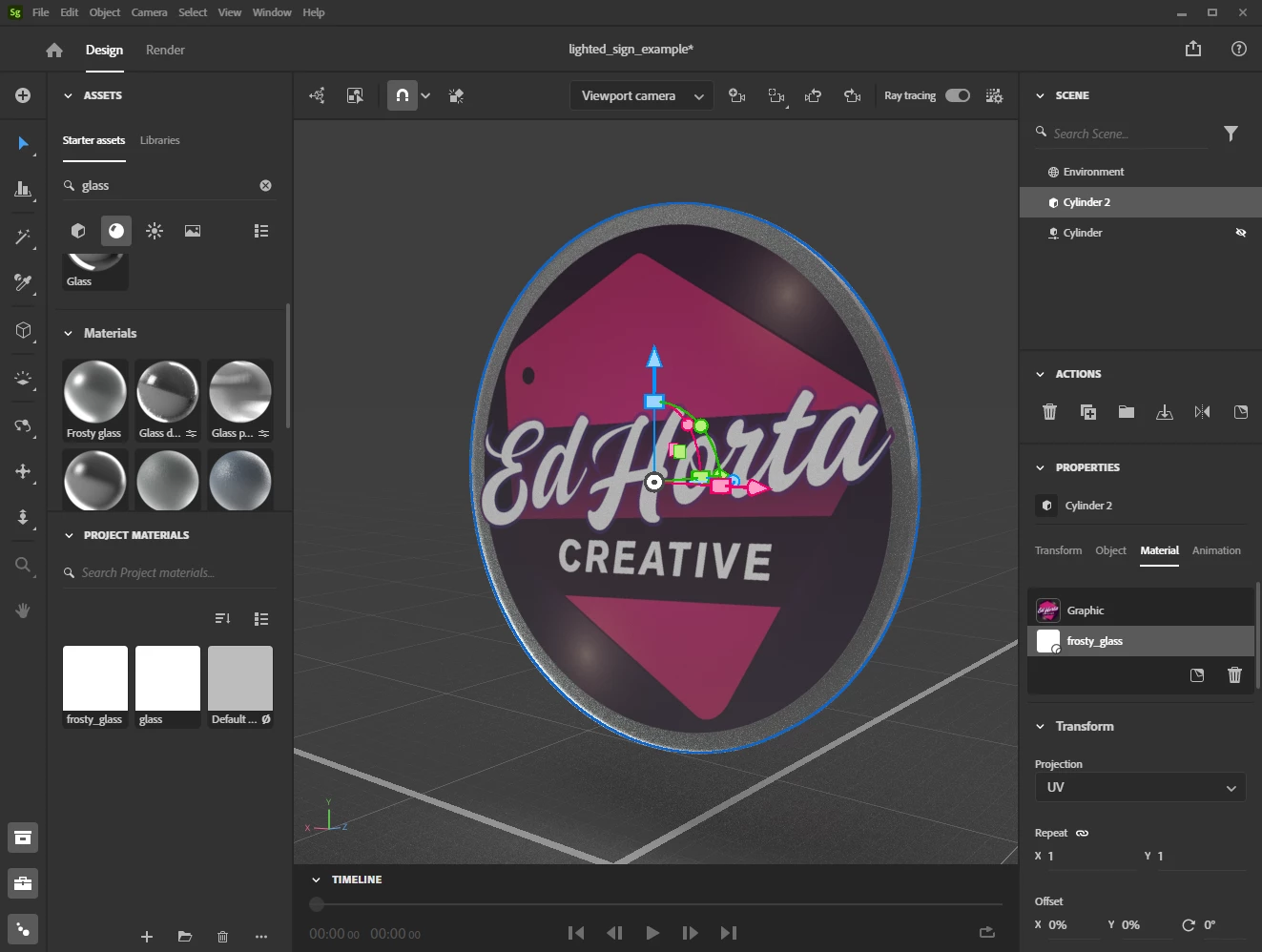
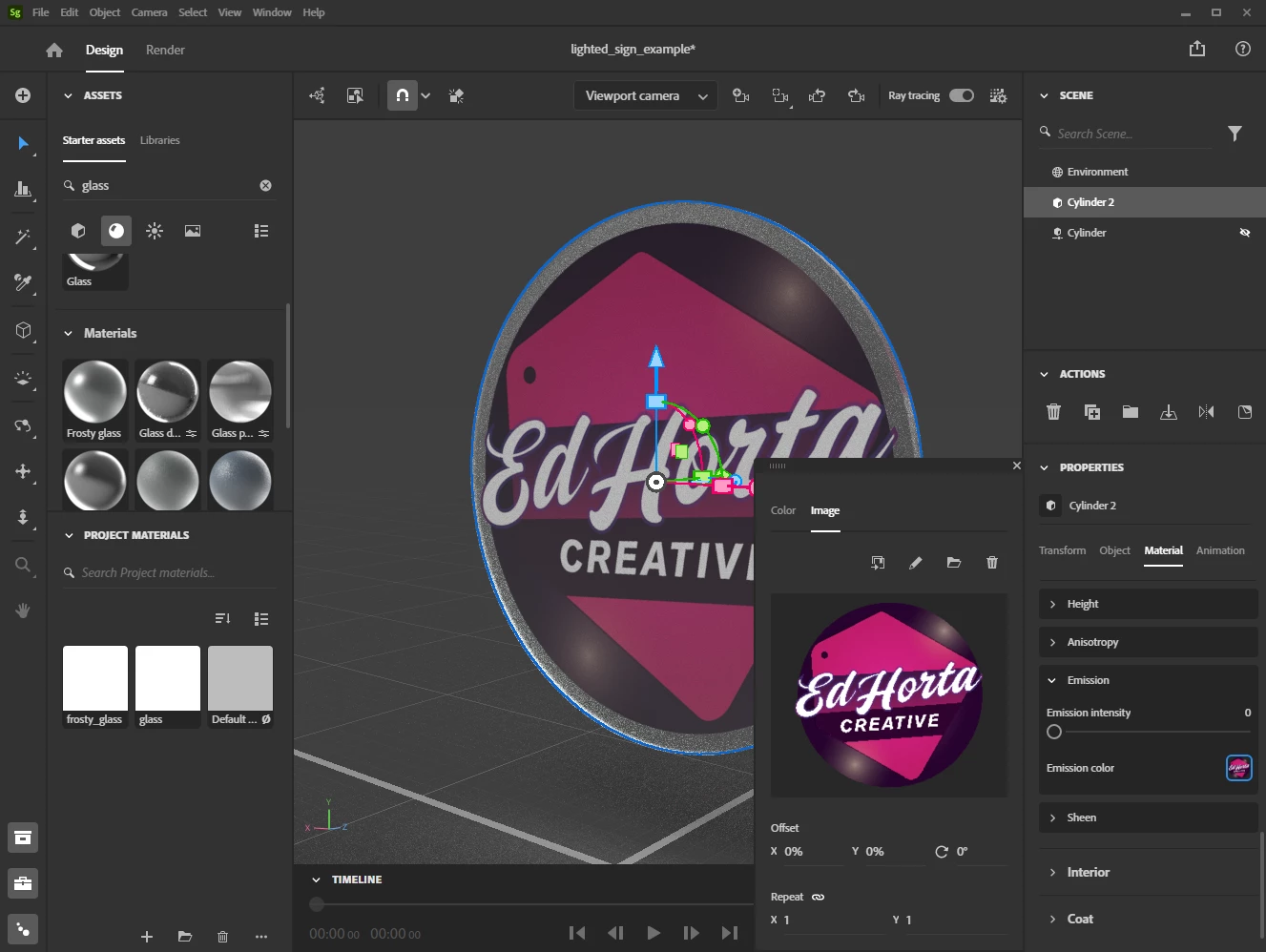
Create / Import Object > Place Image on Material as a Decal > Scroll down to "Emission" section of Material panel, and I'm able to choose an image (in this case, I'm chosing the exact same image used for the decal). See figure 1, 2 below.
MY RESULT
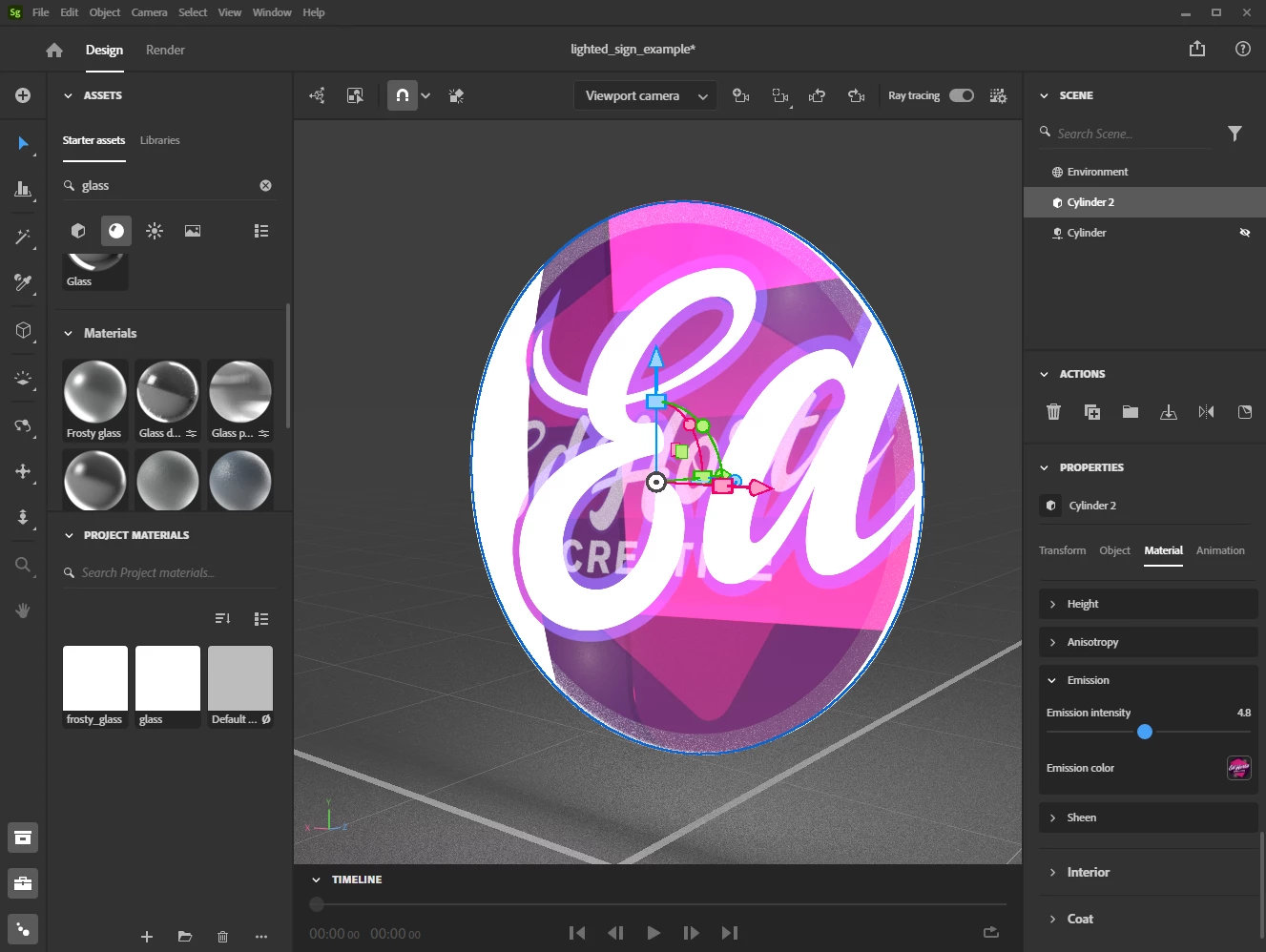
What happens, is the Emision image appears to change in size, sometimes stretching horizontally, versus aligning directly over the decal (figure 3 below). My work-around has been to use Photoshop to stretch the image horizontally and vertically or make the image document have a larger canvas in order to fine-tune the alignment and properly simulate the visualization project. I have to save a separate emission image to succeed in the task.
MY WORKFLOW
It's important for me to be able to drop in files with as little fine tuning as possible, when it comes to decals or illuminated prints. If fine tuning needs to happen, the settings should be consistent, be it on the decal section, or the Emsion image placement. Being able to use the same files for decals and emission effects is essential for workflow efficeincy. Additionally, files should be linked and live-updated similar to placed documents in Photoshop, Illustrator, InDesign, etc.
Looking for guidance in being able to achieve my desired effect, or acknowledgement this is something the Substance 3D Stager development team needs to work on.
Thank you for your time,
Ed
Version: Stager 2.1.4
Platform: PC \ Windows 10
 AdChoices