


Question
Exporting glass object into Adobe Aero
Hi everyone.
I'm having difficulties importing a 3D model that includes a glass sphere into Adobe Aero. I want to ask if there's a way to keep it transparent when exporting from Stager?
Here's how I created my 3D model:
1. I created it in Nomad Sculpt
2. I used Adobe Substance 3D Painter to add the glass appearance to the sphere
3. Sent it to Stager. In Stager, I choose Export for Aero (and it was exported as a .GLB file)
4. I imported the .GLB file into Aero, but the glass material is gone.
Below are the actual result and my expectation:
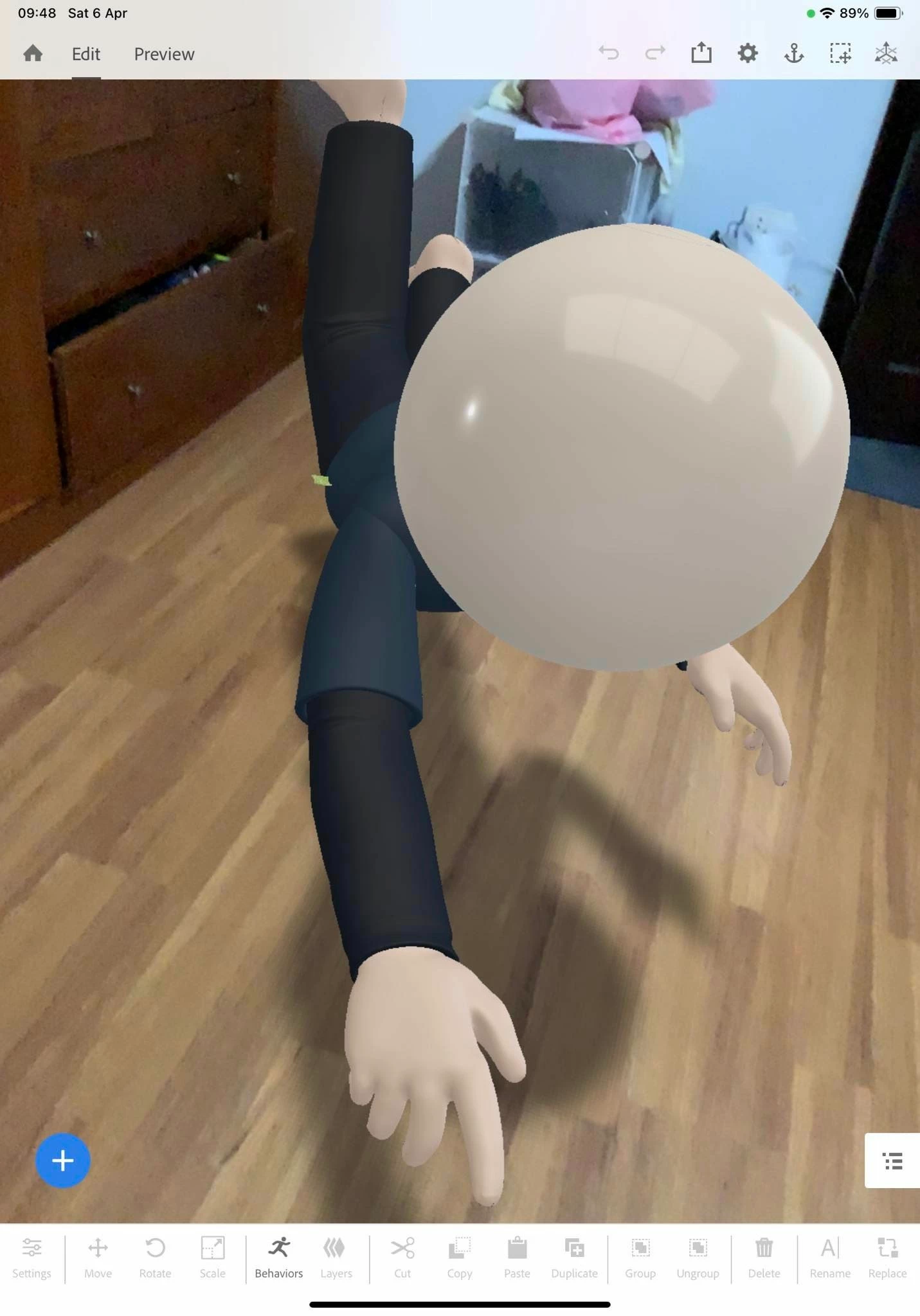

I hope to receive your advice on this >_<
 AdChoices