


Participant
August 20, 2024
解決済み

Physical light sources not working

  • August 20, 2024
  • 返信数 1.
  • 807 ビュー

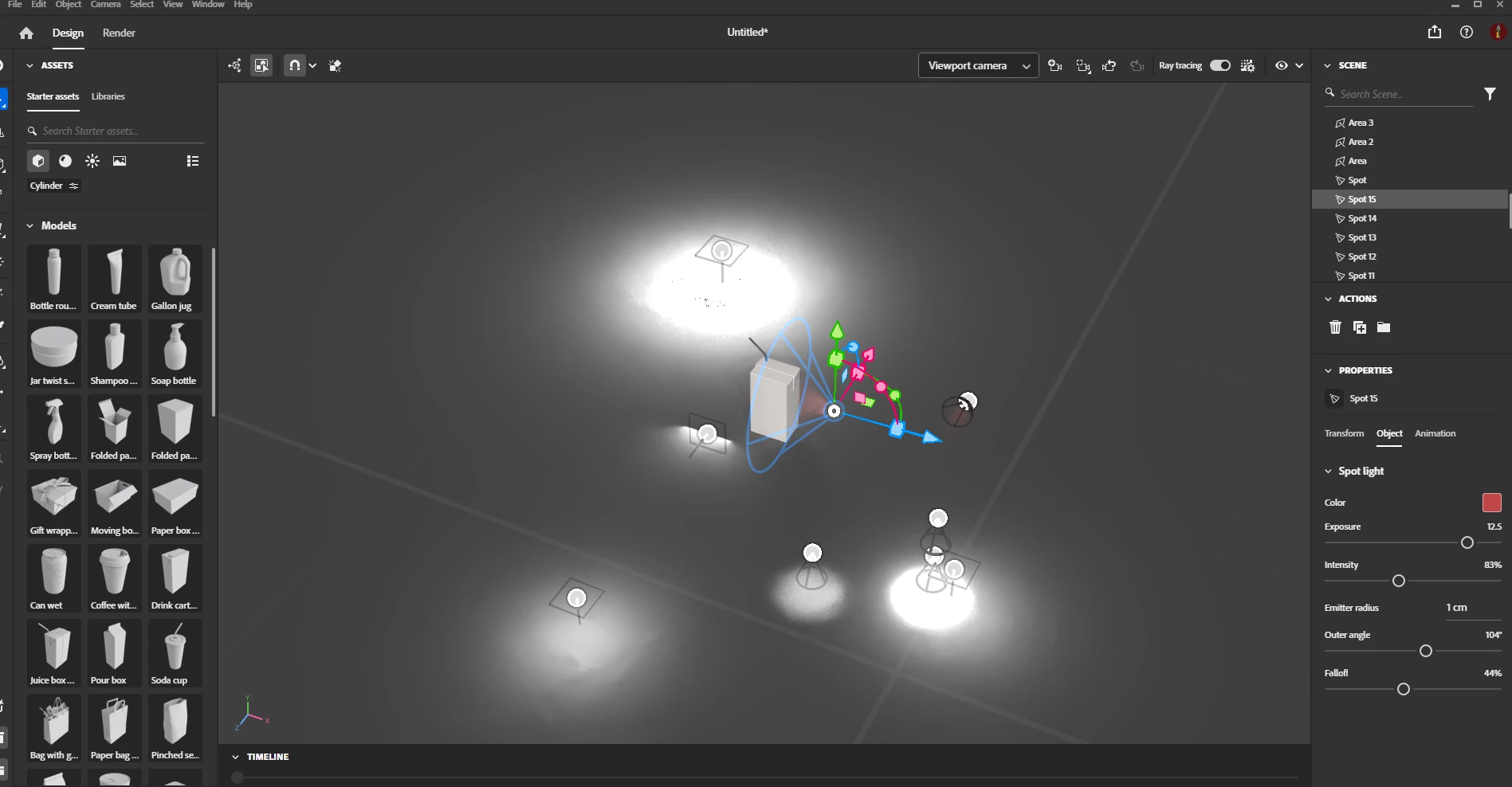
I'm trying to add lighting to my retail store project. When I started, I added some physical spot light and they worked well. But later on, when I try to add area lights, they emit no light. I tried to change the temperature, intensity, exposure etc but nothing happened. I even copied and pasted the spot light that I first added but the pasted one also doesn't emit light. Could anyone tell me what the problem is and how I can fix it? 


Below is a screenshot of my scene. The emitting light sources are what I added first. None of the other sources are emitting light.

このトピックへの返信は締め切られました。
解決に役立った回答 Ares Hovhannesyan

Not aware abou tlmitation, but may be it can depend on hardware or scene complexity  I am able to add more that 20 lights, from which 15 is Spot lights and I am able to change color, expousure. The exact answer we can expect from the Stager team. 

返信数 1

Ares Hovhannesyan
Community Expert
Community Expert
August 20, 2024

Dose this happens after latest update? 

Participant
August 20, 2024

I think so, because I just downloaded Stager a few days ago. I tried exporting the objects without the lights into a new working file and when I added the lights, they work just fine. But after adding the 12th light, the following lights don't work again. I deleted the first 12 lights and then 13th and 14th begin to work perfectly. So I suppose this is a lighting limit in Stager where 12 is the most I can have.

Ares Hovhannesyan
Community Expert
Community Expert
August 20, 2024

Not aware abou tlmitation, but may be it can depend on hardware or scene complexity  I am able to add more that 20 lights, from which 15 is Spot lights and I am able to change color, expousure. The exact answer we can expect from the Stager team.