


Participant
January 24, 2024
Question

Queries need to be solved 🤔

  • January 24, 2024
  • 1 reply
  • 289 views

Hi all,


I'm new to use substance tools  and have some queries -


I srtarted trial and I stucked with some blockers and need your help to find-out the solution.
So could you please help me at Below queries-
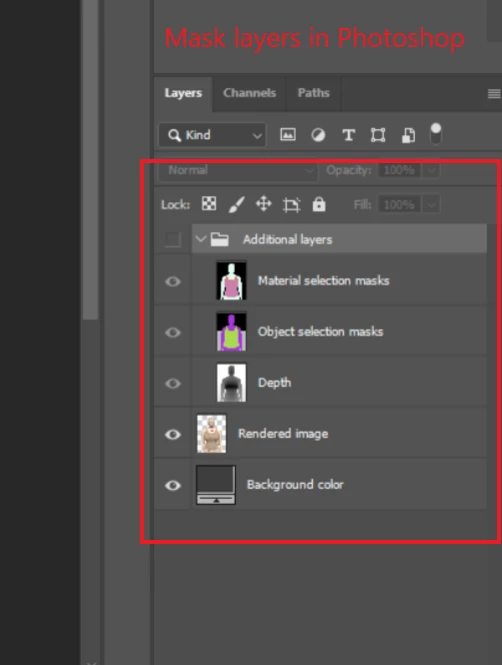
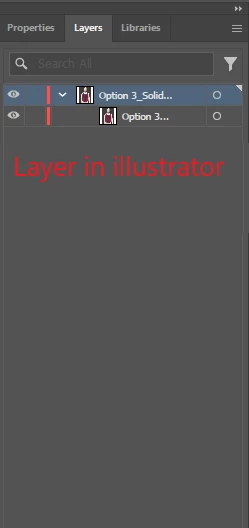
1. I have rendered PSD from Stager and in Photoshop all layers are there but only single layer appear in illustrator, How can we import PSD with layers in Illustrator?


2. How can we get front view camera angle in stager and there is any camera setting which we can save as our standard for future work?


3. How can we add garment seam line in painter if we using sbsar file not UV?


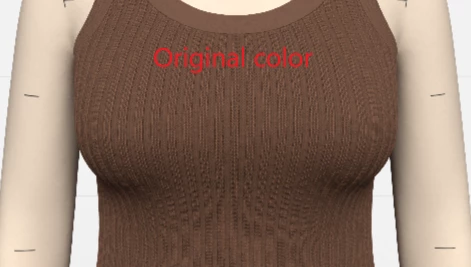
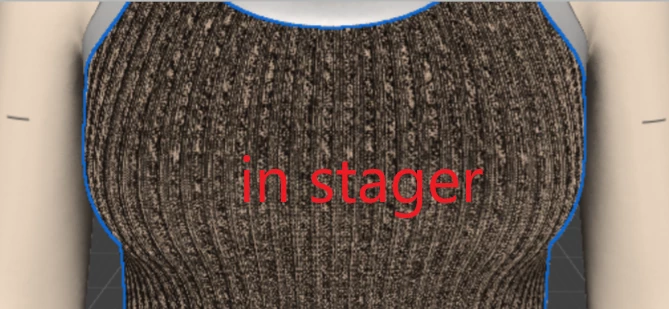
4. If I do garment Texturing in painter and send that to stager for rendering the texture become too darker, I used both option UV and SBSAR but din't got the solution, Please advice ( see image FYR)
5. I rendered a garment with both format (PSD & PNG) with same render setting but PNG render quality look quite good comparing to PSD image, how can we fix that (see image FYR)
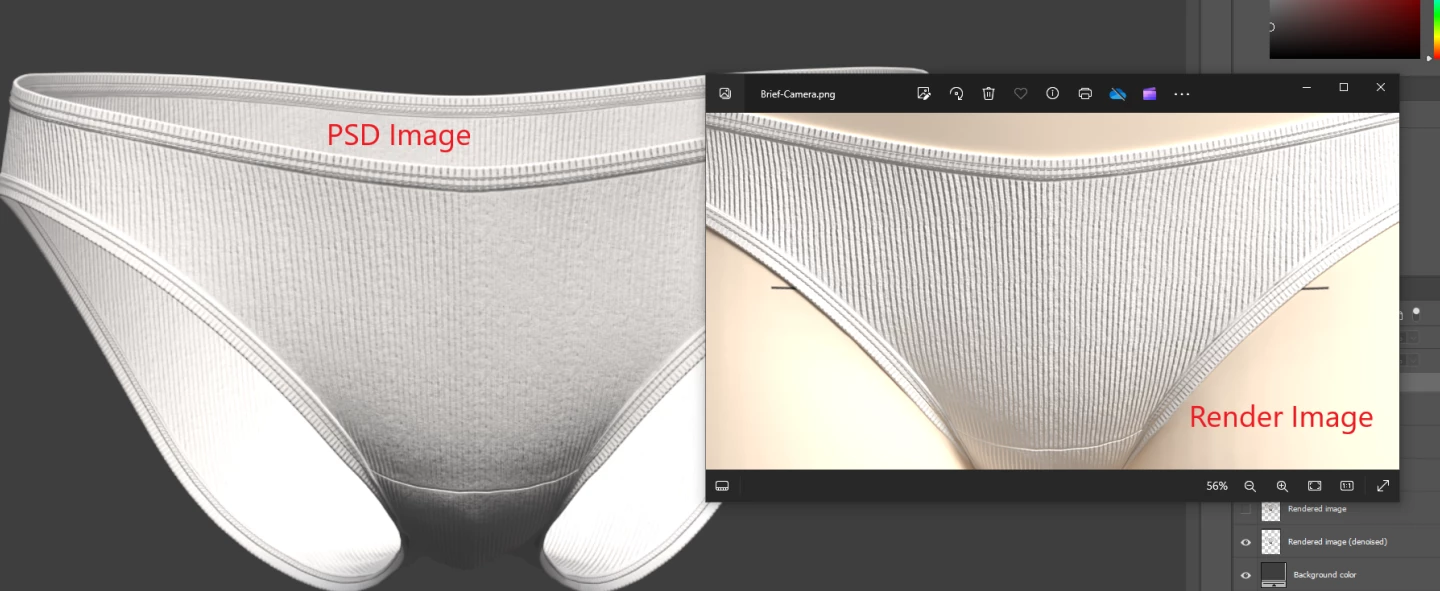


6. Can we create mask same as PSD file in render png image through photoshop?

7. PSD file size is too big, how can we reduce the size (which we got from stager)



Many thanks in advance

This topic has been closed for replies.

1 reply

Cyril Dellenbach
Community Manager
Community Manager
January 24, 2024

Hi @Sajid342553428hqe,


For the Illustrator issue, Substance Stager doesn't natively export AI files, and I'm not really used to the application, so I'm unsure how Illustrator handles .PSD files.


If you want to save a specific camera view for next projects, you can either save it inside a .FBX file, or save the entire scene as some sort of "Sample" project, that you can load instead of creating a new project from scratch. 


Just to be clear, a SBSAR is a material that is applied on UVs. These aren't two different workflows, you'll need UVs in order to apply the SBSAR. The Path tool is usually the most efficient workflow for adding seams.


Regarding the darker tones inside Substance Stager, I guess this is due to the Height/normal value that could be too high, but it's a bit hard to tell from a single image.


The quality from a .PSD and a .PNG should be equivalent as long as the rendering parameters are the same.


The size of the .PSD file depends on the rendering set up, so you could reduce the size of the image in order to lighten the file.


Regards,

Cyril Dellenbach (Micro) | QA Support Artist | Adobe
Participant
January 25, 2024

Thank you for your support,

1. Regarding layering issue in illustrator who will be the right person to ask

2. How can we save the camera inside the fbx, could you please help me on this?

5. I'm using the same setting but quality is not similar for PSD & Image


Cyril Dellenbach
Community Manager
Community Manager
January 25, 2024

1. I guess it would be on the Illustrator forum. I'm pretty sure they'll have an answer


2. When you're building your 3D model, you can usually add cameras to the 3D scene. When exporting the model, you can also select these cameras, and save them inside the same format file as the 3D object : the .FBX

As Substance 3D Stager has custom libraries, you can save the model with the cameras inside one of your library.

As an example, I've attached to this message a simple cube with a camera.


5. I'd gladly take a look at the issue. Could you send me the .SSG file at cdellenbach@adobe.com so I can take a closer look?


Let me know.

Cyril Dellenbach (Micro) | QA Support Artist | Adobe