


Question
Questions on Working With Substance Designer Materials
Two questions on working sith Substance Designer Materials:
I've built a set of materials in Designer and saved them out as a .SBS file. Unfortunately when I drag this into Stager, it only recognizes the first material in the list. Is there some way to get Stager to recognize the full material set I created in the .SBS?
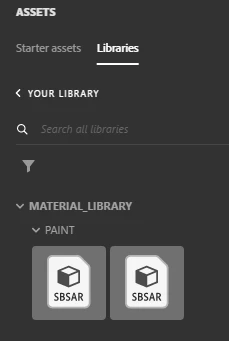
Barring that, I have exported each material as an .SBSAR file. This is not ideal, but at least works. Below you can see where I have added a custom MATERIAL_LIBRARY with the subcategory of PAINT. Is there some way to generate or set a preview sphere of the material instead of the SBSAR icon? This is going to be extraordinarily difficult for my designers to sift through 75 different paints without any kind of preview:
 AdChoices