
Known Participant
September 29, 2023
Question

Redering resolution very slow

  • September 29, 2023
  • 1 reply
  • 422 views

Hi Adobe Community,


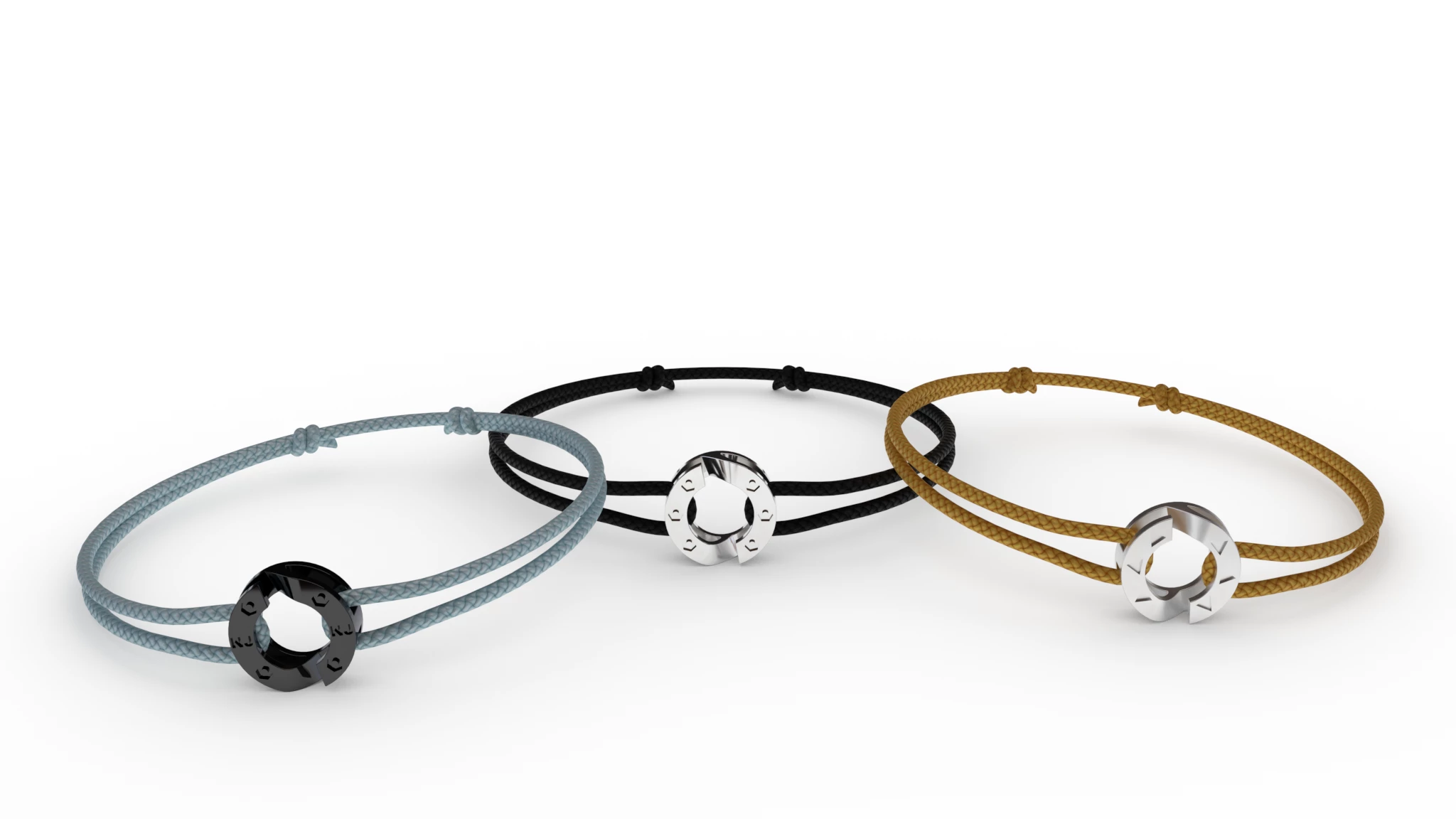
I try Adobe Stager for the first time and was surprise by the low quality/resolution of PNG export (even PSD).


The first image is 2048x1152, 2000samples, resolution full. It has low resolution when exported as PNG or PSD. We do not see the bracelet texture detail very well. It seems globally blurry.


My reference image 2000x2000 (quality is definitly higher):
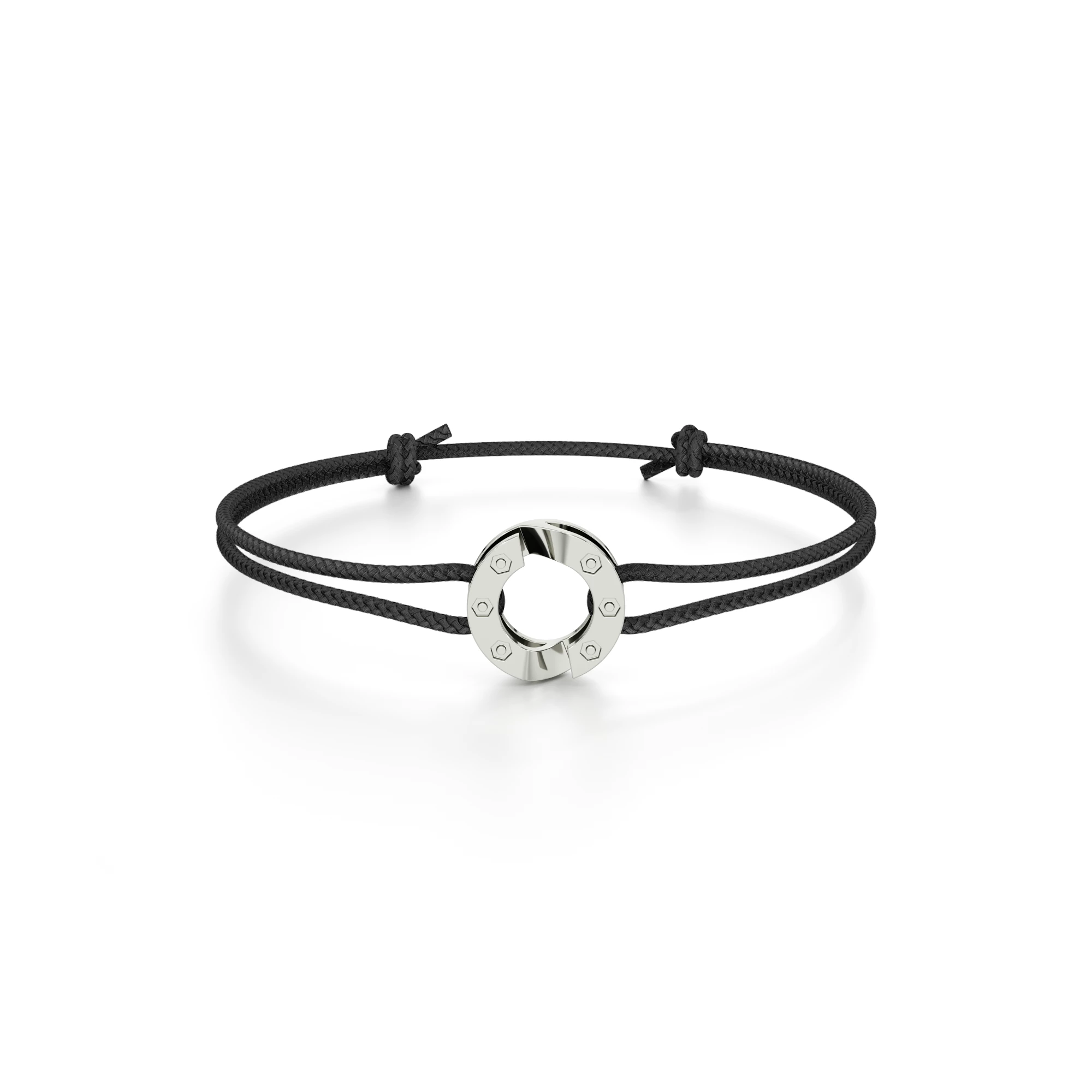
 

Is there a way to improve it ?
I try in 4096, it is a little better but two large to be used in a website.

This topic has been closed for replies.

1 reply

Cyril Dellenbach
Community Manager
Community Manager
September 29, 2023

Hi @Oxsmose,


Thanks for the message, this is an interesting question.


To be honest, I don't think the issue comes from the rendering resolution. You could try to disable the Denoise Export option, the see if there's a difference, or increase the Samples.


But for me, the problem probably comes from the material on the bracelet. It seems to lack of details/contrast in order to sharpen the bracelet look. Also, it's worth to check the material is sets up to a high enough resolution (4096) for a clean rendering, and to activate the Displacement. Here is a similar asset, if you want to try with something else.


In addition, you could edit the rendering in Photoshop, Lighroom, or any editing software in order to sharpen the image a little bit. This a common workflow. 


Best regards,


Cyril Dellenbach (Micro) | QA Support Artist | Adobe
OxsmoseAuthor
Known Participant
September 29, 2023

Interessting, thanks your feedback I made a scene where objects are closer. Details are now better and closer to what I get in the viewport.


If you look on the background of the scene we see the bracelet blur. My guess would be because of the camera setup (focus),


Could it make sense ?

Ares Hovhannesyan
Community Expert
Community Expert
September 29, 2023

You can try with camera blur focus (min and max values) blur as at depends on your materials lights  environment. It depends on scene