


Participating Frequently
May 9, 2023
Answered

Render a sphere with potato material

  • May 9, 2023
  • 5 replies
  • 1360 views

Hello, I would like to create an image like that:
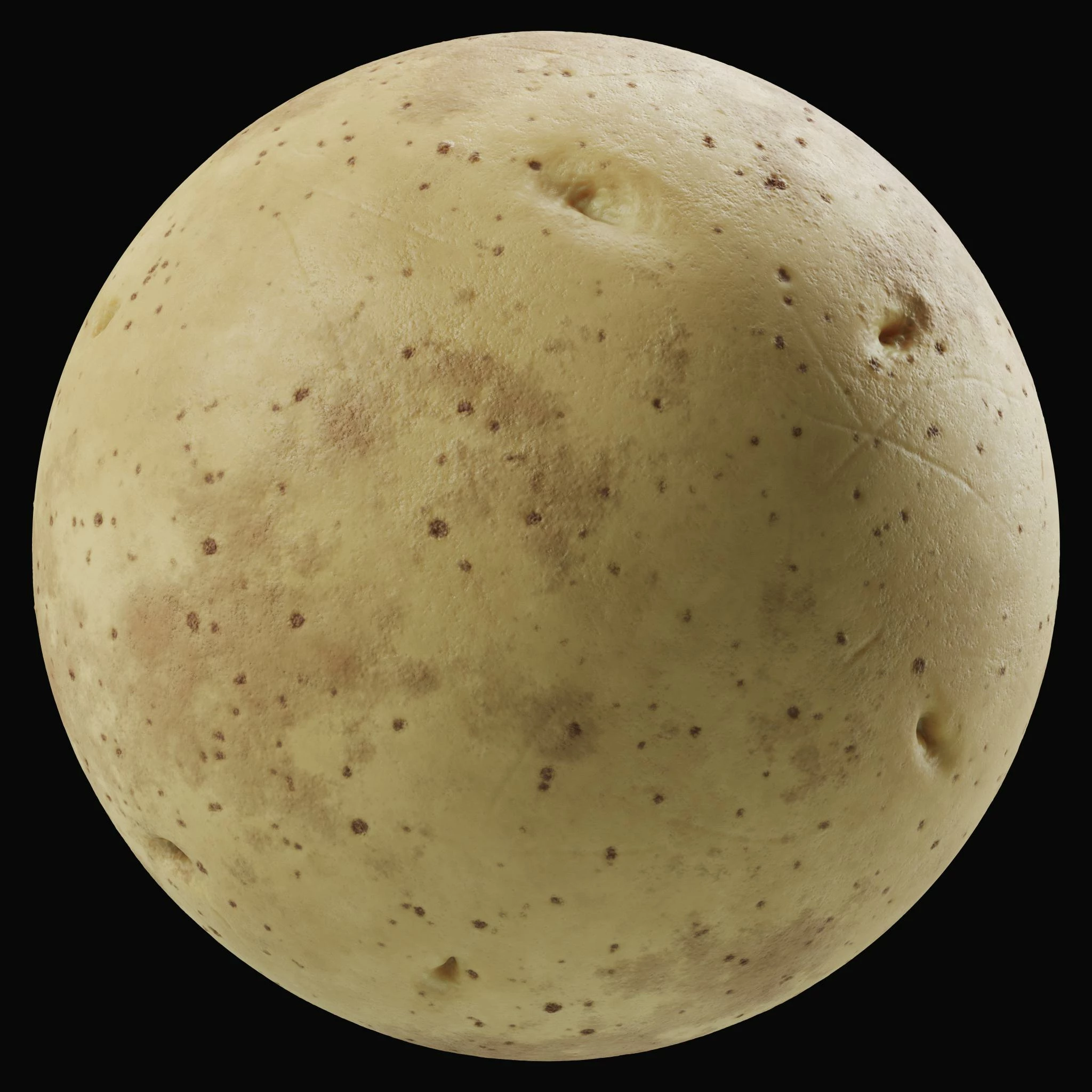

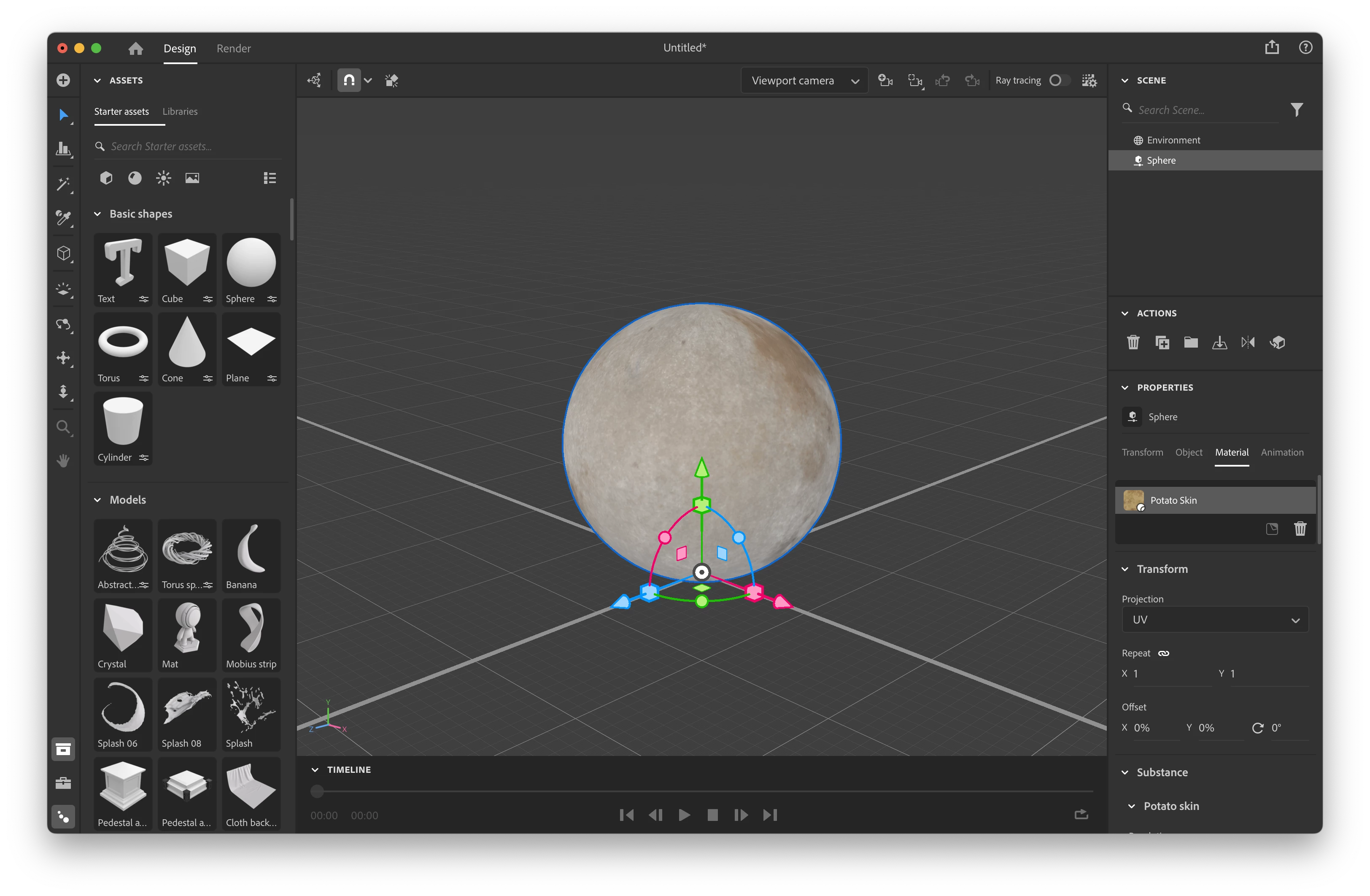
So I would like to create an image of a sphere with potato material. The lighting and the material should in principle look exactly like the example image, but I would like to have several variations of it, for which it would be enough to rotate the sphere. To achieve that, I installed Adobe Substance 3D Stager and downloaded this potato material.

I have simply tried it like that:
 

Unfortunately, the result looks like this:
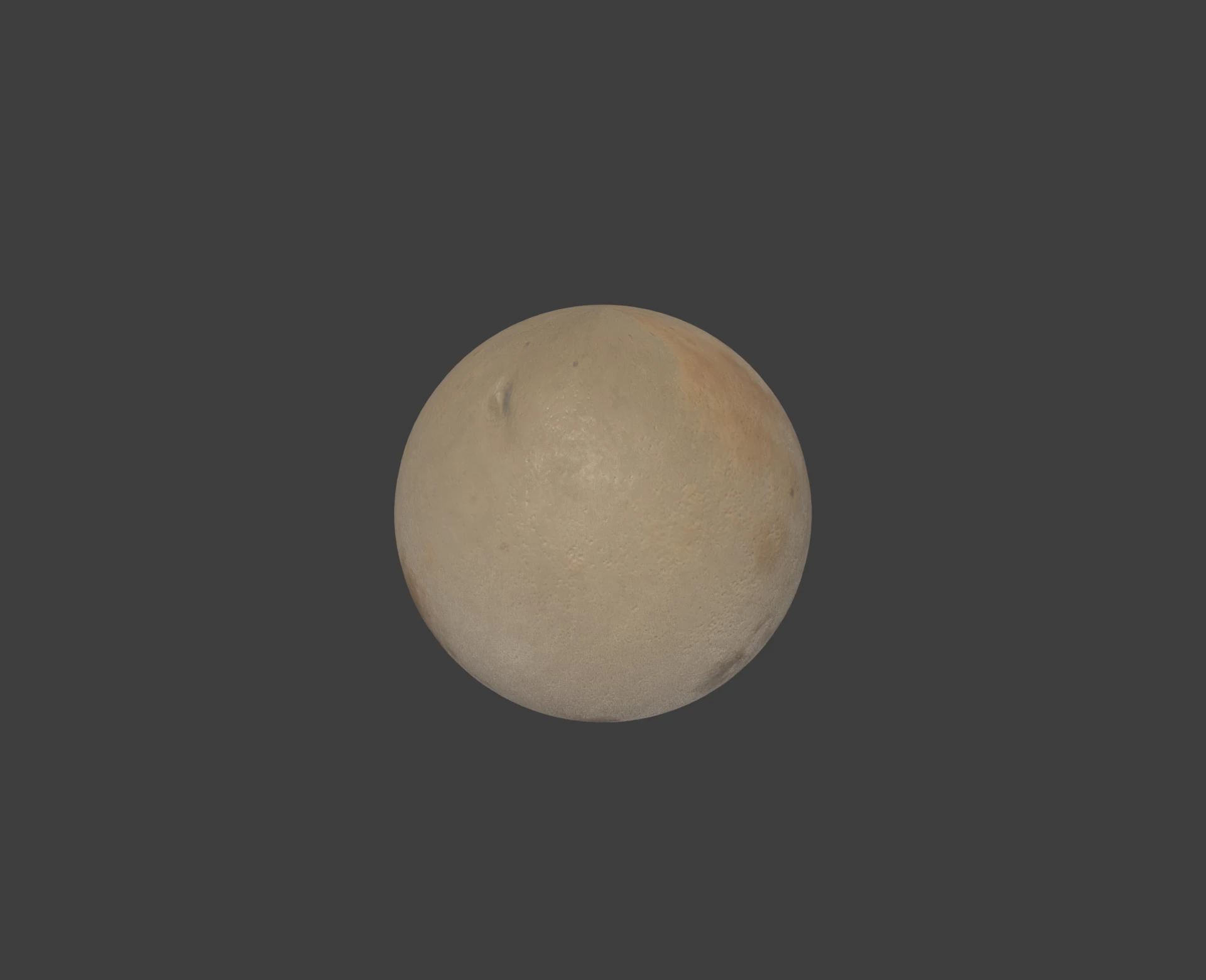
 

Can anyone help me make it look like the example? I would be super thankful!
This topic has been closed for replies.
Correct answer AEllard

Hi @cornflower12!

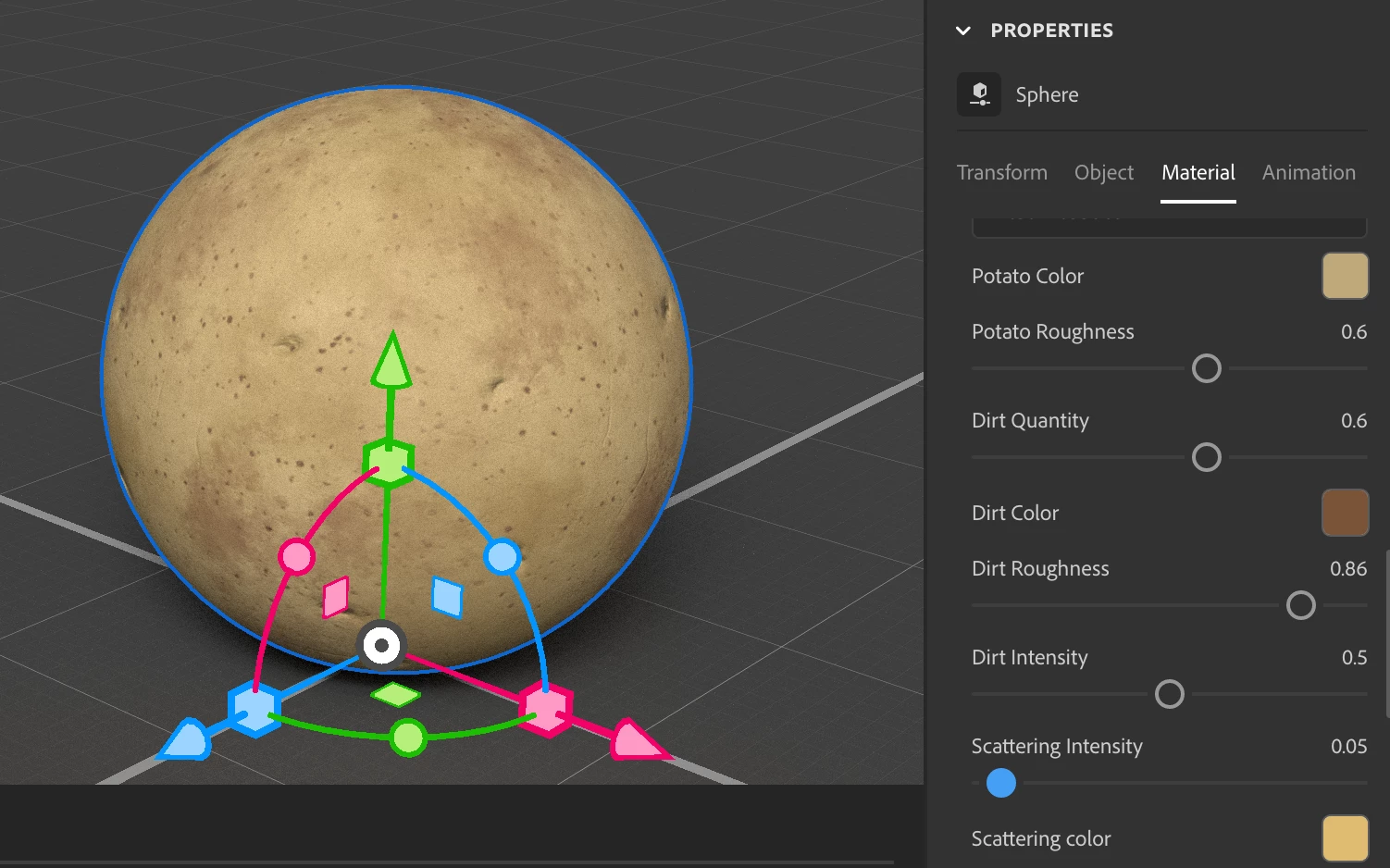
It looks like lowering the potato material's scattering intensity will fix the issue you are encountering.


5 replies

AEllardCorrect answer
Adobe Employee
May 23, 2023

Hi @cornflower12!

It looks like lowering the potato material's scattering intensity will fix the issue you are encountering.


Ares Hovhannesyan
Community Expert
Community Expert
May 10, 2023

Please go to material property and play with custom properties. Here what I get in preview mode. Also find correct or desired lighting for you.


Participating Frequently
May 10, 2023

Oh wow, looks complicated! I can try. Thanks

Participating Frequently
May 13, 2023

I still couldn't find a way to let it look like in the example 😞

Cyril Dellenbach
Community Manager
Community Manager
May 10, 2023

Hi @cornflower12,


If you don't wish to set up your own scene, Substance 3D Stager has a sample that is made for this type of case.

File > Open Sample > Material Showcase.


You'll only have to drag and drop your material.


Best regards,


Cyril Dellenbach (Micro) | QA Support Artist | Adobe
Participating Frequently
May 10, 2023

Hi, thank you!

I opened Material showcase, downloaded the potato material as potato_skin.sbsar file, and dropped it on the sphere:


I'm using a M2 MacBook Pro, rendering takes a lot of time, I just took Draft as render setting as preview. This is the result:


I feel like there is still a big difference to that:


Did I do something in a wrong way?

Inspiring
May 9, 2023

You should try scaling down the material, you have it set to 100%, in doing so, it is stretching out the applied potato graphic.

Participating Frequently
May 9, 2023

Thank you. But then the light and the materiality still doesn't look like in the example.

Ares Hovhannesyan
Community Expert
Community Expert
May 9, 2023

In what stage you made capture? In Render preview or after Final Render? 

Participating Frequently
May 9, 2023

Hi! It was a final rendering.

Here is the editable file:
https://we.tl/t-4zThB2YoP2