Known Participant
November 20, 2021
Answered

Sampler to Stager issue.

  • November 20, 2021
  • 3 replies
  • 844 views

Hi, 


I'm relatively new to the Adobe 3D workflow... I just wanted to test out Adobe Sampler by modifying my own wet snow material. It looks great in Sampler, it has height, texture, everything. I exported it as an sbsar (i experimented a bit with what features were checked off for the export) and dropped it on a sphere in Stager and even with Displacement checked on in Stager, the material appears flat and lifeless. What am I missing?


Thanks,

A

This topic has been closed for replies.
Correct answer JMathews

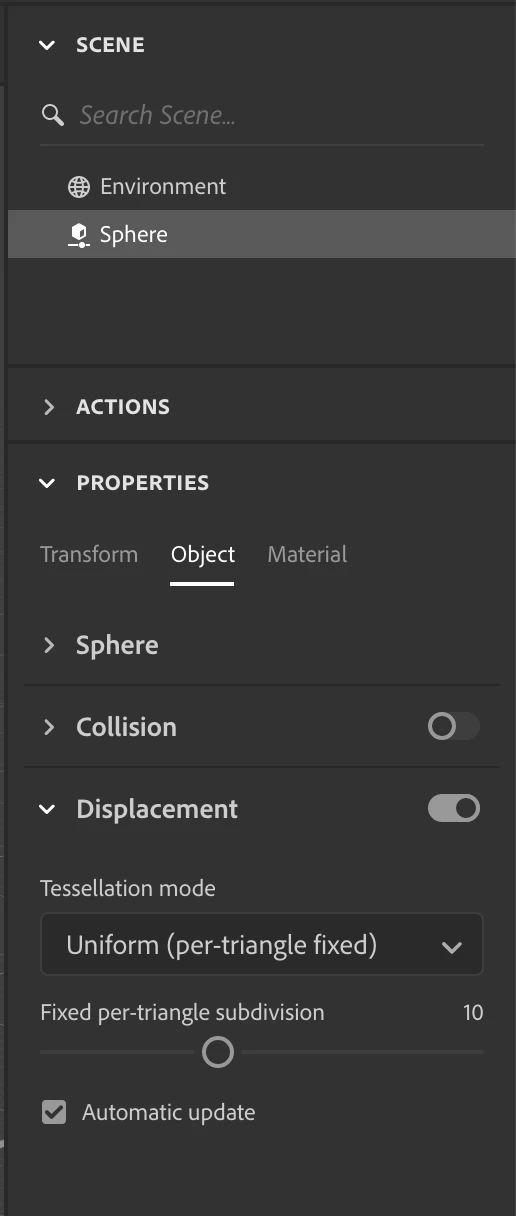
Hey @Alexrosshyner !  Jeanette from the Stager team here.  It looks like displacement isn't being activated on your Dimension sphere.

  • Apply the material to the sphere
  • Select the sphere object
  • In the properties panel go to the object tab and enable displacement
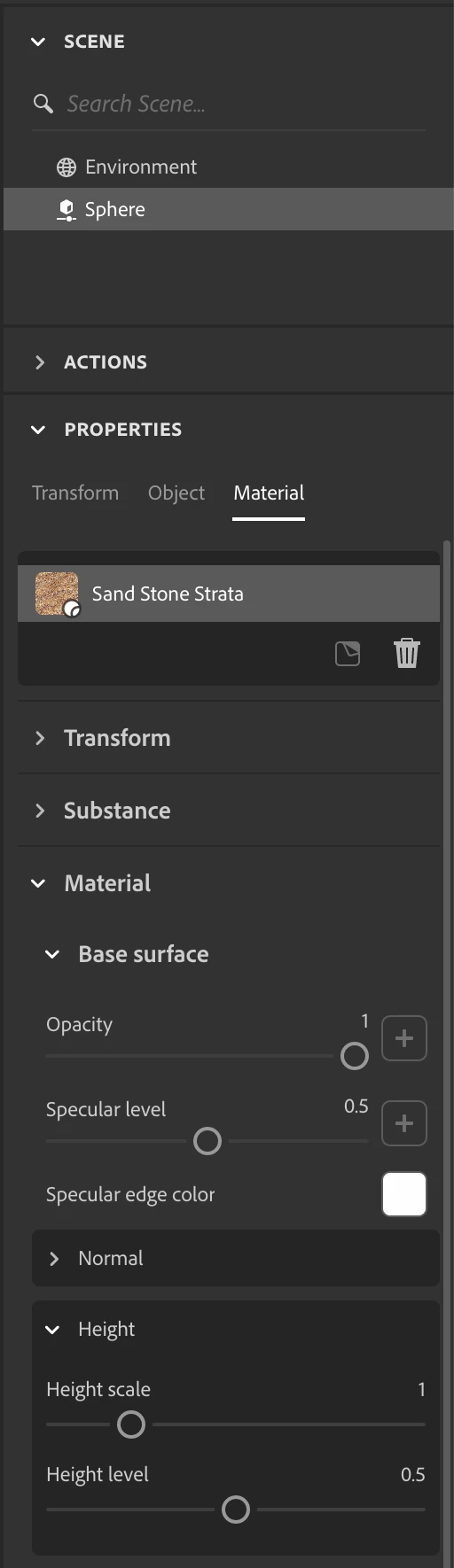
  • Switch to the material tab
  • Adjust the height properties
    • If it's an SBSAR it may be called something like height range, height intensity, etc, depending on how it was authored.
    • If height isn't used by the SBSAR directly then the channel will be exposed in the "Material" properties beneath it and called height scale


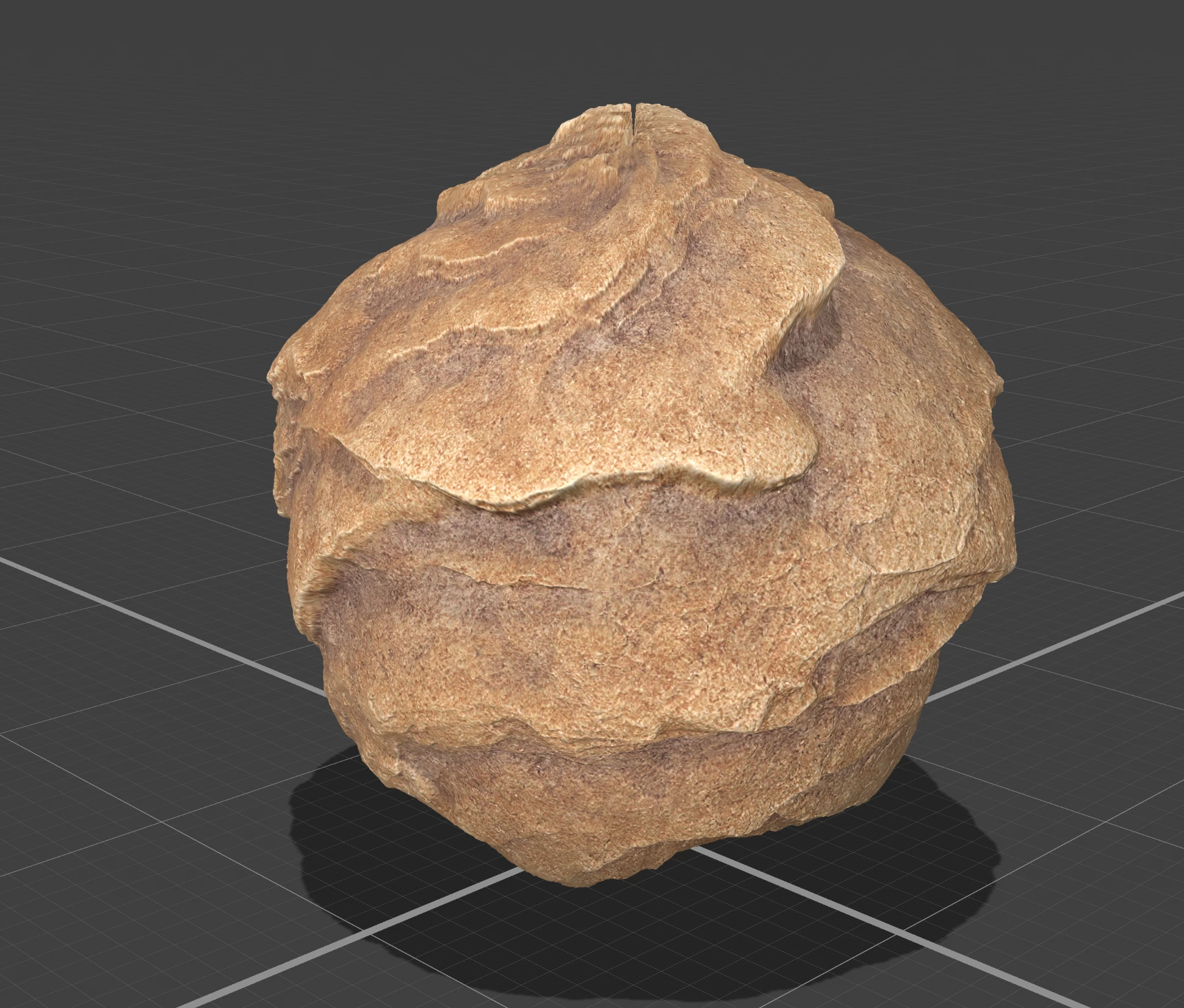
Attached a few images here for reference.  If that doesn't help feel free to shoot over your .ssg scene to me and I can take a look at your specific material settings.  You can send it to jmathews@adobe.com


3 replies

JMathews
Community Manager
JMathewsCommunity ManagerCorrect answer
Community Manager
November 23, 2021

Hey @Alexrosshyner !  Jeanette from the Stager team here.  It looks like displacement isn't being activated on your Dimension sphere.

  • Apply the material to the sphere
  • Select the sphere object
  • In the properties panel go to the object tab and enable displacement
  • Switch to the material tab
  • Adjust the height properties
    • If it's an SBSAR it may be called something like height range, height intensity, etc, depending on how it was authored.
    • If height isn't used by the SBSAR directly then the channel will be exposed in the "Material" properties beneath it and called height scale


Attached a few images here for reference.  If that doesn't help feel free to shoot over your .ssg scene to me and I can take a look at your specific material settings.  You can send it to jmathews@adobe.com


Adobe Principal Product Manager, 3D & Immersive
LoryAline
Community Manager
Community Manager
November 22, 2021

Hi, 
I moved the conversation as I think the 3D Stager community might help better with your issue.
Hope this problem can be solved easily!

Thank you.

Ares Hovhannesyan
Community Expert
Community Expert
November 21, 2021

Did you adjust your material setting in Property panel in Stager? You must have all property available in Stager as in Sampler?

Known Participant
November 21, 2021

Hi Ares,


I tinkered with adjustments but not everything is showing up in the materials section of Stager. No normal, no height. Even though those items are checked when I export from Sampler to an Sbsar. And Displacement in the object panel of Stager makes it look even flatter for some reason.


Here's what I am looking at on Sampler and Stager. 


Thanks a lot for the help. 


A