


PechmannMem
Participant
January 25, 2023
Answered

Stager: everything has a yellow tint in ray tracing preview

  • January 25, 2023
  • 3 replies
  • 296 views

Hello,


Whenever I turn on the ray tracing preview in Stager, everything has a yellow tint to it. See screenshot below:
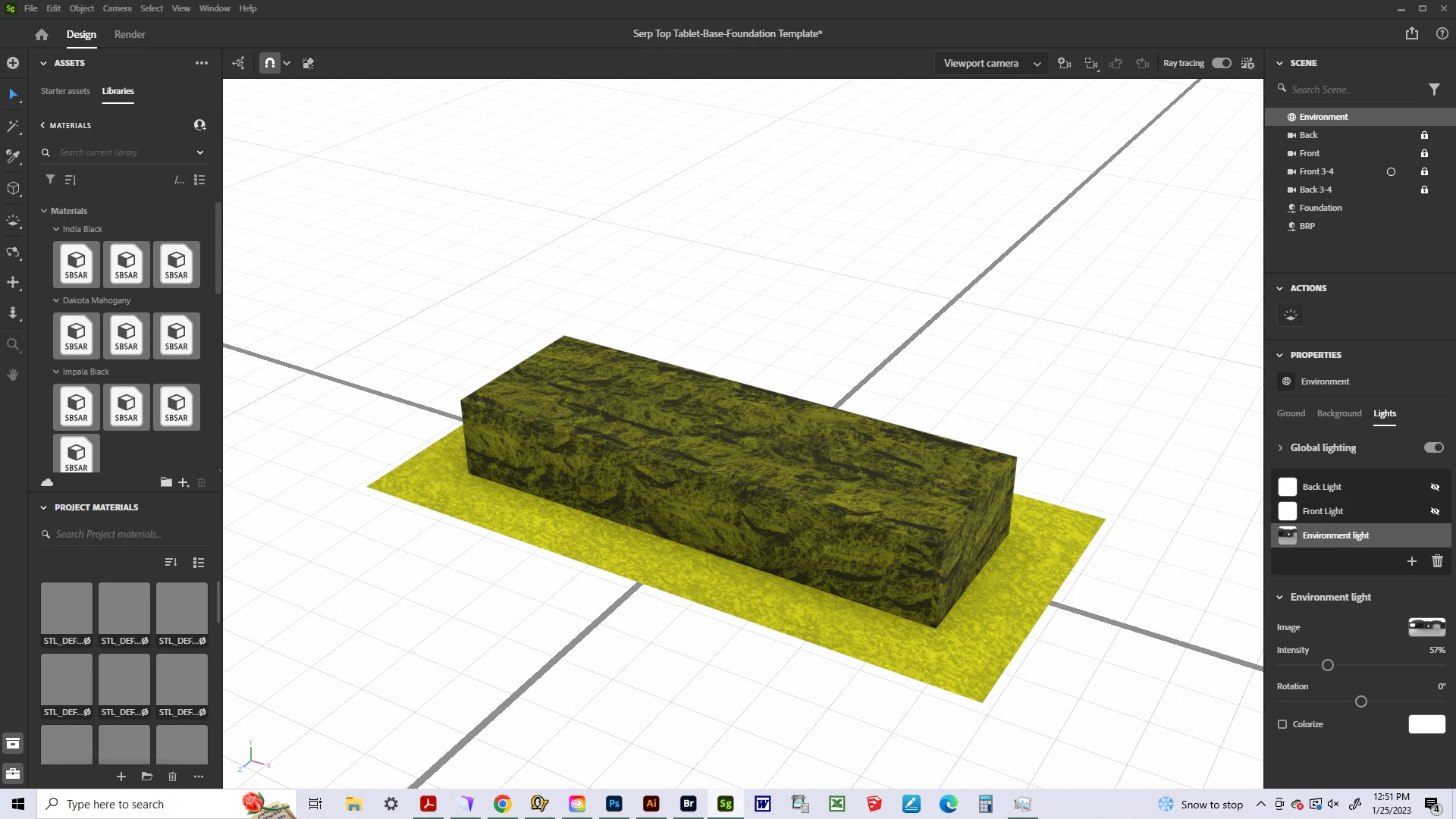
 It looks almost as if there is a light with a yellow color in the scene, but I only have the environment light turned on and it is set to pure white. I have only experienced this issue in versions 1.3.0 and later. Any ideas what might be causing this? Thanks!

This topic has been closed for replies.
Correct answer AEllard

If you are seeing a graphic error, we recommend updating your GPU drivers. Drivers are regularly updated by the GPU manufacturer.

3 replies

AEllardCorrect answer
Adobe Employee
February 7, 2023

If you are seeing a graphic error, we recommend updating your GPU drivers. Drivers are regularly updated by the GPU manufacturer.

JMathews
Community Manager
Community Manager
February 2, 2023

It's difficult to diagnose files and rendering issues over the forums without being able to see the scene setup.  Check your material settings to see if there is some sort of transparency or translucency since materials can have multiple colors.  If you're not able to find that and can share a scene you've created that has the problem (even if just a simple cube like this example) feel free to attach it here and we can take a look!  If you can't attach it you can email us privately at Substance3D-bugs@adobe.com

Adobe Principal Product Manager, 3D & Immersive
Ares Hovhannesyan
Community Expert
Community Expert
January 26, 2023

Sure, it must be a render effect and must be depend on lights, reflection and translucency of material properties. Please check them again. In your screenshot we can see that you have additional two lights active "back and front". Check them also. Thanks