


Participating Frequently
March 5, 2022
Answered

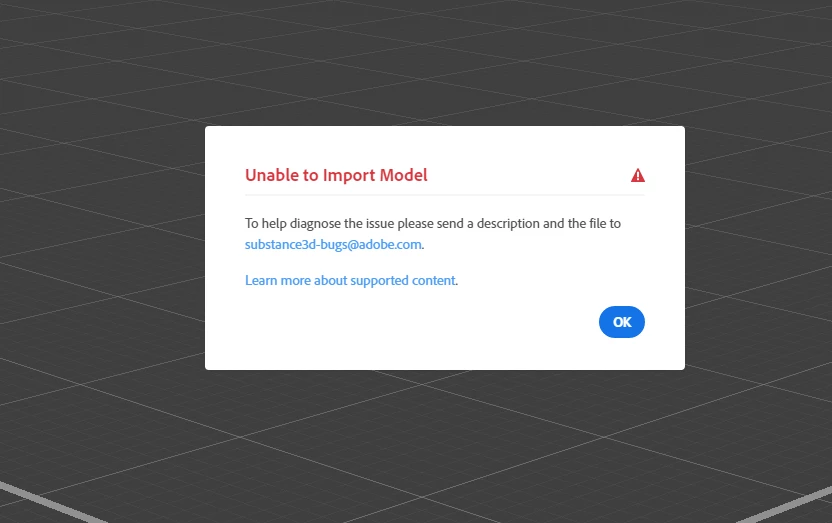
Unable to Import Model

  • March 5, 2022
  • 2 replies
  • 6246 views

Every single fbx mesh I try to import to Stager gives me "Unable to Import Model" error. I tried changing up smoothing and applied different export settings, however got no luck. Weirdly enough it did bring one the meshes I tried some time ago. What could be the reason. Literally can't use stager. 
 

This topic has been closed for replies.
Correct answer JMathews

Understood! Looking forward to it. Thank you for your time! 


We have a fix!  This will be included in our next release, planned for April.

2 replies

Participant
March 22, 2023

yes i get the same any idea when this will be fixed im downgrading .... hope my new builds work in the older version


Adobe Employee
March 22, 2023

Hi @graphicgene.co.uk! Are you having trouble importing a particular fbx file? Are you experiencing this issue in Stager 2.0.1? Any additional information can help us find and reproduce the issues better!


We are not able to diagnose working files directly on the forum website. Can you email the fbx file and  Stager log file from the scene you are seeing this issue in to Substance3d-bugs@adobe.com. If the file is under 20 MB you can attach it directly to the email.  If it's larger, you can send via a file transfer link like Creative Cloud assets, Dropbox, We Share, One Drive, Google Drive, or similar.

Participant
March 22, 2023

sorry this was for adobe dimensions ..... no idea how it ended up on this forum ... but

Ares Hovhannesyan
Community Expert
Community Expert
March 6, 2022

Please review Preparing models for use in Stager | Substance 3D Stager (adobe.com)

Some problems can be with normals or polygons.

Can you import any other models with other file types. What file type is it? Please also send file to email that has been mention in the note.

WardsonAuthor
Participating Frequently
March 6, 2022

Thanks for the reply. I tried OBJ as well but got no luck. All of the meshes I tried to import are meshes (they are game ready) that have been exported and works with no problems in softwares such as Substance Painter, Unreal Engine, Blender, ZBrush. Normals are corrected, even some meshes are triangulated to avoid artefacts and shading issues, they also come with UV's. I've added some of the examples (all fail to import) to the mail I've received but the mail failed to delivered as a reply. So I'll add them here if it may help, or a mail you can provide. 

Thank You!
Ares Hovhannesyan
Community Expert
Community Expert
March 7, 2022

I am able to import your models after converting them to GLB format via Microsoft 3D Viewer. 

  Please chnag eformat as fbx have some problem in this case.
