Participant
March 24, 2024
Answered

When importing an object with rounded corners, some lines appear, how to remove them?

  • March 24, 2024
  • 1 reply
  • 191 views

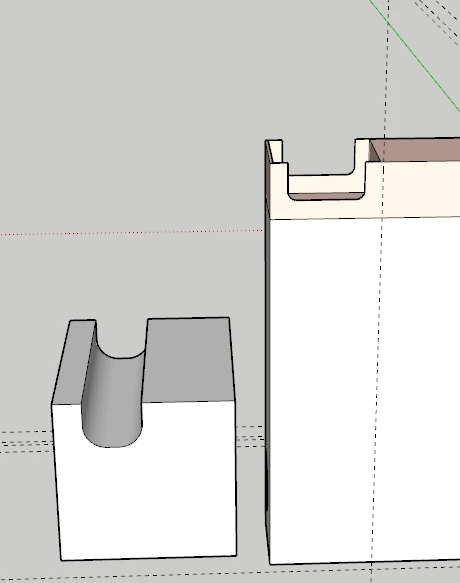
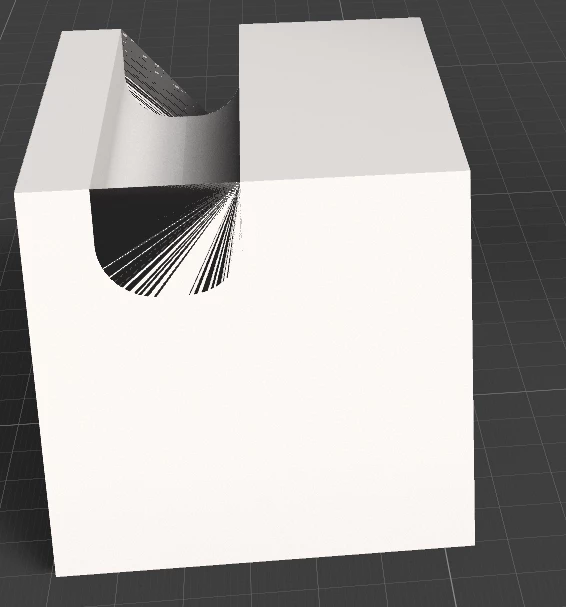
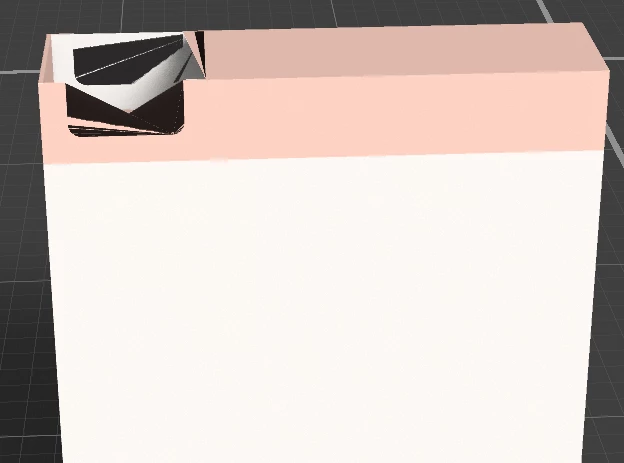
In general, when importing any object with rounded corners from Sketchup, some lines appear that cover the surface. Please tell me what should I do to make these lines disappear?
   

This topic has been closed for replies.
Correct answer Ares Hovhannesyan

Yes, that can be limitations of code for STL files. See STL (file format) - Wikipedia

1 reply

Ares Hovhannesyan
Community Expert
Community Expert
March 24, 2024

What kind of format is your 3D Object? Thx

Participant
March 25, 2024

Thanks for your question, I tried to export in different formats: obj, fbx, and others, but the model is imported into stage without these lines only in stl format, but it is inconvenient to work with this format in this program.

Ares Hovhannesyan
Community Expert
Ares HovhannesyanCommunity ExpertCorrect answer
Community Expert
March 25, 2024

Yes, that can be limitations of code for STL files. See STL (file format) - Wikipedia