
Participant
September 30, 2013
Question

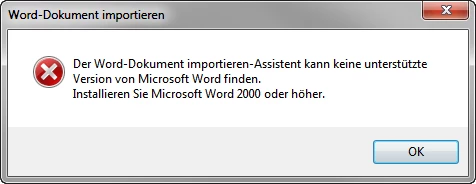
"A supported version of Microsoft Word does not exist. Please install Microsoft Word 2000 or newer."
  • September 30, 2013
  • 2 replies
  • 1867 views

I am a new RoboHelp user und I want to import content written with Word 2013 into RoboHelp.

I'm using RH HTML 9.0.2 and MS Word 2013 (Office 2013) on a Windows 7 professional computer.

When I try to import a Word-Document (I downloaded and used the example document from Peter Grainge and also tried other Word-documents) I get the following message:

"A supported version of Microsoft Word does not exist. Please install Microsoft Word 2000 or newer."

What can I do?

This topic has been closed for replies.

2 replies

Community Expert
April 8, 2022

In addition to Jeff's advice, while it was a long time ago, I think the installation and running order mattered.


Try uninstalling RH and running Word once. Then install RH and all patches as an administrator. Then see if it works.

Peter Grainge
Community Expert
Community Expert
September 30, 2013

The error message is wrong as regards the version you need to install. It should state that you need a compatible version and the latest is Office 2010. Even Rh10 does not support Office 2013.

There is a workaround when generating printed documentation but not when importing. You need to install Word 2010 which can co-exist with Word 2013 if you want to retain that for other purposes. Before using Rh to import, run Word 2010 first.

To generate printed documentation using Word 2013, right click Properties in the layout, it works from there.


See www.grainge.org for RoboHelp and Authoring tips

@petergrainge

Use the menu (bottom right) to mark the Best Answer or Highlight particularly useful replies. Found the answer elsewhere? Share it here.
Participant
July 6, 2016

I’m using RH 11 and MS Word 2016 (Office 2016) on a Windows 7 professional computer.

When I try to generate a printed document I get:

“A supported version of Microsoft Word does not exist. Please install Microsoft Word 2000 or newer.”

I doesn’t matter if I left-click or right-click>Properties, I always get the message.

Please help. How do I get Robohelp to recognize my Word 2016 installation?

Captiv8r
Legend
July 6, 2016

How do I get Robohelp to recognize my Word 2016 installation?

You need to upgrade to RoboHelp (2015 Release) and install the three service releases.

Cheers... Rick