


Acrobat previously worked on Windows ARM laptop—now 32-bit installer rejects operating system
Has anyone resolved an issue where paid Acrobat desktop previously worked on a Windows ARM-based Copilot laptop, but now cannot be reinstalled—even using the 32-bit installer?
Acrobat was working on my laptop, then stopped. Following troubleshooting advice, I uninstalled it. I have since tried reinstalling through several download methods without success.
I have tried the 32-bit Acrobat installer. The downloaded folder is named:
Acrobat_DC_Web_WWMUI
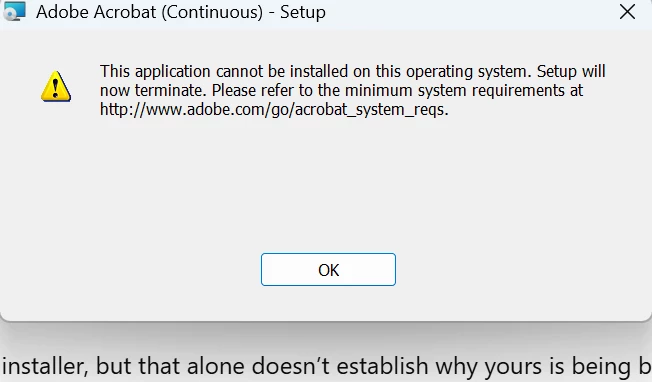
When I run setup, the “Adobe Acrobat (Continuous) – Setup” window displays:
“This application cannot be installed on this operating system. Setup will now terminate. Please refer to the minimum system requirements at http://www.adobe.com/go/acrobat_system_reqs.”
I have a paid subscription, although I do not have the previous Acrobat version number. Acrobat is now uninstalled.
Adobe’s Copilot+ compatibility page lists Acrobat as running through emulation, so I am trying to understand why the installer is rejecting my device when Acrobat previously worked.
Has anyone encountered this exact error and successfully reinstalled Acrobat? Is there an updated full installer or an Adobe-supported installation procedure for Windows ARM that addresses this problem?
I have already tried the 32-bit download, so I would appreciate guidance beyond downloading that same installer again.

 AdChoices